How I Stand Up a Gateway and Login Stack for a New Project in One Command
On this page
- Introduction
- A. What the gateway and login stack is
- B. Why the first boot matters
- C. Why copying the previous stack is the wrong start
- D. Five obstacles in the way
- Method
- A. Every value in the form its file needs
- B. Values the gateway refuses, or accepts and never matches
- C. Removing the user the migration planted
- D. Routing to something before the backend exists
- E. Starting a second run from nothing
- Results and Discussion
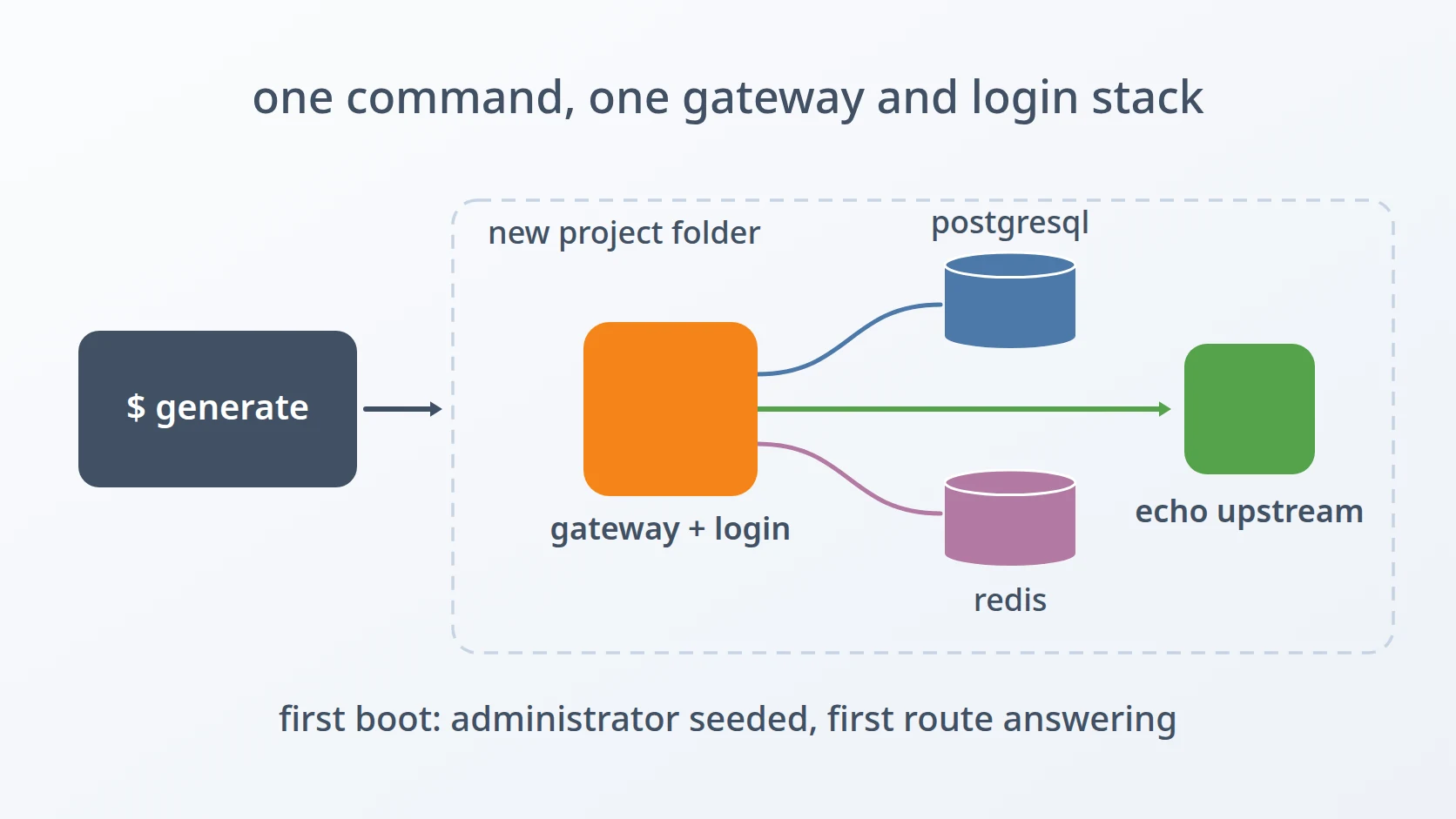
- A. What one command produces
- B. Running it without a person at the keyboard
- C. What it deliberately leaves to me
- Conclusion
- Terms
Introduction
Every new project I start needs the same thing before it needs anything else: a way in. Requests have to pass through a gateway that knows who is calling, users have to be able to sign in through an identity provider, and somebody has to be the first administrator. I wanted that whole layer to exist for a new project after one command, working on its first boot, and testable before a single line of the project's own backend had been written.
A. What the gateway and login stack is
The gateway in question is apiga, an API gateway with OpenID Connect (OIDC) login that I wrote for my own projects. OIDC is the standard by which an application hands sign-in over to a separate identity provider and receives back a signed statement of who the user is. apiga sits in front of every backend: it handles the sign-in, keeps the session, checks permissions, and only then forwards the request to the service it was meant for. As a result, the backends behind it do not need to know how sign-in works; they can trust that every request reaching them has already been checked by the gateway.
Running it takes more than the gateway itself. It keeps its users, roles, organizations, and routes in PostgreSQL, and its sessions and short-lived caches in Redis. Routes are addressed by a triplet — an organization, a service, and a version of that service — so that a request to /my-org/online-shop/v1/api/… is forwarded to whichever upstream address is registered for that combination. A working stack therefore means four things together: the database, the cache, the gateway, and data in the database that makes the gateway do something useful.
B. Why the first boot matters
A gateway that starts but has nobody allowed to use it is not finished; it is a gateway nobody can enter. Every stack needs a first super administrator, linked to a real account at the identity provider, so that the first sign-in actually lands somewhere with authority. It needs at least one route that resolves, or there is nothing to test. And it needs all of this to be true on the very first start, because the alternative — starting it, discovering what is missing, and patching the database by hand — is exactly the work that gets done differently every time.
There is a second reason. The backend of a new project usually does not exist yet when its gateway is set up. If the gateway can only be tested once the backend is ready, then every problem in the login layer is discovered at the same moment as every problem in the new backend, and the two are hard to tell apart. A gateway that can be proven on its own first removes one of those two suspects before the backend arrives. When the backend is connected and something fails, I already know the failure is not in sign-in, not in permissions, and not in routing, because all three were proven first.
C. Why copying the previous stack is the wrong start
The obvious shortcut is to copy the folder of the last project that worked and edit it. I rejected that early. A copied stack carries the previous project's identity with it: container names, network names, the encryption key for its tokens, its administrator, sometimes its data. Every one of those has to be found and changed, and the ones that are missed do not fail loudly. A shared encryption key between two projects is a security problem that no test will report.
Writing the configuration by hand from a template is only slightly better. The same values appear in several files in different forms, and the hand that writes them is the same one that forgets which form each file needs. So the decision was a generator: one script that asks for the values that differ between projects, generates the ones with hard requirements, names the file a value must agree with, and writes every file from them. All I have to remember for a new project is the answers to its questions, not a list of which files to touch and in what form.
D. Five obstacles in the way
Easy to state, awkward to build. Five things stood between "one command" and a stack that works on its first boot.
One password has to be written in three different forms, and the seed needs a fourth for its own values. The database password appears raw in the environment file, percent-encoded inside connection URLs, and escaped again inside JSON; the values that go into the seed SQL, such as the administrator's email, are escaped for SQL. Writing it the same way everywhere is the rejected alternative, because a password containing @, :, or % silently breaks the connection URL — and the encoding itself has an order that, done wrong, encodes some characters twice.
Some values are refused, and some are accepted but never match. The key that encrypts ID tokens must be exactly 32 bytes, or the gateway refuses to boot. The administrator's link to the identity provider must use the same provider identifier as the gateway's OIDC configuration, or the seeded administrator exists in the database and is never matched at sign-in. Generating these values loosely and fixing them after the first failure is the rejected alternative; the second one does not even fail, it just never works.
The migrations plant a user that has to be removed, in the right order. The gateway's own database migrations create a bootstrap user, which owns the organizations created with it. Deleting that user is blocked by the database, because an organization cannot lose its owner. Putting the seed in the database's init script is also out: that script runs before the gateway's migrations have created any tables.
A route needs something to route to before the backend exists. Pointing the first route at the project's real backend is the rejected alternative, because that backend is the thing that is not ready. Something has to answer in its place, reachable from the gateway's container, and the route itself has to be both allowed and activated, or the gateway will not serve it.
A second run for the same project must not inherit the first run's database. The stack's data lives in a bind-mounted folder outside the output folder, so overwriting the output does not touch it, and the PostgreSQL image skips its initialisation whenever its data directory is not empty. The new stack would quietly keep the old user, the old password, and the old rows. Reusing that directory is the rejected alternative, because nothing about it fails at start-up.
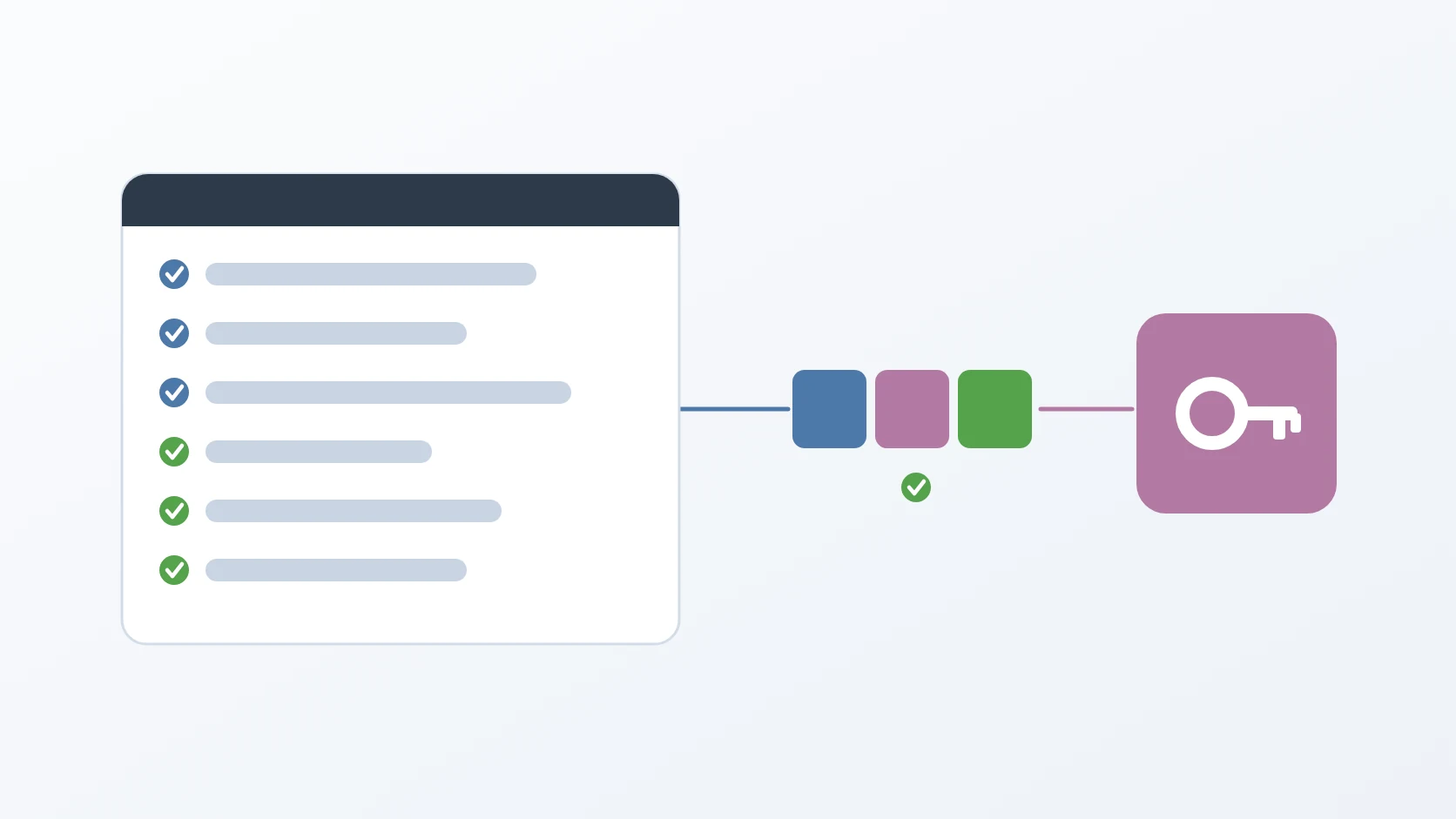
The order matters. The first obstacle decides whether any service can connect at all. The second decides whether the gateway starts, and whether its first administrator can sign in. The third decides whether the data is clean once it does. The fourth decides whether there is anything to test once the first three hold. The fifth decides whether running the command again starts from nothing, as the first run did.
Method
A. Every value in the form its file needs
Here is the answer to the first obstacle: the password is stored raw exactly once, and every other file receives it through an encoder for that file's format. The environment file keeps it raw. Connection URLs receive it percent-encoded, because characters such as @ and : have meaning inside a URL. The encoder replaces % first; if it ran later, the % it had just written for @ would itself be encoded again.
The encoded URL is then placed inside the gateway's JSON configuration, so it passes through a second encoder that escapes backslashes and double quotes. Values that end up in the seed SQL pass through a third, which doubles single quotes. Each value is encoded for the place it goes, at the moment it goes there, and never reused across formats.
pg_pw_enc=""
j_dburl=""
s_email=""B. Values the gateway refuses, or accepts and never matches
Here is the answer to the second obstacle: values with a hard requirement are generated by the script, never typed, and values that must agree with another file are asked for with that file named in the question. The ID-token key is created from exactly 32 random bytes and written as base64, so there is no way to enter a key of the wrong length.
The provider identifier cannot be generated, because it has to match the issuer the gateway's OIDC configuration already names. So the prompt itself says what it must equal, and the same warning is written into the generated seed beside the statement that uses it. When the link is wrong, nothing reports an error: the administrator row exists, the identity provider signs the user in, and the gateway simply finds no user for that provider and subject.
-- provider_id MUST equal issuers[].id in config/apiga/oauth2_config.json.
INSERT INTO oauth2_users (user_id, provider_id, sub, email, email_verified)
SELECT u.id, :'provider', :'sub', :'email', TRUE
FROM users u WHERE u.email = :'email'
ON CONFLICT (provider_id, sub) DO NOTHING;
The SQL in this article uses named placeholders for readability; the generator writes the already-escaped values directly into the file it produces.
C. Removing the user the migration planted
Here is the answer to the third obstacle: the seed runs after the gateway has migrated the database, and it moves ownership before it deletes. The generated init script for PostgreSQL deliberately contains nothing but a comment explaining why, because it runs while the database is still empty. The real seed is a separate SQL file, run by a small wrapper once the gateway reports healthy.
Inside the seed, every organization owned by the bootstrap user is first handed to the new super administrator. Only then is the bootstrap user deleted, and the rows that belong to it alone — its identity link, its roles — go with it through cascading deletes.
UPDATE organizations o
SET owner_user_id = (SELECT id FROM users WHERE email = :'admin_email')
WHERE o.owner_user_id IN (SELECT id FROM users WHERE email = :'bootstrap_email');

DELETE FROM users WHERE email = :'bootstrap_email';
Every statement in the seed is idempotent: inserts skip existing rows, and the update and delete have nothing to do the second time. Running the seed again after a partial failure is therefore always safe, which matters more than it seems, because "run it again" is the first thing anyone tries.
D. Routing to something before the backend exists
Here is the answer to the fourth obstacle: the generator adds a tiny echo server to the stack and points the first route at it. The echo server comes from the gateway's own repository, where it listens only on the loopback address, which is unreachable from another container. The generator copies it with that one line changed so it listens on every interface inside the Docker network.
The route itself needs two separate flags. An organization's use of a service version has to be allowed, which is a decision about permission, and active, which is a decision about traffic. The seed sets both in one statement, because a route that is allowed but inactive, or active but never allowed, looks configured and serves nothing. On a second run the permission date is kept rather than overwritten. The seed also adds the weighted upstream row the gateway balances across and grants the super administrator access to that service version, since the gateway is configured to check membership before it forwards a request.
INSERT INTO org_service_versions
(organization_id, service_version_id, upstream_addr, allowed_at, is_active,
type_id, auth_mode_id)
SELECT o.id, sv.id, :'upstream', now, TRUE, 1, 1
FROM organizations o, service_versions sv, services s
WHERE o.slug = :'org' AND s.slug = :'service'
AND sv.service_id = s.id AND sv.slug = :'version'
ON CONFLICT (organization_id, service_version_id) DO UPDATE
SET upstream_addr = EXCLUDED.upstream_addr, is_active = TRUE,
allowed_at = COALESCE(org_service_versions.allowed_at, EXCLUDED.allowed_at);Registering the project's real backend later is deliberately not part of the seed. It goes through the gateway's management API rather than SQL, and that API only accepts a signed-in super administrator whose permissions have been warmed up first. The generator can write a script for it when asked, but it never runs that script, because it needs a person to sign in.
E. Starting a second run from nothing
The generator deletes the previous run's database directory before it writes the new stack, and then creates it again itself, so that Docker does not create it as root. The directory sits under a path prefixed for the data disk rather than inside the output folder, which is why overwriting the output was never enough.
I made it delete rather than keep because a stack that silently reuses old credentials passes every check a new stack is given: the database is healthy, the gateway connects, and the only symptom is that the administrator I just entered is not the one in the database.
Results and Discussion
A. What one command produces
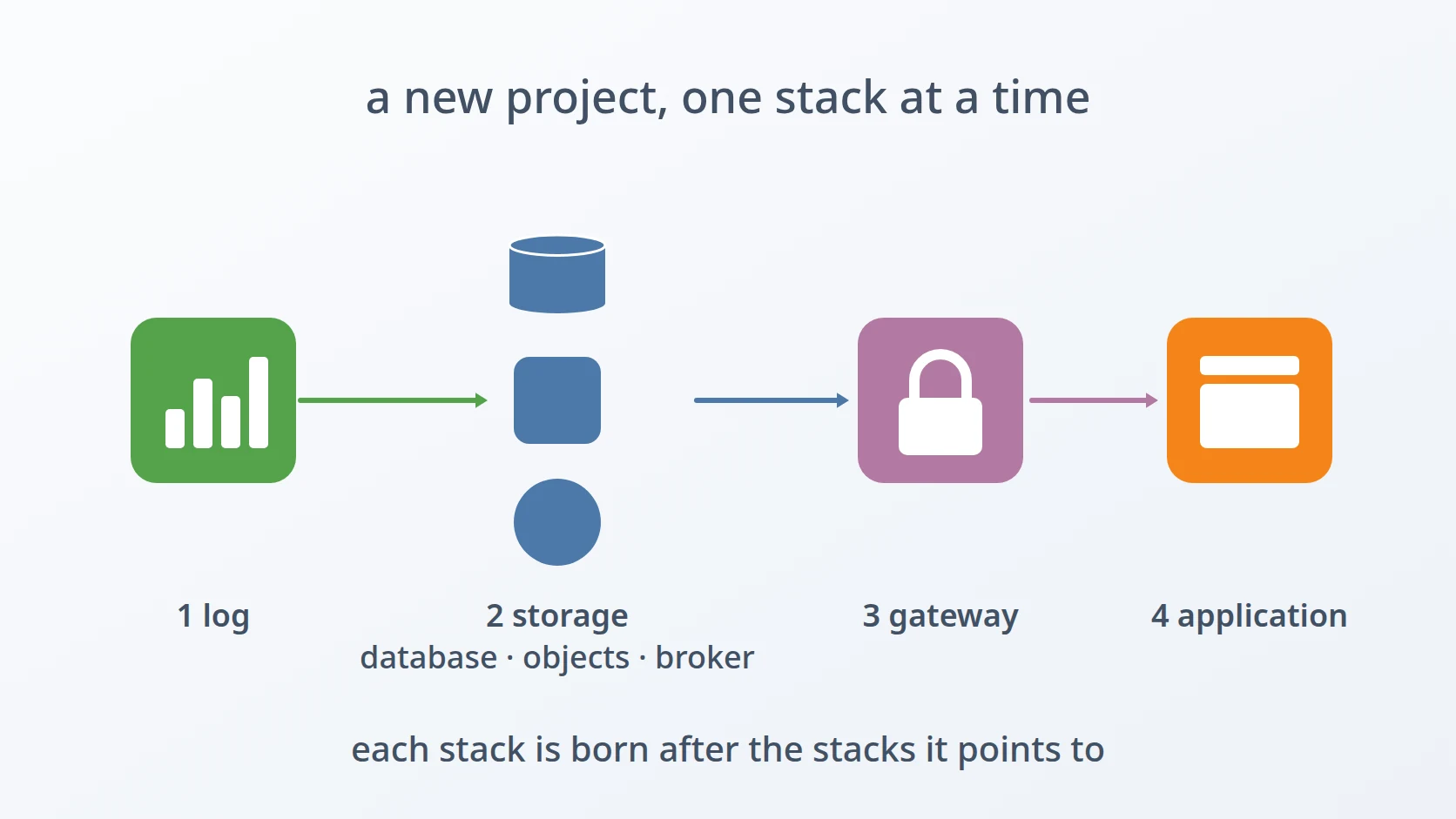
One run of the generator asks for the project name, the Docker network, the credentials, the addresses of neighbouring services, the first administrator, and the first route, shows a summary, and writes a self-contained folder: a compose file with the database, the cache, the gateway, and the echo server; an environment file; the gateway's configuration; the seed and its wrapper. When asked, it also starts the stack, waits for the database and the gateway to report healthy, runs the seed, and checks the gateway's readiness endpoint, which confirms that both the database and the cache are reachable. It ends by printing the reverse-proxy locations to put in front of the gateway. The first request to the first route then travels through sign-in, permissions, and routing, and comes back from the echo server.
B. Running it without a person at the keyboard
Every question can be answered in advance through an environment variable of the same name, and a variable that is already set is not asked again. A single variable skips every confirmation. On a terminal, a question whose variable is unset is still asked; the run is fully unattended when every variable is set, or when its input is not a terminal and the defaults are taken. That makes the same script usable interactively and from automation, which is how I test the generator itself.
PROJECT=example.com NETWORK=example.net SERVICE_SLUG=online-shop \
One value is read rather than asked. The address to bind ports to defaults to the Docker network's gateway, and the script asks Docker for it instead of computing it from the subnet. Docker decides the gateway; the usual assumption that it is the first address of the subnet is true often enough to be dangerous.
GATEWAY=""C. What it deliberately leaves to me
Two things remain manual, by choice. Registering a real backend needs a person to sign in, as described above, and importing the backend's permissions is a step I want to review before it runs, because without it every ordinary user is refused before the request reaches the backend. The OIDC client configuration is also copied from the template as it is: it belongs to the identity provider, not to the project, and its redirect address is the one thing I check by hand when a project uses a different callback path.
Conclusion
The generator turned setting up a gateway and login layer into one command whose first boot produces a stack that can be signed in to and tested, before the backend it protects exists. Most of its work is not in starting containers but in the five places where a value can be wrong without saying so: a password written in the wrong form, a key of the wrong length, an identity link that never matches, a route that looks configured but serves nothing, and a second run that quietly keeps the first run's database. Each of those is now either generated, checked, or written down where the next mistake would happen.
Terms
- API gateway
- A service that sits in front of other services, checks every request, and forwards it to the right one.
- OpenID Connect (OIDC)
- A standard by which an application hands sign-in to a separate identity provider and receives a signed statement of who the user is.
- Identity provider
- The service that holds user accounts and performs the sign-in, such as Keycloak.
- Migration
- A versioned change to a database schema, applied in order and recorded so it runs only once.
- Seed
- Data inserted into a fresh database so that the application has something to work with on its first start.
- Idempotent
- Safe to run more than once: running it again leaves the same result as running it once.
- Percent-encoding
- Writing characters that have a meaning inside a URL as a percent sign followed by their code, such as
%40for@. - Upstream
- The service a gateway forwards a request to.
Technologies covered
- Bash
- PostgreSQL
- Redis
- Docker Compose
- OpenID Connect