How I Rename an Application Across an Entire Project Folder
On this page
- Introduction
- A. A name that was never in one place
- B. What this is for, and what it is not for
- C. Six obstacles in the way
- Method
- A. One line, and the four decisions inside it
- B. Why the filesystem, not the editor
- C. The difference between + and \;
- D. Editing in place, and where the safety net actually lives
- E. Argument order, borrowed rather than invented
- F. What it promises not to touch
- Results and Discussion
- A. What three lines bought
- B. The part that is not in the script
- C. When a rename is the wrong shape
- Conclusion
- Terms
Introduction
A. A name that was never in one place
A new project rarely starts from an empty folder. It starts from one that already works — a template, or the last project that solved a similar shape of problem. Copying it is the fast part. What follows is the slow part: the copy still believes it is the old project.
The old name is in the config file. It is in the namespace of half the classes. It is in the table prefix, in the queue name, in the log channel, in the comment at the top of a file somebody wrote two years ago. It is in the domain that gets stamped into generated URLs. None of these are wrong in an interesting way. They are simply the previous identity, still asserted, in dozens of places at once.
The challenge is to change an application's identity — its name, its prefix, its domain — across the entire contents of a project folder, without opening the files one at a time.
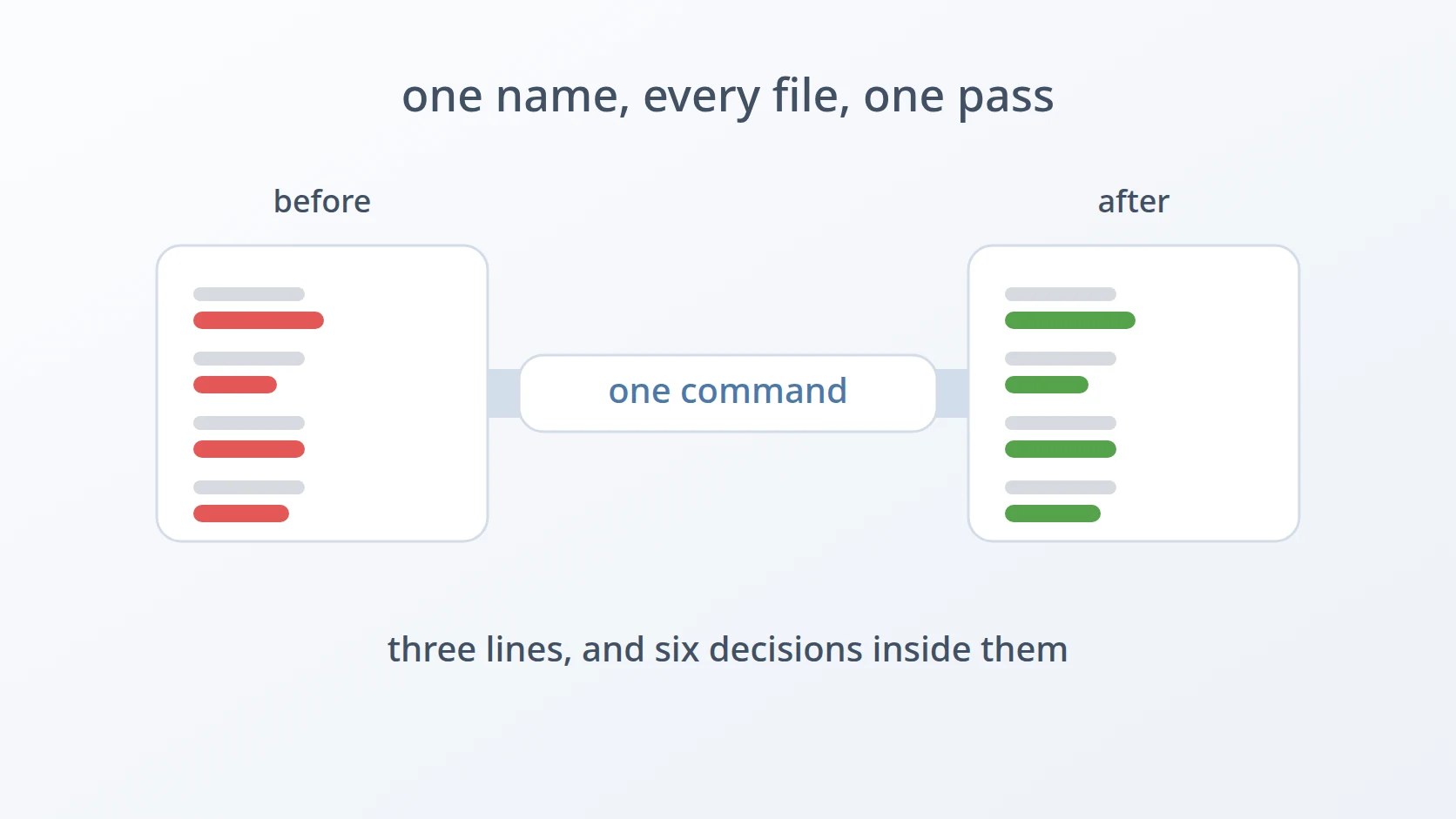
That sentence sounds like it should be one command, and it is. The tool I wrote for it is three lines long, and one of those lines is the shebang, the first line of a script that tells the system which interpreter should run it. The other is blank. What makes it worth writing about is not its length but the number of decisions packed into the single line that remains — each one with a plausible alternative that I considered and rejected.
Easy to state, awkward to build. The awkwardness is not in the replacing. It is in everything around the replacing: which files get visited, how many processes that costs, what happens to the original, and what the tool promises it will not touch.
B. What this is for, and what it is not for
Two situations account for nearly every run of this tool. The first is the one above: a project copied from a template that needs its identity rewritten before the first commit of real work. The second is narrower and comes up later in a project's life — a domain changes, or a vendor prefix changes, and the old string is scattered through code that nobody wants to audit by hand.
Both share a shape worth naming: the replacement is mechanical. Nobody is making a judgement call per occurrence. If a decision has to be made file by file, this is the wrong tool, and no amount of flags will make it the right one. The tool exists precisely because the decision was already made once, at the top, and now only needs to be applied everywhere.
There is one more thing that makes the whole approach safe enough to be careless with, and it is not part of the script at all: it runs on a folder that has already been committed. That single habit is what lets the tool skip every safety feature it might otherwise need. There is no backup flag, no dry-run mode, no confirmation prompt, because git diff answers the question better than any of them would, and git checkout . undoes the whole thing in less time than it took to run.
C. Six obstacles in the way
A name does not live in one place. It is spread across source, config, templates, documentation, and variable names, and the instinct to find them all by reading is exactly what fails. What gets missed does not announce itself at rename time; it announces itself later, when the application runs and something reaches for a prefix that no longer exists. The cost of a miss is deferred, which is what makes manual searching feel adequate right up until it isn't.
The editor's "Replace All" is not the same operation. It is the obvious alternative, and it is worth saying plainly why I rejected it rather than pretending it does not exist. An editor replaces across what it has indexed — open files, or a workspace it has scanned. A folder copied in a minute ago, or a subdirectory excluded from indexing by a setting nobody remembers writing, is simply not in scope. The result is not an error. It is a partial success that looks complete.
Calling sed once per file is too slow to be the default. The tool is built from two standard Unix commands: find, which walks a folder and lists every file in it, and sed, which rewrites the text inside a file by applying a substitution such as “replace this name with that one”. Its -exec option is how find hands the files it found to another command. This is the difference between -exec … {} + and -exec … {} \;, and it is easy to treat as a detail of syntax. It is not a detail. The two forms differ by a factor that can be measured, and measuring it is more convincing than describing it.
Editing in place means there is no "copy it first" step. sed -i rewrites the file where it sits. No temporary file to move into position afterwards, no output directory to reconcile. That is a real decision with a real consequence, and the consequence is the committed-folder habit described above — the safety net lives outside the tool, deliberately.
The order of the arguments decides the direction. <from> <to> <folder>. Swap the first two and the rename runs backwards, which is an easy mistake to make and a slightly harder one to notice. The order is not arbitrary; it was chosen to match something the user already reads elsewhere.
The replacement works on bytes, and that is deliberate. It is case-sensitive, it does not care what kind of file it is looking at, and it refuses to follow symbolic links. These three sound like three separate limitations. They are one decision seen from three angles, and each of them prevents a specific way the rename could go wrong.
The order matters here. The first two obstacles explain why a tool exists at all rather than a habit of careful searching. The third and fourth are about what the command costs and what it destroys. The last two are about precision — what the tool promises to change, and what it promises to leave alone. A rename that is fast but imprecise is worse than no tool at all, because it is trusted.
Method
A. One line, and the four decisions inside it
Here is the answer to the first obstacle: I stopped looking for the occurrences and let the filesystem enumerate them. The entire tool is one line.
Read left to right, it is four decisions sitting next to each other. find "$3" decides where to look. -type f decides what counts as a candidate. -exec … {} + decides how the work is batched. And sed -i "s|$1|$2|g" decides what a replacement means. Each of those can be changed independently, and each alternative is worse for a reason that is specific rather than stylistic.
What it is not is a search. There is no list of matches to review, no count of files affected, no pause before committing to the change. That absence is the point of the next section.
B. Why the filesystem, not the editor
This answers the second obstacle. The editor's replace-in-folder is backed by an index, and an index is a model of the filesystem rather than the filesystem itself. It can be stale, it can be partial, and it can be configured to ignore directories in ways that are invisible at the moment of the replace.
find has no index. It walks the tree and reports what is there, which means a folder copied in thirty seconds ago is treated exactly like one that has been open all week.
# what find actually visits — no index, no configuration, no exclusions
Notice what is missing from that list. The folder contains a symbolic link as well, and it does not appear. That is -type f doing its job, and it is the sixth obstacle arriving early — the section on precision below returns to it.
C. The difference between + and \;
This answers the third obstacle, and it is the one place where a measurement settles an argument that description cannot. Both forms below are correct. Both produce identical output. They differ only in how many times sed is started.
# one sed per file — correct, and slow
# as many files per sed as the command line will hold — what the tool uses
On a tree of two thousand files, the difference is not subtle. Counting the process launches directly shows where the time goes.
|
|
Two thousand and one processes against thirty-four. The \; form starts one sed for every file and pays the cost of creating a process, loading the binary, compiling the expression, and tearing it all down again — two thousand times, to do a few milliseconds of actual work each time. The + form fills each command line with as many paths as the system permits and hands the whole batch to a single sed.
Thirty-five times faster, for a one-character change in the command. The reason to care is not the two seconds saved on any single run. It is that a tool which takes two seconds gets used casually, and a tool which takes two minutes on a large tree gets avoided in favour of the editor — which is the alternative this whole approach exists to replace.
D. Editing in place, and where the safety net actually lives
This answers the fourth obstacle. sed -i modifies the file where it is, rather than writing to standard output for something else to catch.
# without -i: the replacement goes to stdout, the file is untouched
# with -i: the file itself is rewritten, nothing is printed
Without -i, a rename across a folder would need somewhere to put the results — a parallel directory tree, or a temporary file per input that then has to be moved back over the original. Both of those are more moving parts, and both introduce a half-finished state where some files are new and some are old.
The rejected alternative here is sed -i.bak, which writes a backup copy beside each file it changes. It is the obvious way to make an in-place edit reversible, and I chose not to use it, because it leaves a .bak file next to every modified file in the tree — which then has to be found and deleted, by a command with the same reach and the same risks as the one that created them.
The version control history does the same job better:
This is why running on a committed folder is not a suggestion in a README somewhere — it is the design. The tool is allowed to be this small because the undo already exists.
E. Argument order, borrowed rather than invented
This answers the fifth obstacle. The call is replace-kata.sh <from> <to> <folder>, and the question is why that order rather than, say, folder first.
# ^^^^^ ^^^^^^ ^^^^^^^^^
# from to where
# which reads the same way as the expression it builds:
# s|myapp|newapp|g
# ^^^^^ ^^^^^^
# from toI did not design the order; I borrowed it. sed's own substitution syntax reads from then to, and anyone reaching for this tool has almost certainly typed s|a|b| before. Matching it means the argument order does not have to be remembered separately — it is recalled from something already known. The folder goes last because it is the part most likely to be a long path, and long arguments are easier to edit at the end of a line.
F. What it promises not to touch
This answers the sixth obstacle, and it is the one that decides whether the tool can be trusted. Three behaviours, all of them consequences of working on bytes rather than on parsed code.
It is case-sensitive. Renaming myapp to newapp does not touch MyappController.
# before
# after: replace-kata.sh myapp newapp ./project
At first glance that looks like a gap. It is the opposite. A class name and a config value are different identities that happen to share letters, and a rename that silently rewrote both would produce a project where the config is right and the class no longer matches the file it lives in. Case-insensitive replacement is the rejected alternative here, and I rejected it because it would be confidently wrong rather than obviously incomplete.
It does not inspect file types. Every regular file under the target is a candidate, whether it is source, a lockfile, or a compiled artefact. This is worth stating plainly because it explains the shape of the whole approach: the tool has no idea what a project is. It sees bytes. That is why it works on a template written in a language it has never heard of, and equally why it is pointed at a project folder rather than a home directory.
It does not follow symbolic links. This is -type f, and it is the quietest of the three.
# after the rename, the link is still a link
Without -type f, find would hand sed both config.yml and link.yml, and because the second resolves to the first, the same file would be edited twice in one run. For a plain rename that is merely wasteful. For a replacement where the new string contains the old one, it is a correctness bug — the second pass would replace inside the result of the first. Excluding links removes the whole class of problem rather than handling it.
Results and Discussion
A. What three lines bought
I have not changed the tool since I wrote it. That is the most useful thing that can be said about it: a project copied from a template gets its identity rewritten in a single command, and the step that used to be an afternoon of grep-and-check is now short enough that nobody plans around it.
The table below is the whole design, one row per decision, with the alternative that was available at each point.
| Decision | What it buys | Alternative rejected |
|---|---|---|
find over the tree | every file, regardless of what an editor has indexed | editor "Replace All" — partial, silently |
-type f | no file edited twice through a link | following links — correctness bug when new contains old |
-exec … + | 34 processes instead of 2001; 0.07s instead of 2.46s | -exec … \; — correct but 35× slower |
sed -i | no temporary tree, no half-migrated state | -i.bak — leaves a mess with the same reach |
| case-sensitive | MyappController survives a config rename | case-insensitive — confidently wrong |
<from> <to> <folder> | argument order recalled from sed itself | folder first — one more thing to memorise |
B. The part that is not in the script
Five of those six rows are decisions inside one line. The sixth thing that makes this work is not in the file at all — it is the habit of running on a committed folder, which is what makes an irreversible in-place edit an acceptable default.
That is a general pattern worth taking away from a three-line tool. The script is small because the surrounding environment absorbs the responsibilities it would otherwise need to carry. Add a backup flag and it has to decide where backups go, when they expire, and what happens when one already exists. Add a dry-run mode and it has to format a report of intended changes — which is, at that point, a worse version of git diff. Every feature it does not have is one that something else already does better.
The inverse is also true and worth stating as a limit rather than a triumph: run this on a folder that is not under version control, and every one of those absent features becomes a real gap. The tool is not safe on its own. It is safe in the place it is used, which is a different and more fragile claim.
C. When a rename is the wrong shape
The mechanical-replacement test from the introduction turns out to be the honest boundary. Renaming an application across a template works because the same string means the same thing everywhere it appears. A rename that requires judgement — where user should become account in the domain model but stay user in the authentication middleware — is not this operation at all, and reaching for this tool there produces a diff that takes longer to review than the rename would have taken by hand.
That boundary is not a flaw in the tool. It is the reason the tool can be three lines: it solves the case where the decision was already made, and declines to be anything more.
Conclusion
An application's identity is scattered by construction — across config, source, templates, and documentation — and copying a project means inheriting all of it. Replacing it in one pass is one command, and the value of that command is in six decisions rather than in its length: walk the filesystem instead of an index, skip symbolic links, batch the work into a handful of processes instead of thousands, edit in place, borrow the argument order from sed, and match bytes exactly.
The measurement is the part worth keeping. + against \; is a single character, and on two thousand files it is thirty-four processes against two thousand and one, 0.07 seconds against 2.46. A tool fast enough to feel free gets used; one that takes two minutes gets replaced by the editor it was written to avoid.
And the last decision is not in the script. Running on a committed folder is what lets an irreversible edit be the default, and what let me leave out every safety feature on the grounds that version control already does the job better.
Terms
- in-place edit
- Rewriting a file where it already sits, rather than producing output that something else has to move into position.
sed -i. -exec … +- The form of
find's-execthat appends as many matched paths as the command line will hold to a single invocation, instead of running the command once per match. - regular file
- What
-type fselects: an ordinary file, excluding directories, symbolic links, sockets, and device nodes. - substitution expression
s|from|to|g—sed's replace instruction. The character aftersis the delimiter, and the trailinggapplies it to every occurrence on a line rather than only the first.- table prefix
- A string prepended to every database table name belonging to one application, so several applications can share a database without colliding.
- index (editor)
- The model of a project's files that an editor builds in advance to make search fast. Distinct from the filesystem, and able to be stale or partial.
Technologies covered
- Bash
- sed



