How I Turn Notes Written for Machines Into Notes for People
On this page
- Introduction
- A. Who a commit message is written for
- B. What changes when the reader changes
- C. Why this is not the same as writing the report
- D. Why the answer is a file, not a command
- E. Seven obstacles in the way
- Method
- A. Taking four fields and keeping two
- B. Running the history forwards
- C. Deciding what a date means
- D. Removing the assumption that a person is watching
- E. Choosing whose work counts
- F. Making the period an argument
- G. Counting what was actually exported
- Results and Discussion
- A. Every decision is the same decision
- B. Why the output format is unglamorous
- C. Where this stops being the right tool
- Conclusion
- Terms
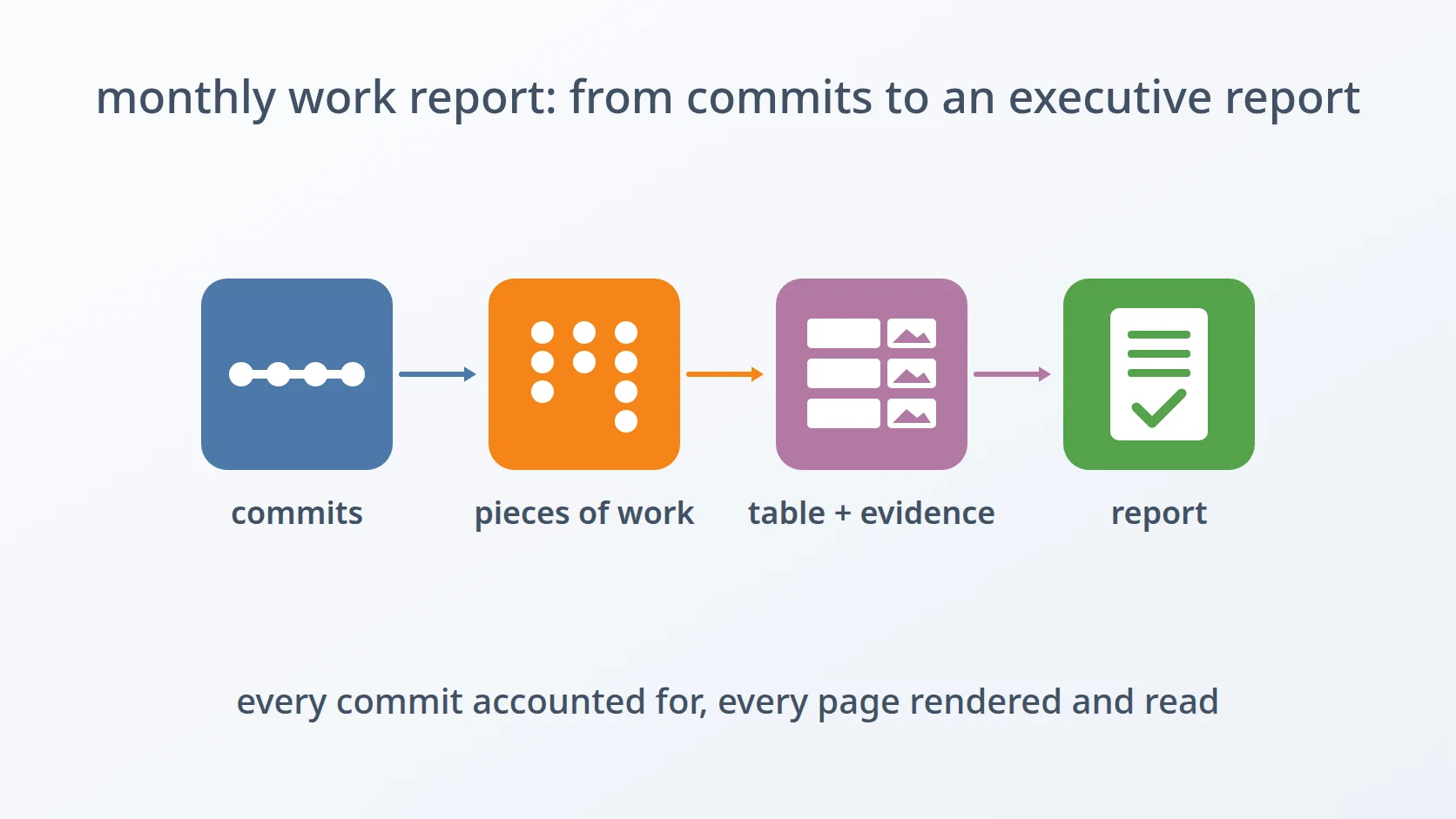
Someone asks what I worked on last month. The answer exists — it has been accumulating in a repository the entire time, one commit per unit of work, timestamped and ordered. What does not exist is a version of that answer the person asking can read.
Introduction
A. Who a commit message is written for
A commit message has two audiences and neither of them is the person asking me about last month.
The first audience is git itself, which needs the message only as a label — something to print beside a hash so that one revision can be distinguished from another. Git does not read the message; it stores it.
The second audience is me, six months from now, staring at a line in a bisect trying to work out why a function changed. That version of me shares all my context: the project, the vocabulary, what the abbreviations mean, which subsystem "the resolver" refers to. I write for that person, and I write economically, because that person already knows almost everything.
Neither audience is a supervisor or a client. Both of those read the same text with none of the shared context and a completely different question in mind — not "why did this change" but "what was accomplished".
B. What changes when the reader changes
The interesting thing is how much has to shift when that third reader appears, and how little of it is about the content of the messages.
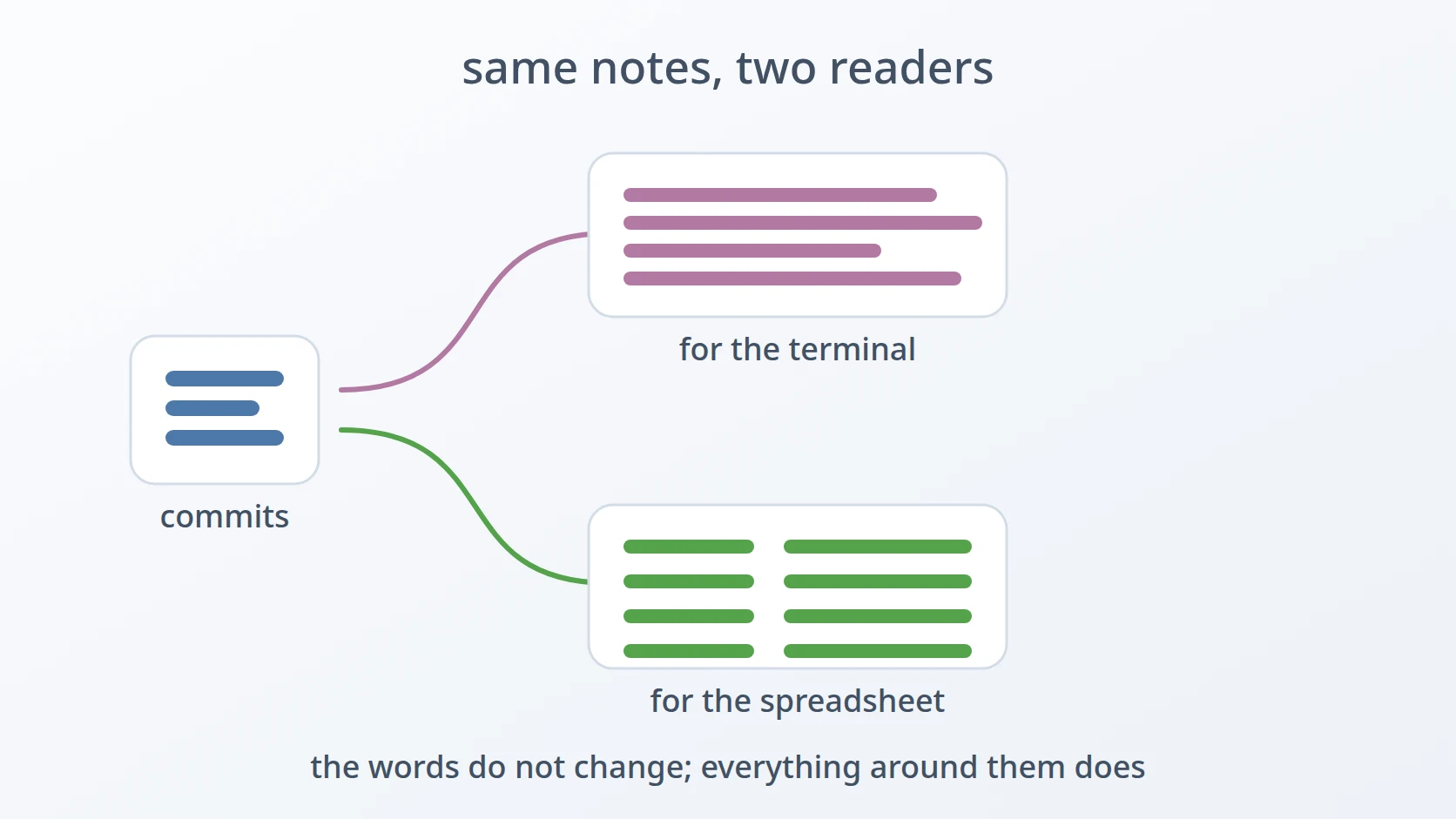
The words stay the same. What changes is everything around them: which fields are shown, what order the lines appear in, how dates are rendered, whose work is included, and whether the thing is a stream of text or a file that can be opened in a spreadsheet and sorted.
Each of those is a small decision, and each one has an obviously correct answer for a developer reading in a terminal and a different obviously correct answer for someone assessing a month of work. The gap between those two sets of answers is what a report is.
C. Why this is not the same as writing the report
I want to be precise about the scope, because there is a version of this problem that is much larger and this is not it.
Turning commits into a narrative — grouping related work, explaining significance, saying which parts mattered — is writing, and no tool does it. What a tool can do is produce the raw material in a form that makes the writing possible: an accurate, ordered, readable list of what happened and when, which is the thing I would otherwise assemble by hand from memory and scrolling.
So the output here is not a report. It is a spreadsheet-shaped input to one, and the distinction matters because it explains why the format is CSV rather than something prettier.
D. Why the answer is a file, not a command
Reading the history in a terminal is a solved problem — git does it, and it does it well. The reason that is not sufficient has nothing to do with capability.
A terminal produces a stream that scrolls past. The person who needs this wants to sort it, filter out a week, count rows, and paste a selection into a larger document. Those are spreadsheet operations, and they require a file with columns and a separator, which is a different artefact from a stream of formatted text — even when both contain the same information.
E. Seven obstacles in the way
So the goal is easy to state: produce, from a repository, an accurate account of what was done across a given period, in a form that opens in a spreadsheet and reads correctly to someone who has never used git. Repeatable, because the question comes back every month.
Easy to state, awkward to build. Seven obstacles stand between that goal and a file I am willing to hand to somebody, and every one of them is a place where git's default is right for a developer and wrong for this.
The first is that git's output is shaped for the person debugging, not the person assessing. The default log entry leads with a hash, follows with an author and a full timestamp, and decorates branches and tags — all of it essential when tracking down a regression and all of it noise in a summary of work. The tempting fix is to strip it down to the two fields that matter, which turns out to be slightly wrong for a reason that only appears later.
The second is that git orders history backwards relative to how a report is read. Newest first is correct for a terminal, where the top of the screen is where attention starts and recent commits are what anyone is usually looking for. A report covering a month is read from the beginning of the month, and a list that runs the other way forces the reader to reverse it mentally before they can follow anything.
The third is that timestamps carry a timezone and reports do not. Git records when a commit happened including the offset it happened at. A report has dates, not moments. Rendering those timestamps without deciding which zone they belong to means a commit made late at night can land on the following day, which at a month boundary puts work in the wrong report entirely.
The fourth is that git assumes a human is watching. When output exceeds a screen, git opens a pager and waits. That is helpful in a terminal and fatal in a script, where the pager has no one to press a key for it and the whole thing stops, having produced nothing, with no error to explain why.
The fifth is that a repository contains everyone's work. Every commit in a shared repository is in the log, and a report of my work is a subset. Filtering is required — and the filter is the single most consequential decision in the tool, because it silently determines what the report claims to cover.
The sixth is that the period is the question, not a setting. It would be convenient to default to the current month, since that is the common case. It is also wrong often enough to matter: the question arrives as a quarter, a sprint, the span of one project. A default that is usually right produces a report that is confidently about the wrong dates.
The seventh is that one wrong number discredits all the others. The tool reports how many commits it exported, and that count is trivially derivable from the file it just wrote — except that the file has a header row, which is not a commit. Getting this off by one produces a number that is quietly false, in a document whose entire purpose is to be trusted.
Each has a section below. The first four are about reshaping the output; the next two are about deciding what belongs in it; the last is about the report being believable, which is the only property that matters once someone else is reading it.
Method
A. Taking four fields and keeping two
Here is the answer to the first obstacle, and it contains a decision that looks redundant until the reason surfaces.
| Four fields are requested from git: short hash, author name, date, subject. Then awk, a small text-processing tool that splits each line into fields, prints only the third and fourth. The first two are fetched and immediately discarded.
Asking git for just the date and subject would produce identical output with less work, and I did not do that deliberately. The two lines are different layers. Git's job is to extract fields from the repository; the filter's job is to decide which of them a reader should see. Keeping those separate means changing what appears in the report is a change to one awk expression, without touching the part that talks to git.
This also explains the two separators, which are doing different jobs despite looking like the same trick. The vertical bar is git's field boundary, internal to the pipeline and never seen by anyone. The semicolon is the CSV column boundary, part of the artefact itself. One belongs to the plumbing and one belongs to the output, and collapsing them into a single choice would tie the report's format to the way the data is fetched.
--no-decorate removes branch and tag annotations. In a terminal those tell a developer where they are; in a report they are a second vocabulary that the reader has no use for and no way to interpret.
B. Running the history forwards
This is the answer to the second obstacle, and it is one flag.
Git's default — newest first — is correct for its usual purpose. Someone opening a log is almost always asking about recent work, and putting it at the top means the answer is on screen immediately.
A report is the opposite. It covers a period that has ended, and it is read as a sequence: this is what the month started with, this is where it went, this is where it finished. Presenting that backwards does not make it unreadable, but it makes the reader do a transformation before they can follow the shape of the work — and a reader who has to work at the format spends less attention on the content.
One flag, and it is the difference between a list of commits and an account of a month.
C. Deciding what a date means
This is the answer to the third obstacle, and it is a formatting choice that is really a semantic one.
--date=format-local:--Two things are being decided here. The format strips the time entirely, leaving a calendar date, because a report is a record of days and the hour a commit was made carries no meaning for anyone reading it.
The local part is the one that actually matters. Git stores each commit with the timezone offset of the machine that made it, and rendering that without a decision means the displayed date depends on where I was sitting rather than which day of work it belonged to. Anchoring everything to local time makes the dates mean what the reader assumes they mean: the day it felt like when the work happened.
The visible effect is at boundaries. A commit made just before midnight on the last day of a month is work from that month, and a rendering that shifts it forward puts it in the next report — where it is both an addition to a period it does not belong to and an absence from the one it does.
D. Removing the assumption that a person is watching
This is the answer to the fourth obstacle, and it is a flag that changes nothing about the content.
Git opens a pager when its output is long, which is thoughtful behaviour for interactive use and an outright failure in a script. The pager waits for a keypress. Nobody is there. The script does not error, does not time out, and does not produce a file — it simply stops, and the only symptom is that the command never returns.
What makes this worth its own consideration is how the failure presents. A script that crashes tells you where. A script that hangs tells you nothing, and the cause is a feature designed to be helpful, in a context where nothing is watching to be helped.
E. Choosing whose work counts
This is the answer to the fifth obstacle, and it is one line that shapes the entire meaning of the output.
A shared repository holds everybody's commits interleaved. A report of my work is a subset of that, and the filter defines the subset.
Fixing the author inside the script rather than exposing it as an argument was a decision about the common case. Nearly every time I run this, the answer is me, and an argument I would supply identically every time is an argument that eventually gets supplied wrongly.
It also sets the tool's scope on purpose. A report covering a team needs a different filter or none at all, and that is a different question; this tool answers one question well, and that question is about one person.
F. Making the period an argument
This is the answer to the sixth obstacle: the range is required, and the script refuses to guess.
if [; then
Defaulting to the current month was tempting and would have been right most of the time. The rejected reason is what "most of the time" costs here: the question arrives as a quarter when someone is doing a review, as a project span when a client asks what was delivered, as an arbitrary pair of dates when a period needs reconstructing after the fact.
A tool that defaults to something reasonable in those cases produces a file that looks correct and covers the wrong dates — and nothing in the output says so, because the dates inside it are all real. Requiring both bounds means the range in the file is always the range that was asked for.
The third argument is the output path, and the directory it names is created if needed:
Reports get written to folders organised by period, which frequently do not exist yet. Failing because a directory is missing would be a failure about filesystem bookkeeping in a tool whose subject is a repository.
G. Counting what was actually exported
This is the answer to the seventh obstacle, and it is an arithmetic detail that carries more weight than its size suggests.
TOTAL_LINES=
COMMIT_COUNT= # the header row is not a commitThe script reports how many commits it exported, and the obvious source for that number is the file it just wrote. The obvious source is off by one, because awk prints a header line and a header is not a commit.
The number itself is minor. What it affects is not. A report is handed over on the premise that it is accurate, and a reader who notices that the stated count does not match the rows has learned something about the whole document — not that one number is wrong, but that the numbers are not checked. Everything else in the file becomes a claim rather than a fact.
Results and Discussion
A. Every decision is the same decision
Laid out together, the flags stop looking like a collection of unrelated fixes.
| Decision | Right for a developer | Right for a report |
|---|---|---|
| Fields shown | Hash, author, full timestamp | Date and subject only |
| Order | Newest first | Oldest first |
| Dates | Exact moment with offset | Calendar day, local |
| Long output | Opens a pager | Writes to a file |
| Whose commits | Everyone's | One person's |
Not one of git's defaults is wrong. Every one of them is the correct choice for someone reading in a terminal with the repository's full context in their head. The entire tool is forty-five lines of overriding correct defaults because the reader changed.
That reframing is what I took from building it. The work was not in defeating git's behaviour; it was in noticing that each default encodes an assumption about who is reading, and that all of those assumptions become false at once when the output leaves the terminal.
B. Why the output format is unglamorous
CSV is not a nice format to look at, and that is not what it is for.
The file is not the deliverable. It is the input to whatever the actual deliverable turns out to be — a summary written in a document, a table pasted into a slide, a count quoted in an email. What the person doing that work needs is to sort by date, filter out a week, count rows, and copy a selection, and all of those are things a spreadsheet does well and a formatted document does not.
Markdown or PDF would look better and be harder to use, because they optimise for being read as-is, and this is not read as-is. Choosing the plainer format was choosing to serve the next step rather than the current one.
C. Where this stops being the right tool
The scope is narrow in ways that are worth stating plainly.
The author filter is fixed, so team reports are out of reach without editing the script. It reads one repository, so work spread across several needs several runs and a manual merge. And it reports commits, which is a proxy for work rather than a measure of it — a week of careful design can produce one commit and a day of mechanical renaming can produce thirty, and nothing in the output distinguishes those.
Conclusion
Forty-five lines, nearly all of which are flags. The tool does no processing worth the name: it asks git for a list, drops two columns, and writes the result to a file.
What made it worth writing is that each of those flags is a correction to an assumption about who is reading. Git's defaults are tuned for a developer in a terminal, and every one of them — the field selection, the ordering, the timestamp precision, the pager, the unfiltered log — is exactly right for that reader and exactly wrong for a person assessing a month of work. The tool is not a transformation of the data. It is a transformation of the audience, and once that is the frame, which flags to reach for stops being a question.
Terms
- Commit message
- The text attached to a revision, written for git as a label and for the author's future self as a reminder. Neither audience is a reader assessing the work.
- Pager
- The program git opens when output exceeds a screen, waiting for keypresses to scroll. Helpful interactively; in a script it waits for input that never arrives.
- Decoration
- Branch and tag annotations git adds beside commits, showing where a revision sits in the graph. Useful when navigating, meaningless in a summary.
- Author filter
- A restriction limiting the log to commits by a given person. Defines what the resulting report actually covers, which makes it the most consequential setting in the tool.
- Local time rendering
- Displaying a timestamp in the reader's timezone rather than the one recorded with the commit, so that a date means the day the work happened.
- Header row
- The first line of a CSV, naming the columns. Not a data row, which is why any count derived from the file has to account for it.
Technologies covered
- Bash
- awk
- Git