How I Rotate a Credential Seven Services Depend On Without Breaking Any of Them
On this page
- Introduction
- A. Why a copy is easier to obtain than it sounds
- B. Not every secret-looking value is a password
- C. Why this is harder than changing a password
- D. What I was working with
- E. Six obstacles in the way
- Method
- A. Why a rotation tool must not search for the old value
- B. The list of what must not be rotated, and why
- C. Changing the configuration file does not change the password
- D. Restart, not reload
- E. Verification that would notice a failure
- F. Two details that only appear in a running system
- G. Dry run by default, and a backup before anything
- Results and Discussion
- A. When the safeguard damages what it protects
- B. Why an explicit list beats clever automation here
- C. What rotation costs while it runs
- D. What generalises
- Conclusion
- Terms
Rotating credentials is one of those tasks that sounds like housekeeping and turns out to be surgery. The passwords are not in one place. Changing them in the obvious place does not change them. And some of the values that look like passwords will, if you rotate them, destroy data you cannot recover.
This is what I learned building a tool to do it on a system that was already running.
Introduction
A credential is anything a system presents to prove it is allowed to do something. The familiar example is a password, but the family is larger than that: an access key that lets one service read files from another, a key used to sign documents, a token that a service carries to show it has already been authorised.
They accumulate quietly. Every time a system gains a component — a database, a cache, a file store — it gains at least one credential to reach it. A system of a dozen services can easily hold thirty, and nobody sat down and decided that; it simply happened, one addition at a time.
Rotation means replacing a credential with a new value. The advice to do it regularly is standard, and the reasoning is sound: a credential that never changes stays useful forever to anyone who ever obtained a copy.
A. Why a copy is easier to obtain than it sounds
That last sentence is worth slowing down on, because "anyone who obtained a copy" sounds like it means an attacker, and mostly it does not.
Credentials leak through ordinary channels. A contractor had access during a project and has since moved on. A password was pasted into a chat message to unblock someone, and the chat history is still searchable. A configuration file was copied into a backup, and the backup went to a location with looser access than the system it came from. An error message printed a connection string into a log, and the log is retained for a year.
None of those is an attack. They are the normal texture of operating a system, and each one leaves a copy of a credential somewhere you are not tracking. Rotation is what makes those copies stop mattering: the value they contain is no longer the value that works.
That is the whole argument for doing it, and it is why "we have never been breached" is not a reason to skip it. The question is not whether someone has attacked you. It is how many copies of your current credentials exist in places you have forgotten about — and that number only grows.
B. Not every secret-looking value is a password
Here is the distinction that turned out to matter most, because it decides whether a rotation can do real damage.
Credentials look alike. Almost all of them are long strings of random-looking characters sitting in a configuration file. But they do three genuinely different jobs, and only one of those jobs is safe to rotate casually.
Some are presented. A database password is the clearest case: the service sends it, the database checks it against what it has stored, and access follows. Replace it in both places and nothing is lost — this is the kind rotation was invented for.
Some decrypt. A value of this kind is not shown to anyone; it is the key that makes stored data readable. Replace it and you have not changed who can get in — you have made the protected data unreadable, including to yourself. There is no error at the moment you do it. The failure arrives later, when something tries to read an old record.
Some are signed by an authority. A token of this kind was issued by another system, which cryptographically vouched for its contents. It sits in configuration looking exactly like a password, but replacing it with a random string does not produce a new valid token — it produces a value that fails verification, often deep inside a request rather than at the door.
The lesson underneath: the format of a value tells you nothing about its role. Only knowing what a credential is for tells you whether replacing it is safe. A tool that cannot tell these three apart is a tool that will eventually treat the second kind like the first.
C. Why this is harder than changing a password
When you change your own password on a website, one authority holds it and one client presents it. Both are updated at the same instant, by the same action.
In a system of cooperating services, the same credential is held in two places that update separately: inside the service that validates it, and inside the configuration of every service that presents it. Change one and not the other, and the system stops working. Change them in the wrong order, and it stops working for a window in between.
Worse, the second group is plural. A database password might appear in four services' configuration files. Miss one and three services keep working while the fourth fails — which is harder to notice than a total outage, and easier to misdiagnose.
D. What I was working with
The system signs documents for a public institution. It runs about a dozen services: several databases, two caches, an object store, a search cluster, a certificate authority, and the application services that use them.
Two properties of its credentials shaped everything that follows.
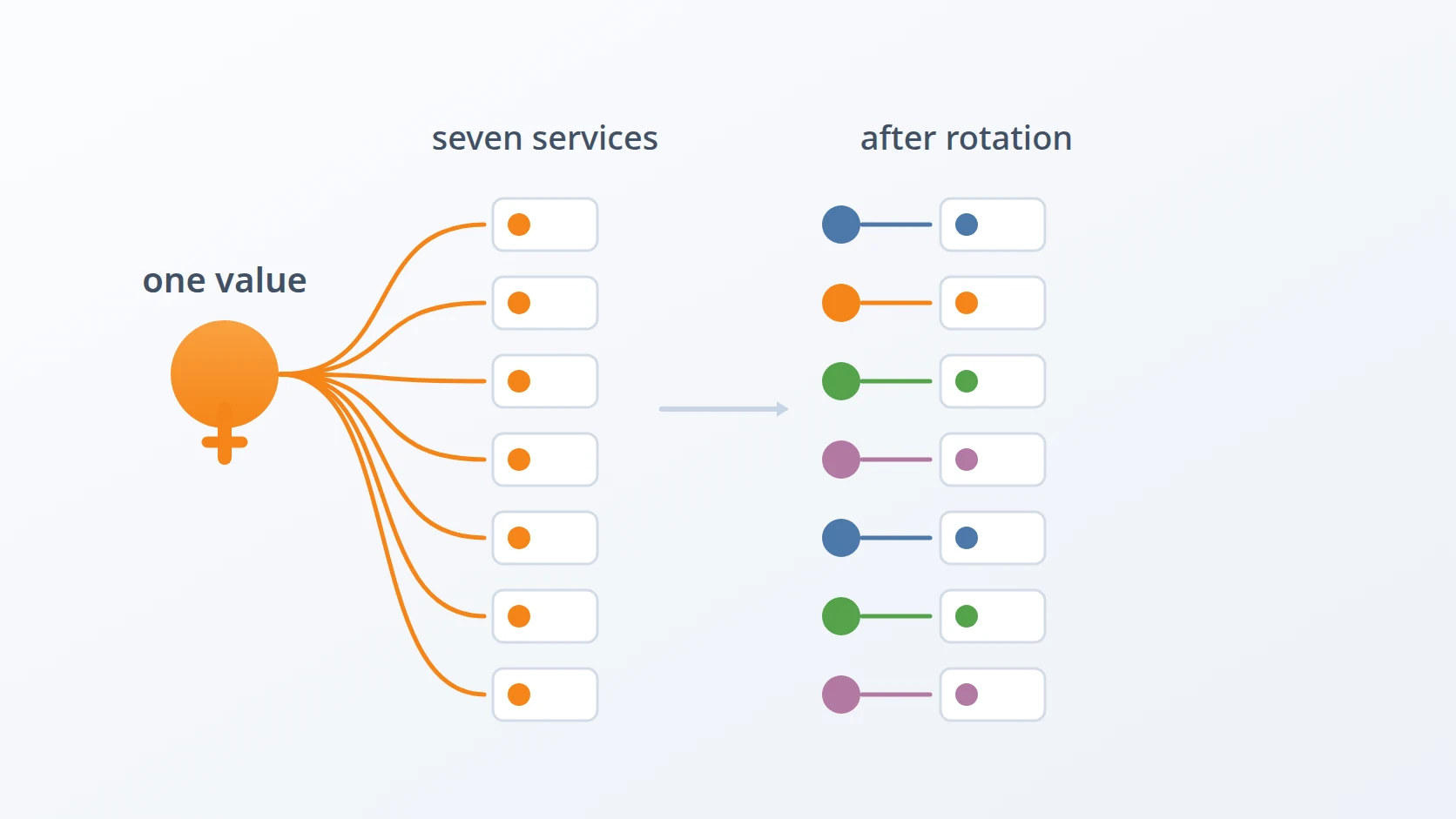
First, one rotation reaches seven services: three databases, two caches, the object store, and the search cluster. They are rotated together, in one run, so a rotation that reaches only some of them leaves the rest failing.
Second, the same configuration also holds secrets that belong to other organisations, such as the one an external identity provider issued. A value of mine and a value of theirs can be the same string by accident, and nothing in either system would record that fact.
E. Six obstacles in the way
The goal is one sentence: replace the credentials that seven services authenticate with, and have all seven still working afterwards. Under two constraints that turn out to do most of the work. The rotation must stay inside its intended blast radius — it may not touch anything belonging to a system I do not operate. And it must leave a way back, because a credential rotation that half-succeeds is worse than one that never started.
Easy to state, awkward to build. Six obstacles stood in the way, and what they have in common is worth saying in advance: almost none of them produce an error. Five of the six fail by succeeding at the wrong thing.
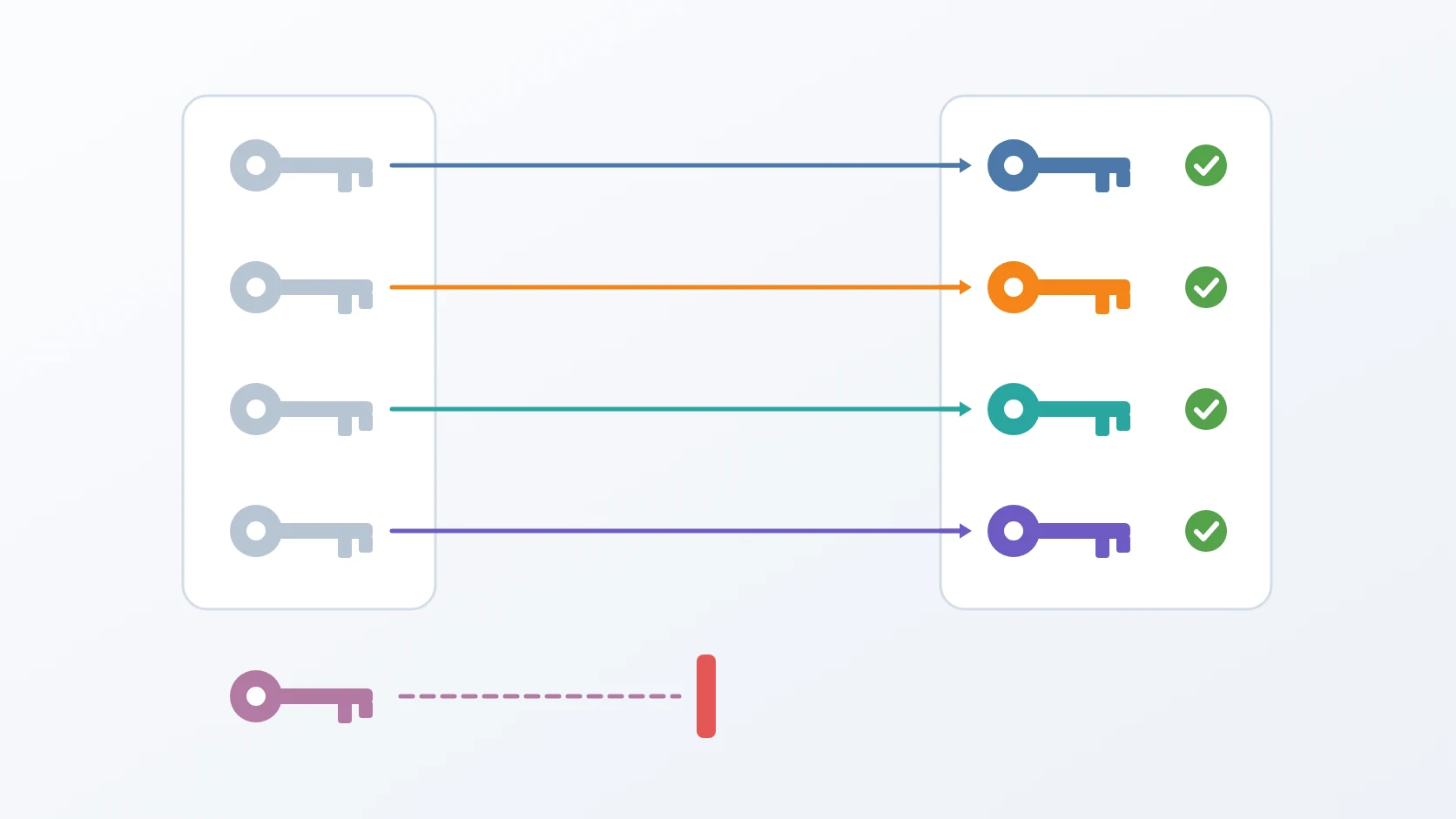
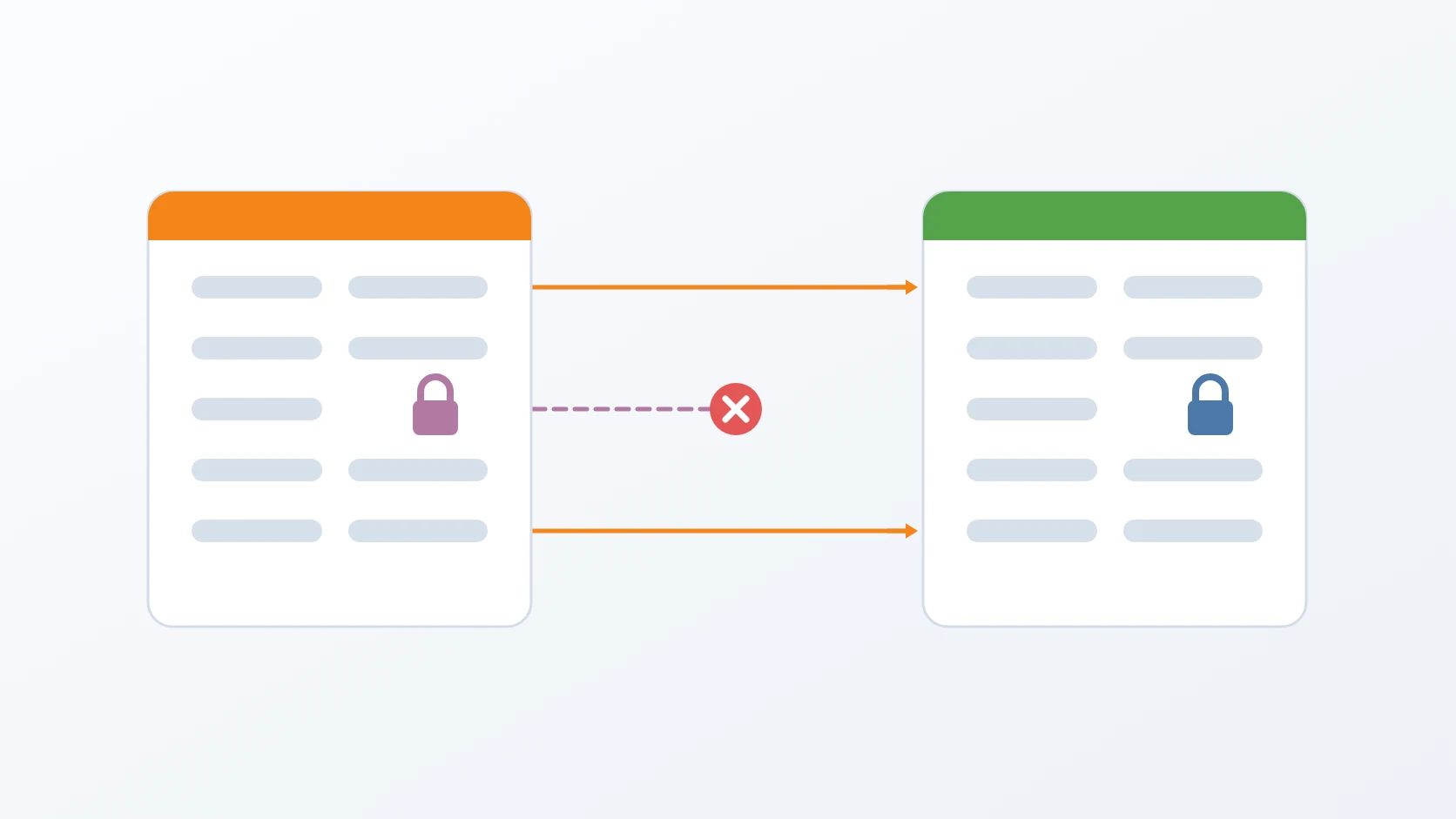
The first is that the obvious implementation breaks somebody else's system. Take the old value, find every place it appears, replace it — one line of shell, no list to maintain, handles files nobody remembered to mention. It is also, whenever a value of mine happens to be byte-identical to one belonging to an external provider, a way to silently break an integration nobody was watching. Changing my copy of somebody else's secret does not rotate anything; it just makes my copy wrong, and authentication starts failing for reasons no log of mine will explain. So the tool works from an explicit list of named keys in named files, and adding a credential means adding it to that list. The extra step is the point: the alternative is a tool whose blast radius is "every string that happens to match".
The second is that several values look exactly like rotatable passwords and are not. A key-encryption key does not grant access — it decrypts other keys. An application encryption key protects database columns. A token issued by an authority is signed, not shared. Replacing any of them does not produce a new working credential; it produces permanently unreadable data, or a value that fails signature verification. And none of it fails at the moment of rotation. The failure arrives the next time something tries to decrypt, which may be days later, with nothing pointing back at the cause. This is why the list of what must not be rotated took longer to write than the list of what must.
The third is that changing the configuration file does not change the password. For a database, an object store or a search cluster, the value in the configuration is read once — when the data directory is empty, at first initialisation. After that the real password lives inside the service's own state. Editing the file and restarting therefore accomplishes exactly nothing except making the configuration disagree with reality, and the next client to use it fails to authenticate. The order that works is state first, then configuration, then restart, then verification, and the order is the entire content of the fix.
The fourth is that bringing the containers up again does not restart them. The runtime compares desired state against running state, sees that the container specification has not changed — the configuration file is mounted in, not baked into the image — and correctly leaves the container alone. Which means it keeps running with a connection pool full of connections authenticated using the old password. The symptom is genuinely confusing: the file on disk is correct, and the service reports failures against the credential written right there in front of you. Forcing recreation is what makes the new file take effect, and nothing about the ordinary command suggests it is needed.
The fifth is that a verification step can pass while the thing it verifies has failed. Running a command and checking its exit status feels like verification and frequently is not, because many clients handle connection errors internally and exit zero regardless. So each check opens a connection with the new credential and performs a trivial operation, and a failure rolls that credential back — its old value restored in the service's state, its configuration file restored from the backup taken moments earlier. The rollback is deliberately per-credential rather than all-or-nothing: undoing seven successful rotations because the eighth was stubborn would mean a single awkward service can prevent the whole system from ever being rotated.
The sixth is that the safeguard can damage the thing it is protecting. Taking a full backup before every rotation is obviously correct until two rotations run within one hour, each producing a near-identical full backup of nearly three hundred megabytes. Retention keeps a fixed number of recovery points, so two near-duplicates push two genuinely older ones out of it, and the operation whose entire purpose is to protect the data reduces how far back the data can be recovered. The answer is to let the tool choose its backup mode from the age of the last full one, rather than always reaching for the most complete option available.
The six fall into four questions, and that is the order they are addressed in. The first two decide what may be touched at all. The third and fourth decide whether a change actually took effect — both are cases where the system reports success and nothing has moved. The fifth asks whether we would know if it had not. And the sixth asks whether there is still a way back, which is the question that outranks the rest: every other obstacle is recoverable as long as the answer to that one is yes.
Method
A. Why a rotation tool must not search for the old value
This is the answer to the first obstacle: staying inside the intended blast radius.
The natural way to write this tool is: take the old credential, find everywhere it appears, replace it with a new one. It is one line of shell and it handles every configuration file without being told about them.
It is also, given the two properties above, a way to break an integration with another organisation.
# what the obvious tool does — and why it is dangerous here
|
# it finds the internal secret AND the external provider's copy,
# because the two happen to hold the same stringWhen an internal secret and an external provider's secret are the same string, a search-and-replace finds both. The internal one should change. The external one belongs to a system I do not operate — changing my copy simply makes my copy wrong, and authentication against that provider starts failing for reasons nothing in my logs will explain.
So the tool works from an explicit list: named keys, in named files. It cannot touch anything it was not told about. Adding a new credential to the system means adding it to that list — an extra step, deliberately, because the alternative is a tool whose blast radius is "every string that happens to match".
# named keys, in named files — nothing else can be touched
The same design decision gives every key on the list its own freshly generated value, so no two services ever share one.
B. The list of what must not be rotated, and why
This is the answer to the second obstacle, and it is the list that took longest to write.
Writing the list of what to rotate was straightforward. Writing the list of what to leave alone took longer and taught me more.
Several values look exactly like rotatable secrets and are not:
A key-encryption key is not a password — it is what decrypts other keys held in a database. Replacing it does not grant new access; it makes the encrypted material unreadable. There is no error at the moment of rotation. The failure arrives the next time something tries to decrypt.
An application encryption key that protects encrypted database columns has the same shape of danger. Rotate it and every previously encrypted value becomes permanently unreadable, unless the framework is explicitly told to keep the old key for decryption.
A token issued by an authority is not a shared secret at all, even though it sits in configuration looking exactly like one. It is signed. Replacing it with a random string produces a value that fails signature verification — and it fails late: the receiving service accepts the request at its gate and then fails deeper in, with an error that points at the wrong component entirely.
The pattern across all of these: a value's format tells you nothing about its role. A long random-looking string might be a password, a key that decrypts other keys, or a signed assertion. Only knowing what it is for tells you whether replacing it is safe.
C. Changing the configuration file does not change the password
This is the answer to the third obstacle — the first of the two where a change appears to apply and does not.
For a database, an object store, or a search cluster, the password in the configuration file is only read when the data directory is empty — at first initialisation. After that, the real password lives inside the data, in the service's own user table.
So editing the configuration file and restarting achieves exactly nothing. The service reads its password from its data, which still holds the old one. The configuration now disagrees with reality, and the next client to use that configuration fails to authenticate.
# the password lives in the data, not in the file
The correct order has four steps, and the order is the whole point:
Change the password in the service's own state —
ALTER USER, or the equivalent security API.Write the new value into the configuration file.
Restart the services that present it.
Verify by actually connecting with the new value.
State first, because that is where the truth lives. Configuration second. Restart third, so the running processes pick it up. Verify last — and verification means connecting, not checking that a command exited successfully.
D. Restart, not reload
And this is the fourth obstacle: the second of that pair.
Step three has a trap of its own. Bringing containers up with the usual command does nothing if the container specification has not changed — the runtime compares the desired state to the running state, sees no difference, and leaves the container alone.
That is normally the behaviour you want. Here it is wrong: the configuration file changed, but the container specification did not, because the file is mounted in rather than baked into the image. The container keeps running with a connection pool full of connections authenticated with the old password.
The symptom is confusing: the configuration file on disk is correct, and the service reports failures against the credential that is written right there in front of you. Forcing the container to be recreated is what makes the new file take effect.
E. Verification that would notice a failure
This is the answer to the fifth obstacle: knowing whether any of the above actually worked.
Every rotation step ends with a check, and the checks are written to fail when the rotation failed — which is less obvious than it sounds.
A check that runs a command and inspects its exit status often passes regardless. Many clients return success for "I could not connect" when connection errors are handled internally. So each verification opens a connection using the new credential and performs a trivial operation. If that fails, the rotation for that credential is rolled back: the old password is restored in the service's state, and the configuration file is restored from the backup taken before it was written.
# not "did the command exit 0" — actually connect with the new value
if ! ; then
; Rollback is per-credential, not all-or-nothing. If one of eight rotations fails, seven remain rotated and one is returned to its previous state. The alternative — undoing everything on any failure — would mean a single stubborn service prevents the rest from ever being rotated.
F. Two details that only appear in a running system
Two things caught me that no amount of reading documentation would have.
The first: a password inside a connection string is URL-encoded. A password containing @ appears in the configuration as %40, so a plain search for the password string does not find it. The tool parses the connection string into its parts, replaces the password field, and reassembles it.
# a password containing @ is stored encoded, so a plain search misses it
database_url = "postgres://svc:p%40ssw0rd@db:5432/app"
#                              ^^^ '@' became '%40'
The second: an encryption key can be embedded in queued background jobs. In this system, jobs waiting in the queue carry an encrypted passphrase inside their serialised payload. Rotating the key that decrypts it means every already-queued job will fail when it eventually runs — after the rotation reports success, with no connection between cause and effect.
So that particular key is handled differently: the tool checks the queue first and skips the rotation if anything is waiting, telling the operator to drain the queue and run it again for that key alone. It is the only key in the set that has a precondition outside itself.
# The only precondition that lives outside the credential itself.
pending=
if [; then
G. Dry run by default, and a backup before anything
Two safeguards sit around all of the above.
The tool's default action is to print what it would do and change nothing. Applying changes requires an explicit flag. The reasoning is that the cost of the two modes is asymmetric: an accidental dry run wastes a few seconds, while an accidental rotation against production takes a service down.
And before any change is applied, the tool takes a backup — and aborts the entire rotation if the backup fails. A rotation with no recovery point is not a rotation; it is a gamble.
# Safe by default: --apply is opt-in, and a failed backup stops everything.
apply=false
[ && apply=true
if && ; then
What the rotation needs from that backup is narrow: the configuration it is about to change, captured immediately before the change. That is what lets a credential that fails its check be put back exactly as it was a moment earlier — the per-credential rollback described in the introduction depends on it. How long the backup is kept afterwards does not matter here; what matters is that it exists before the first write.
Results and Discussion
A. When the safeguard damages what it protects
This is the sixth obstacle, and it is the one that comes from caution itself.
The backup-first rule hides a flaw that is easy not to anticipate, and it is my favourite example of a safety measure causing harm.
Suppose every rotation takes a full backup. That seems obviously correct — the most complete possible recovery point before a risky operation.
Then two rotations run within the same hour, as they do while testing. Each produces a full backup of nearly three hundred megabytes, and the two are almost identical. Backup retention keeps a fixed number of recovery points, so those two near-duplicates push two genuinely older recovery points out of retention.
The operation whose purpose is to protect the data reduces how far back the data can be recovered.
So the tool chooses its backup mode by looking at the age of the last full backup, rather than always reaching for the most complete option.
# A safeguard that consumes its own retention is not a safeguard.
last_full_age=
if [ || [; then
mode=full
else
mode=incremental # keeps older recovery points inside retention
Measured on real data, the incremental was sixty-six megabytes against two hundred and ninety-four, and restoring it walked the chain back correctly.
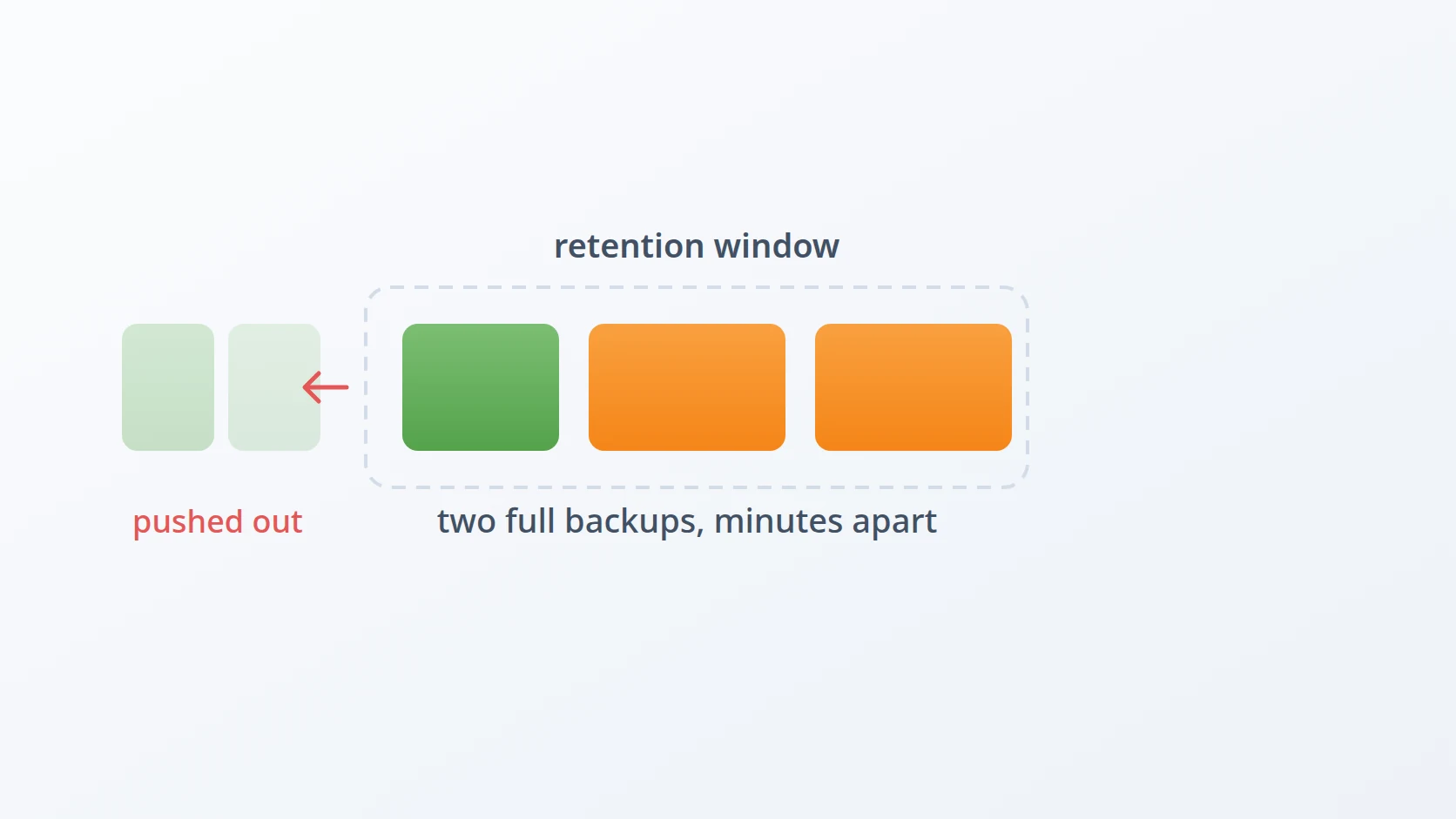
What I take from this: a safety measure has a cost, and the cost is paid from the same budget as the thing it protects. Retention is finite. Filling it with defensive snapshots taken minutes apart is not caution — it is spending the recovery window on the least useful recovery points available.
B. Why an explicit list beats clever automation here
The explicit list is the least elegant part of this design. It has to be maintained by hand. Adding a credential to the system and forgetting to add it to the list means it silently never rotates.
I have made peace with that, because the failure modes are not symmetric. A credential that does not rotate is a credential that stays as safe as it was yesterday — a missed improvement. A credential that rotates when it should not have can make encrypted data permanently unreadable, or break an integration with an organisation that has no idea why their requests started failing.
When one failure direction is recoverable and the other is not, the tool should fail in the recoverable direction. Here that means doing too little rather than too much.
C. What rotation costs while it runs
Rotation restarts services, and restarting services means a brief interruption. There is no version of this that is invisible to users.
That makes rotation a scheduled operation rather than an ambient one — monthly, at a quiet hour, rather than continuously. It also means the tool has to be reliable enough to run unattended, because an operation that requires supervision at two in the morning will quietly stop happening.
This is the deliberate trade-off of rotating credentials in a system built without dual credentials. Systems built for zero-downtime rotation support two valid credentials at once, so the old one can be retired after every client has moved. Retrofitting that into a dozen services was not something I could justify. Accepting a short scheduled interruption was.
D. What generalises
Two things from this work apply regardless of the system.
Know what each credential is before rotating it. Not its format — its role. Is it presented, or does it decrypt? Is it a shared secret, or is it signed by someone? Is it also held by somebody outside your system? Those questions separate the values that are safe to rotate from the ones that will destroy data.
Verify by using the credential, not by checking that a command succeeded. The step that matters is connecting with the new value. Everything before it is preparation, and preparation that is never checked is indistinguishable from preparation that failed.
Conclusion
Credential rotation in a running system is not one action. It is state, then configuration, then restart, then verification — and each of those steps has a way of appearing to succeed while accomplishing nothing.
The decision I would defend most strongly is the explicit list. It makes the tool less automatic and more verbose, and it is the only reason a rotation never reached the secret that belonged to another organisation. Automation that works by matching values is automation that will eventually match something it was never meant to touch.
And the part I would not have predicted: the safeguard needed a safeguard. Taking a full backup before every rotation is a defensible instinct that can quietly consume the recovery window it is meant to protect. Protective measures consume resources too, and the resource they consume is often the very thing they exist to preserve.
Terms
- Credential
- Anything a system presents to prove it is permitted to do something — a password, an access key, a token.
- Rotation
- Replacing a credential with a new value, so that a copy obtained earlier stops being useful.
- Key-encryption key
- A key whose purpose is to decrypt other keys. Rotating it does not change access; it makes the protected keys unreadable.
- Dry run
- A mode that reports what an operation would do without doing it. Making it the default means a mistake costs nothing.
- Retention
- How many recovery points are kept before the oldest is discarded. It is finite, which is why unnecessary backups have a cost.
- Rollback
- Returning a failed change to its previous state, which requires having captured that state before the change.
Technologies covered
- Bash
- Linux
- PostgreSQL
- Docker