How I Saved Hundreds of Gigabytes of Disk Space Across Hundreds of Programming Projects
On this page
- Introduction
- A. What is actually taking up the space
- B. Three obstacles in the way
- Method
- A. The sibling-manifest rule
- B. The Python exception
- C. Why requirements.txt is not optional
- D. Finding candidates without descending into them
- E. Deleting with confirmation
- F. Two modes, because one was never enough
- Results and Discussion
- A. What the scan recovered
- B. Why one directory dominated
- C. Beyond the filesystem
- Conclusion
- Terms
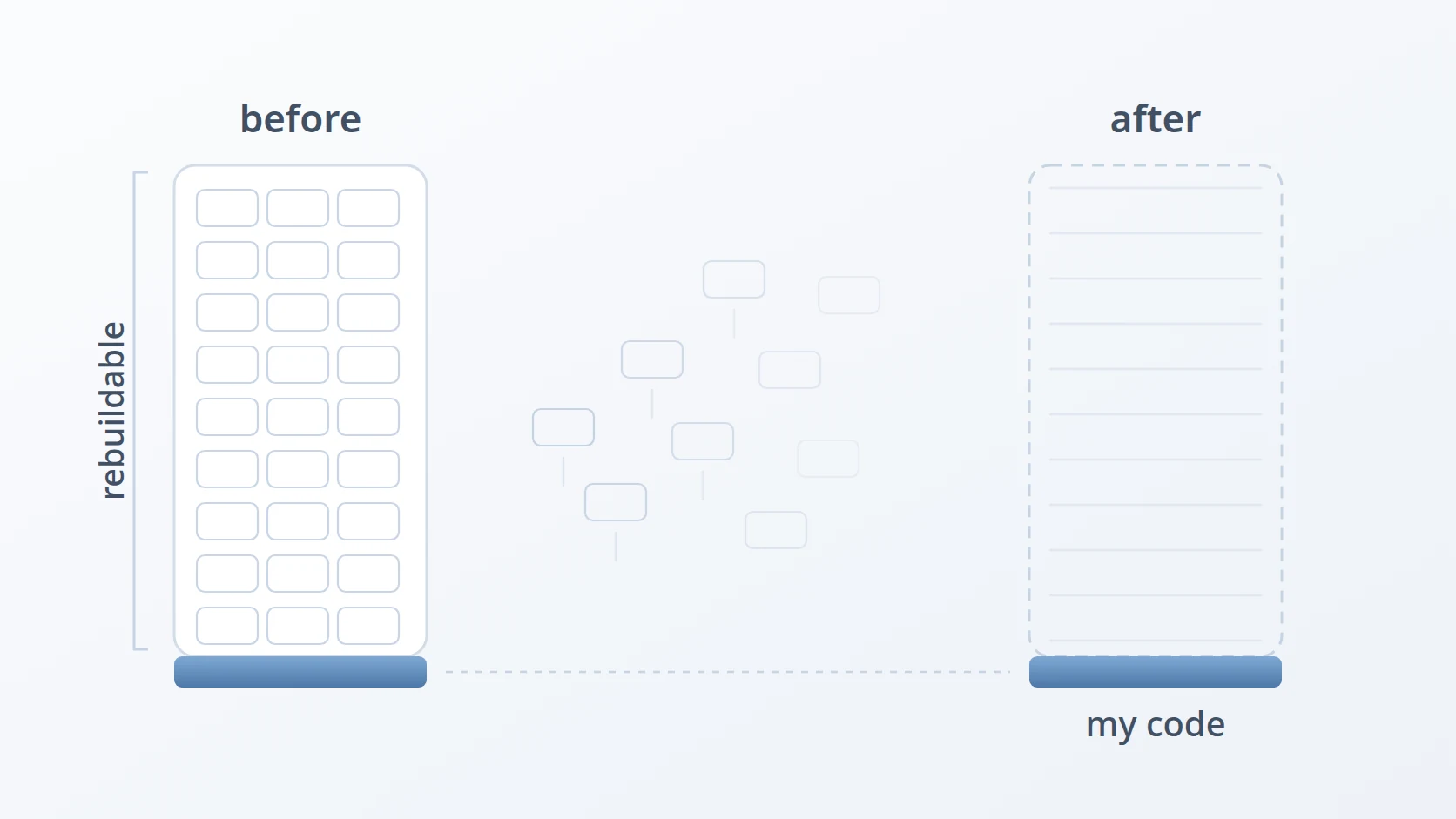
I write software for a living, which mostly means I write small text files. A source file is a few kilobytes. A whole project's worth of code I typed by hand might come to twenty megabytes. And yet the disk fills up, over and over, on machines carrying 512 GB or a full terabyte of SSD. For a long time that looked like a contradiction, and for just as long I treated it as an unavoidable cost of the job.
It is neither. The space is not in what I wrote — it is in what my tools generated next to what I wrote. On a folder holding five ordinary projects I measured 21 GB, and 19.84 GB of that turned out to be material that could be rebuilt from scratch at any time. That is 94% of the total, and none of it was mine in any meaningful sense. What follows is the method I use to identify that material precisely, find it across a whole machine, and remove it without ever putting real work at risk.
Introduction
The warning usually arrives in the middle of something else. An installer stops, a build fails halfway, an editor refuses to save, and the notification says there are a few gigabytes left on a drive that was mostly empty a year ago. Nothing dramatic happened in between. No single file grew to fill the disk. The space went in small, routine increments, each one invisible at the moment it was taken, and the total only becomes apparent when the disk runs out.
What makes this worth writing about is that the growth is not really caused by the work. A developer's own output is tiny, and it stays tiny. The growth comes from the machinery that surrounds the work: the libraries a project downloads to run, the intermediate files a compiler leaves behind, the caches a framework keeps so the next build is faster. Those things are useful while a project is active. The trouble is that nothing removes them when it stops being active, and a machine that has been used for a few years is carrying the accumulated remains of every project that ever ran on it.
Before going further it helps to be precise about what those remains actually are, because the whole method rests on telling one kind of folder apart from another.
A. What is actually taking up the space
Almost no program is written entirely from scratch. A project declares the outside libraries it needs, and a package manager — a tool whose job is to fetch and install those libraries — downloads them into a folder inside the project. That folder is the dependency folder. In the JavaScript world it is called node_modules; in PHP it is vendor; in Python it lives inside a virtualenv, a self-contained directory holding a copy of the interpreter and every library installed for that one project.
These folders are large for a reason that is easy to miss. A project may declare ten libraries, but each of those libraries declares its own, and those in turn declare more. The package manager installs the entire tree. A handful of direct dependencies routinely expands into several hundred installed packages, complete with their documentation, tests, and type definitions. That is how a small application ends up with a node_modules folder of several hundred megabytes, and why the folder is almost always many times larger than the code the developer actually wrote.
The second category is the build artifact: whatever a compiler or bundler produces on its way from source code to a runnable program. Compiled languages generate the most of it, because they keep not just the finished binary but the intermediate results for every file and every dependency, so that the next build only has to redo the parts that changed. Rust puts all of this in target, Flutter in build, and web tooling in dist or .next. It is the price of fast rebuilds, and it is paid in disk space that nobody ever reclaims.
The third piece is the one that makes the other two disposable. A manifest is the file where a project records which libraries it depends on and at which versions — package.json for Node.js, composer.json for PHP, Cargo.toml for Rust, pubspec.yaml for Flutter, requirements.txt for Python. It is a few kilobytes of text, it is kept under version control alongside the source, and it is the reason the enormous folder beside it can be thrown away: a single command reads the manifest and builds the folder back. The source code and the manifest are the project. Everything else is a cache with a long lifetime.
That is the asymmetry this article exploits. A few kilobytes of text can reproduce several gigabytes of folders, which means those gigabytes are being stored for no reason other than that nothing ever deleted them.
The obvious response to a full disk is to buy a larger one, and sometimes that is the right call. But storage prices have been under upward pressure as AI infrastructure competes for the same supply, so replacing a drive is no longer the cheap reflex it once was. There is a better argument against it than price, though. Buying capacity to store files that regenerate themselves on demand means paying to keep something you were never required to keep in the first place.
The scale of the problem is what makes it interesting. A working machine might hold dozens of projects, each containing several modules, which puts the number of candidate folders in the hundreds. Cleaning that by hand fails for three separate reasons, and they compound.
You will not remember where everything is. Projects accumulate in directories you stopped thinking about years ago.
The work is slow enough that you will abandon it partway, which means the cleanup never actually completes.
You will attempt it under time pressure. Choosing quickly, by hand, among hundreds of similar-looking folders is precisely how real work gets deleted by accident.
Automation answers all three. It also makes the consequences of a mistake far worse, because a script applies whatever definition you hand it across hundreds of directories in seconds. A careless definition does not produce a careless cleanup; it produces a fast, confident, irreversible deletion of the wrong thing. That is why the method below spends most of its effort on definition rather than deletion.
B. Three obstacles in the way
So the goal is straightforward to state: reclaim that space across every project on the machine, repeatedly, without buying a larger disk and without ever deleting something I actually wrote. Automating it is the only way that scales.
Straightforward to state, and awkward to build. Writing the script took an afternoon; deciding what it was allowed to delete took considerably longer, and that is the part worth writing down. Three obstacles stand between the goal and a script that can be trusted with it, and each one rules out the solution that first comes to mind.
The first is that a folder's name proves nothing about its contents. The obvious approach is a list of names to delete — node_modules, vendor, target, build — and it is wrong in a way that only shows up after the damage. A directory called vendor holds PHP dependencies in one project and supplier records in another. A directory called build is Flutter output in one place and somebody's working folder in the next. Sorting by size fails for the same reason: large does not mean disposable, and the largest folder on a machine might be the one thing on it that was never backed up. Any rule based on what a folder is called, or how big it is, will eventually delete real work — and because it is a script, it will do so across hundreds of directories before anyone notices.
The second is that Python does not follow the rule that solves the first. Every other ecosystem leaves a manifest next to its generated folder, which is exactly what makes the folder provably disposable. Python's virtualenv does not. It carries no required file beside it, and it can be named anything at all — venv, .venv, env, or something invented for that one project. The safest rule in the method has a blind spot precisely where one of the most common ecosystems lives, and ignoring it would leave gigabytes untouched.
The third is that scale and safety pull in opposite directions. Confirming each folder individually is the safe design, and on a machine with hundreds of candidates it is also the design that guarantees the job is abandoned halfway through — which leaves the disk full and the work half done. Deleting everything in one pass finishes the job and removes the one moment where a human could have caught the mistake. Both are defensible, and neither is sufficient on its own.
Each of the three has a section below. The order matters: the first decides what may be deleted at all, the second repairs the gap that rule leaves behind, and the third decides how the deleting actually happens.
Method
The procedure has three stages, and the order is not negotiable: define what is disposable, find it reliably, then delete it with confirmation. Each stage depends on the correctness of the one before it.
My definition is narrower than it first appears. A folder is disposable if and only if it can be rebuilt from something that is still present on disk. Not because it is large, not because its name resembles a cache, and not because I fail to recognise it. Size and unfamiliarity are the two criteria that feel most persuasive in the moment and are most likely to destroy something.
A folder's name never proves what it is. The proof is the manifest sitting next to it.
Two counterexamples show why this distinction carries the entire safety property. A directory called vendor may be a PHP dependency tree, or it may hold supplier records for a business. A directory called build may be Flutter output, or it may be where a colleague filed deliverables for a client. Matching on the name alone destroys both, and does so silently.
A. The sibling-manifest rule
This answers the first obstacle: proving a folder is disposable without trusting its name.
What separates the two cases is whether a manifest file sits beside the folder: in the same parent directory, at the same level, not inside it. When that manifest is present, the folder's contents can be regenerated from it, and that is exactly what makes them disposable. The pairings I rely on are these.

node_modules- disposable when
package.jsonsits beside it (Node.js) vendor- disposable when
composer.jsonsits beside it (PHP, Laravel) target- disposable when
Cargo.tomlsits beside it (Rust) build- disposable when
pubspec.yamlsits beside it (Flutter, Dart) dist- build output, disposable beside
package.jsonorpyproject.toml .next,.nuxt- framework caches, disposable beside
package.json .gradle- Gradle's own cache, rebuilt on the next build
Written as a command, the rule reads almost exactly as it does in prose. The test is a single conditional, and everything else is plumbing.
# Find Laravel vendor/ folders — but only where a sibling
# composer.json proves the folder can be rebuilt.
| while ; do
if [; then
fi
I use $(dirname "$dir") rather than "$dir/.." because it reads as "the folder next to it", which is the idea the whole rule rests on.
B. The Python exception
This answers the second obstacle: the ecosystem where the rule above has no manifest to rely on.
Python breaks the rule, and it is worth understanding why rather than special-casing it blindly. A virtualenv has no mandatory manifest beside it, and it can carry any name at all — venv, .venv, env, or something project-specific. No neighbouring file proves that the directory next door is an environment.
So the test shifts from the manifest to the structure of the directory itself, which is distinctive enough to be conclusive.
# A virtualenv has no manifest beside it, so detect the structure:
# pyvenv.cfg, or bin/activate next to a python executable.
The principle has not changed. I still demand proof that the folder is regenerable; I simply read that proof from the directory's own contents rather than from a neighbour.
C. Why requirements.txt is not optional
This exception carries an obligation, and it is the most useful part of the method for anyone writing Python. Deleting a virtualenv is safe only if it is genuinely regenerable, and a virtualenv is regenerable only if you recorded what was inside it. Nothing performs that bookkeeping on your behalf.
So never install a library and leave it at that. Record it, so the environment can be reconstructed from the record instead of from memory.
# Rebuild an environment from the record, not from memory.
A requirements.txt file, or the dependency list in a pyproject.toml if you prefer the modern layout, is you doing by hand what package.json and Cargo.toml do automatically. Keep it current and a virtualenv becomes exactly as disposable as node_modules. Neglect it and that directory is not junk at all: it is the only surviving record of what your project needs to run.
D. Finding candidates without descending into them
The remaining sections answer the third obstacle, beginning with finding the candidates at all.
The search has to begin wherever you point it and continue all the way down, since the premise of the exercise is that you no longer remember where everything lives. One detail matters more than it appears to. Once a directory matches, the scan must stop descending into it.
Without that, the walk enumerates every file inside a dependency tree that is about to be deleted anyway, and cheerfully reports the nested node_modules it discovers inside — each of which will vanish with its parent. In find, the instruction is -prune.
# -prune stops the walk at every match: no pointless descent into a
# dependency tree that is about to be deleted, and no nested duplicates.
This is the difference between a scan that finishes while you wait and one you give up on.
E. Deleting with confirmation
Automation finds the candidates; I still make the decision. Each candidate is presented with its path, what it was detected as, and — most importantly — its size, before anything happens to it.
size=
# Read from /dev/tty, not stdin — the candidate list is on stdin.
case "" in
y|yes) && ;;
q|quit) ; break ;;
*) ;;
esacTwo choices in there are deliberate. The prompt is [y/N/q] with a capital N, so the default is no and a distracted press of Enter skips the folder rather than destroying it. And the answer is read from /dev/tty rather than standard input, because standard input is already carrying the list of candidates. Read from there and the prompt silently consumes the list instead of waiting for you — the bug almost everyone meets the first time they pipe a file list into a loop.
F. Two modes, because one was never enough
This is the third obstacle, and it is the one where I changed my mind after using the script. Per-folder confirmation is the right default and a poor fit for the actual job. On a machine holding hundreds of candidates, answering the same question two hundred times is not diligence — it is how the cleanup gets abandoned at candidate ninety, with the disk still full.
The alternative I rejected was a flag that simply skips the questions. That converts a careful tool into a fast one, and removes the only point at which a human could notice that something on the list should not be there.
What the bulk mode does instead is move the confirmation rather than remove it. It prints the entire list first — every path, what it was detected as, and its size — then the total about to be freed, and asks exactly once.
The difference matters more than it looks. Answering two hundred questions is not two hundred decisions — after the twentieth, it is reflex, and reflex is what deletes the wrong folder. One question asked against a complete list, with the total attached, is a single real decision made with more information than any of the individual prompts carried.
Both modes share one property that does the actual safety work: the size is computed and shown before anything is deleted, never after. A folder that reports 17 GB invites a second look in a way that a bare path never does, and on more than one occasion that number is what made me stop and check what I was about to remove.
One more detail belongs here, because interrupting a long deletion is a normal thing to do. The script installs a handler for Ctrl-C so that stopping halfway exits deliberately rather than leaving the terminal in whatever state the interrupt found it.
# Stopping halfway is expected, so make it end cleanly.
Nothing that was already deleted comes back, of course. What this buys is a clean exit and an honest summary of what happened before the interruption, rather than a half-finished run that reports nothing at all.
Results and Discussion
The method is only worth the words if it produces a number, so this section reports what the scan actually recovered and then works through what the distribution of that number implies.
A. What the scan recovered
To measure the method rather than assert it, I prepared a folder containing five projects in different ecosystems — Flutter, Laravel, Node.js, Python, and Rust — each in the state it would normally occupy on a working machine, with dependencies installed and builds run. Measuring before and after is what turns a claim into a result.
The scan identified seven folders across the five projects. Their sizes are reproduced exactly as reported.
| Folder | Detected as | Size |
|---|---|---|
flutter_example/android/.gradle | Gradle cache | 13 MB |
flutter_example/build | Flutter / Dart | 2.7 GB |
laravel_example/vendor | PHP / Composer | 107 MB |
nodejs_example/dist | build output | 1.8 MB |
nodejs_example/node_modules | Node.js | 222 MB |
python_example/venv-oauth2-tools | Python virtualenv | 37 MB |
rust_example/target | Rust / Cargo | 17.0 GB |
| Total freed | 19.84 GB |
Five projects, and 94% of the space held nothing I had written. The five directories that survived contain the source code, the manifests, and the configuration — everything needed to regenerate all 19.84 GB on demand.
B. Why one directory dominated
The distribution is more instructive than the total. A single directory, Rust's target, accounted for 17 GB — around 86% of everything freed. Compiled artefacts dominate because they retain incremental build state and debug symbols for every dependency in the tree, and because nothing ever prompts you to clear them. The Flutter build directory, at 2.7 GB, came second for the same reason.
This has a practical consequence. If you work in a compiled language, the ratio on your own machine is likely to be higher than on one dominated by interpreted projects, and a single neglected target directory may be worth more than every node_modules you own combined. It also explains why the manual approach fails so reliably: the largest offender is usually a directory you have never once opened.
The ratio, rather than the absolute figure, is the transferable finding. On my own machine, where the project count runs into the hundreds, a single pass has recovered space in the hundreds of gigabytes — but that number depends entirely on how much you keep and in which languages, so treat it as my experience rather than a promise. The 94% is the part you can verify on your own disk in a couple of minutes using the two commands above.
C. Beyond the filesystem
One technique outside the filesystem scan deserves mention, because it applies the same principle and is frequently worth as much. Docker images are regenerable by definition, since they are rebuilt or re-pulled on demand.
This routinely frees tens of gigabytes. The caveat is that -a removes every image not referenced by a running container, so the next use of anything removed pays the rebuild or download cost again. On a fast connection that is a fair trade; on metered or slow bandwidth, or with images you cannot easily re-pull, be more selective.
A note on measurement, since the figures above depend on it. The script reports sizes using du --apparent-size, which gives the logical size of the files. On compressed or sparse filesystems that can differ from the blocks actually released. It is the right number for deciding whether a folder is worth removing, not an exact prediction of what the disk will report afterwards.
A recorded walkthrough of the same problem and the same script follows, for anyone who would rather watch the scan and the deletions happen than read about them.
Conclusion
The low-disk-space warning never arrives at a convenient moment. It arrives mid-task, and the instinct is to hunt for large files and delete whatever looks unfamiliar — which is the worst possible procedure, because it makes irreversible decisions quickly, under pressure, with no information about what each file actually is. A single command that lists sized, classified, regenerable candidates and defaults to no converts that moment from a risk into a routine. That, more than the gigabytes, is why the method was worth formalising.
I demonstrated this on Ubuntu with a bash implementation, but the portable part is the method rather than the code: define regenerable precisely, prove it with a sibling manifest, scan without descending, and confirm with sizes before deleting. Those four ideas carry to PowerShell, Python, or whatever you prefer. A Windows port needs one adjustment, since virtualenvs there use Scripts/activate rather than bin/activate.
The benefit scales with how many regenerable folders you accumulate, which makes this valuable on an active development machine and close to pointless on a laptop that does not build software. If you do build software, the definition stage is the part worth copying. Everything after it is mechanical.
Terms
- Regenerable
- A folder that can be rebuilt in full from files that remain on disk after it is deleted.
- Manifest
- The file that declares a project's dependencies, and from which a dependency folder can be reconstructed.
- Sibling
- A file in the same parent directory as the folder being tested, at the same level rather than inside it.
- Prune
- Instructing a recursive scan to stop descending once a directory has matched.
Technologies covered
- Bash
- Python
- Linux
- Docker



