How I Develop Locally With a Real Domain and Real HTTPS
On this page
- Introduction
- A. The pieces involved, briefly
- B. Three obstacles in the way
- Method
- A. Pointing the real domain at the local machine
- B. Teaching containers the same thing
- C. Installing the production certificate at the production path
- Results and Discussion
- A. What the three approaches actually cost
- B. What stopped breaking
- C. Where this does not fit
- Conclusion
- Terms
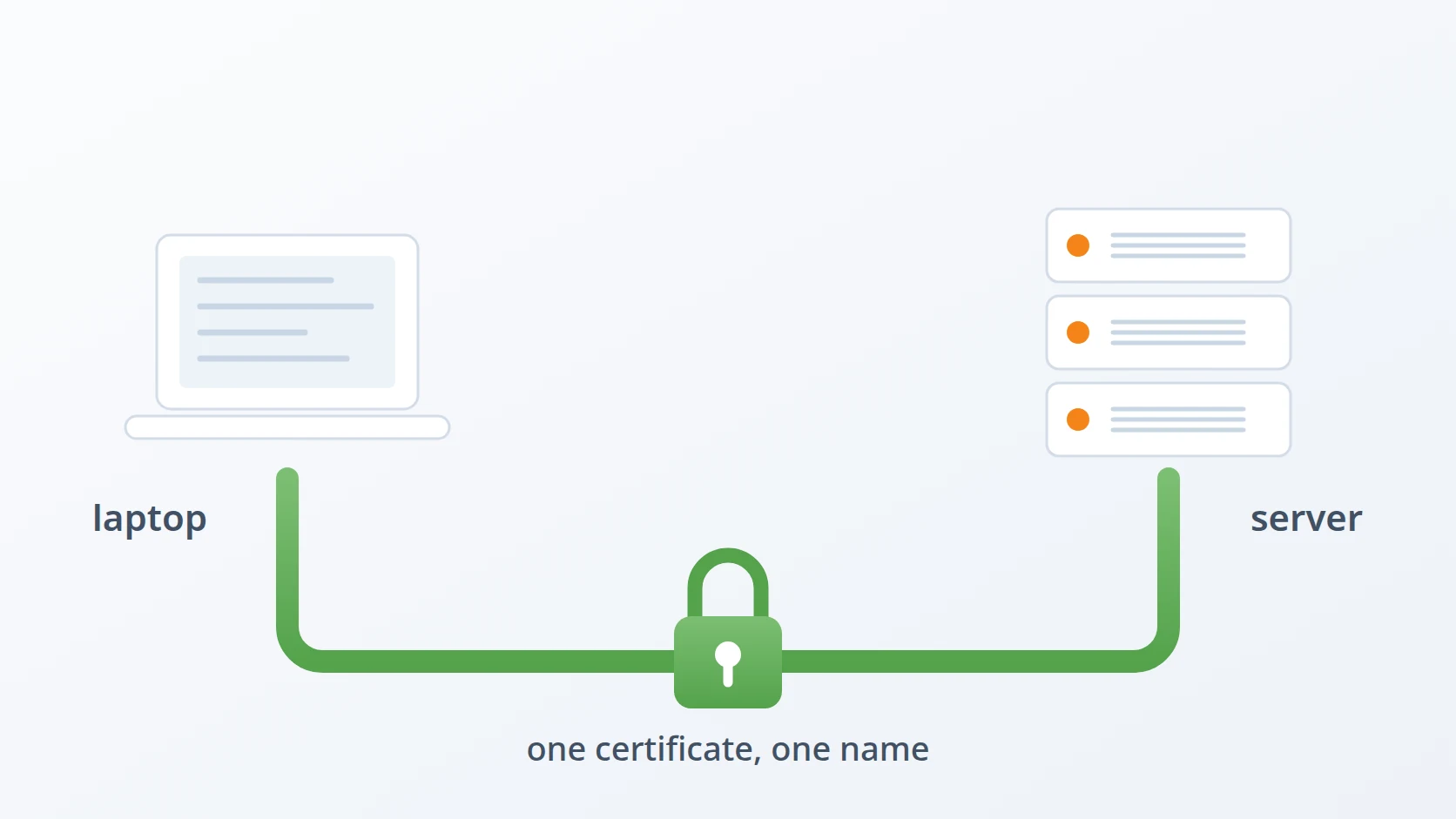
For a long time my local environment and my production environment disagreed about what the application was called. In production it was https://tnromy.com. On my laptop it was http://localhost:9210, and every difference between those two strings was a difference I would eventually have to debug — usually after deploying, usually under time pressure, and usually in the one component I had not thought to check.
The fix turned out not to be a clever tool. It was a decision: stop approximating production locally and start reproducing it. My laptop now serves the real domain over the real certificate, and the configuration of nginx — the web server that sits in front of the application, receiving every request and passing it on — is the same one the server uses. I happen to do this with Linux, Let's Encrypt, nginx and Docker, but those are the tools I already run rather than a requirement of the method — what follows is a way of arranging any two environments so they stop disagreeing, and what it costs.
Introduction
Every development environment is a claim about production. It says: if the code behaves this way here, it will behave that way there. The claim is never entirely true, and the interesting question is not whether a gap exists but where the gap sits and when it presents its bill. A gap in machine size or data volume announces itself under load, late but loudly. A gap in what the application is called is different. It stays silent through every local test, survives code review untouched because nothing in the diff is wrong, and then fails on the first request after deployment — in an integration nobody was thinking about, usually one owned by a third party that has no reason to be forgiving.
That timing is what makes naming differences expensive out of proportion to their size. The bug is found at the worst moment, by the least prepared person, with the fewest tools; production is not a comfortable place to attach a debugger. And the fix is usually trivial once seen, which is its own kind of insult: an hour of panic to discover that a registered callback URL had the wrong host in it. Doing the work up front means paying a small, visible, one-time cost so that the large, invisible, badly-timed one never arrives.
A. The pieces involved, briefly
Four ideas do most of the work here, and they are worth stating plainly before the argument leans on them.
A domain is a human-readable name for a machine, like tnromy.com. Computers do not route to names; they route to numeric addresses. The translation between the two is DNS, the Domain Name System — a distributed directory that a machine queries, over the network, to turn a name into an address. When a browser is asked for https://tnromy.com, a DNS lookup happens before any connection is opened, and the answer decides which machine receives the request.
The hosts file is the local override for that process. It is an ordinary text file listing addresses and the names they should answer to, and the operating system consults it before it asks DNS. An entry there is therefore not a competing answer but a final one: the lookup stops, no query leaves the machine, and the public record is never consulted. That precedence is the whole mechanism, and it is old, stable and present on every desktop operating system.
Resolving a name gets a connection to a machine; it does not establish that the machine is entitled to that name. Nothing in DNS prevents an attacker on the same network from answering a lookup with an address of their own. The answer to that is a TLS certificate, the thing behind the s in HTTPS. A certificate binds a domain name to a public key, and the server proves during the handshake that it holds the matching private key. What the certificate attests is narrow and worth being precise about: not that a site is safe, or honest, or well-run, only that whoever is answering for this name demonstrably controls the key that name was issued to. Everything else people read into a padlock is inference.
An attestation is only as good as its source, which is what a Certificate Authority supplies. A CA is an organisation that verifies control of a domain and then signs a certificate for it. Browsers and operating systems ship with a built-in list of CAs they trust — a few hundred of them, curated, audited and occasionally removed when one misbehaves — and a certificate signed by a CA on that list is accepted silently. This is why a self-signed certificate provokes a full-page warning while a Let's Encrypt one does not. Cryptographically they are the same object and give the same encryption. The difference is that a self-signed certificate vouches for itself, and a claim that is its own only evidence is exactly what an interceptor would present. The browser is not complaining about weak cryptography; it is complaining that nothing it already trusts has said this key belongs to this name. The remedy is to add the signer to the trusting party's list of accepted authorities, and as the next section shows, the trouble is not doing that once — it is the number of parties that turn out to need telling.
The usual answer to wanting HTTPS locally is a self-signed certificate, and for a single-process application it is a perfectly good answer. You generate a certificate, you tell your browser to trust it, and you get a padlock. I used that approach for years and had no particular complaint about it.
The complaint arrives with the second container. A self-signed certificate is only trusted by parties that have been told to trust it, and a container is a fresh operating system with no opinions about my private CA. So the CA has to be installed into the image, or bind-mounted in, or injected at startup — and then into the next image, and the one after that, each with its own base distribution, its own trust-store path, and its own ideas about where certificates live.
Debian and Ubuntu images want the CA in
/usr/local/share/ca-certificatesfollowed byupdate-ca-certificates.Alpine images need the
ca-certificatespackage installed first, because it is not there by default.Language runtimes frequently ignore the system store entirely. Node reads
NODE_EXTRA_CA_CERTS; Python's requests readsREQUESTS_CA_BUNDLE; Java wants the certificate imported into a keystore.
None of that is difficult in isolation. The problem is that it is per-container, repeated on every image rebuild, and entirely disposable. In production the certificate comes from Let's Encrypt and every one of those containers trusts it without being asked, which means all of this configuration exists only to be removed later. That is the definition of work that should not have been done.
The obvious alternative is to skip HTTPS locally altogether and develop against http://localhost. This trades a maintenance cost for a correctness cost, and the correctness cost is larger because it is deferred and invisible. A surprising amount of behaviour is keyed to the origin rather than to the application logic sitting behind it.
Cookies marked
Secureare simply not set over plain HTTP, andSameSitesemantics differ between a real domain andlocalhost.OAuth2 providers match redirect URIs exactly. A flow that works against a registered
localhostURI proves nothing about the production URI.reCAPTCHA keys are issued per domain and refuse to validate on an origin that was not registered.
Presigned object-storage URLs are signed against a specific host. Change the host and the signature is void.
So one path costs ongoing maintenance and the other costs correctness. I wanted neither, which meant the environments had to stop differing in the first place.
B. Three obstacles in the way
So the goal is easy to state: make the local machine answer to the same domain as production, over the same certificate, using the same nginx config — without maintaining a private CA, and without giving up the correctness that plain HTTP costs. Everything that differs between the two environments is untested code, and the aim is to shrink that set to almost nothing.
Easy to state, awkward to build. Three obstacles stand between that goal and a machine that actually behaves this way, and each one defeats the approach that first suggests itself.
The first is that the domain already belongs somewhere else. Public DNS answers with the address of a server in a data centre, and it answers correctly — that is its job. Pointing a real domain at a laptop is not something DNS will do, and the tempting workarounds are worse than they look. Editing the public DNS record breaks the site for everyone. Running a local DNS server means every machine on the network has to be told about it. What is needed is an override that applies to one machine, takes effect immediately, and leaves the public record untouched.
The second is that containers do not inherit any of it. A container is a separate operating system with its own /etc/hosts and its own resolver, so the override that fixed the host machine is invisible inside it. A container asking for the domain goes out to public DNS and reaches production — which is the most dangerous possible failure, because it succeeds. The obvious repair is to write the loopback address into the container, and that is wrong in a way that produces a confusing error: inside a container, 127.0.0.1 means the container itself.
The third is that resolving a name is not the same as being entitled to it. Once the domain points at the machine, the machine still has to prove it is that domain, and only a certificate issued for it can do that. A self-signed certificate is rejected here for the reason given above — it has to be taught to every container, on every rebuild. Using the real certificate raises its own difficulty: it expires every ninety days by design, so any arrangement that involves copying files is an arrangement that silently goes stale.
Each has a section below, and the order is the order they have to be solved in. The name has to resolve before anything can be proved about it, the containers have to agree with the host before their traffic is worth testing, and the certificate is only useful once both are true.
Method
The method has two halves, and they are independent. One makes the domain resolve to my machine; the other makes my machine able to prove it is that domain. Neither requires any change to the application, and — this is the part that matters — both are removed at deploy time rather than replaced by something else.
If the local config differs from the production config, the difference is untested code. The goal is not a similar config. It is the same config.
A. Pointing the real domain at the local machine
This answers the first obstacle: making a domain that belongs to a data centre mean this machine instead, on this machine only.
Public DNS says tnromy.com lives at a server in a data centre. Locally I need it to mean my laptop, and the hosts file does exactly that: it is consulted before DNS, so an entry there wins without any packet leaving the machine. On Linux and macOS the file is /etc/hosts, and the entries are unremarkable.
# /etc/hosts — consulted before public DNS
127.0.0.1 tnromy.com
127.0.0.1 ca.example-ca.id
127.0.0.1 admin.example-net.com
127.0.0.1 app.example-client.co.id
Those are real lines from my machine, and the pattern is that every project I actively develop gets one. The same file also holds entries pointing at VPN and staging addresses, which is the second thing it buys me: moving a domain between local, staging and production becomes a matter of which line is commented out, and the application never learns that anything changed.
On Windows the mechanism is identical but the details trip people up. The file is at %SystemRoot%\System32\drivers\etc\hosts, which on a default install means C:\Windows\System32\drivers\etc\hosts. Three further details are worth knowing before editing it.
The file has no extension. Notepad will silently save
hosts.txtunless you choose All files in the save dialog, and the result is an inert file that produces no error and no effect.Editing requires administrator rights, and the editor must be launched with Run as administrator before the file is opened. There is no way to elevate afterwards; you get a save failure at the end of the work instead.
Windows preloads hosts entries into the DNS resolver cache, so an edit is not live until that cache is flushed. Negative results are cached too, which means a hostname you tried before the edit stays broken until you flush.
# Windows (elevated prompt) — required after editing hosts
# macOS — hosts is /etc/hosts as on Linux, but flush both caches
Linux is the easy case: most desktop configurations consult the hosts file directly with no caching layer in front, so the edit takes effect immediately. If a local resolver such as systemd-resolved or dnsmasq is in play, it needs the same treatment as Windows.
B. Teaching containers the same thing
This answers the second obstacle: containers keep their own resolver, so the host’s override has to be repeated inside them — with a different address.
The hosts file governs the host machine, and a container does not read it. It has its own /etc/hosts and its own resolver, so a container asking for tnromy.com goes out to public DNS and reaches the production server — quietly, successfully, and wrongly. During development that is the worst possible failure mode, precisely because it works.
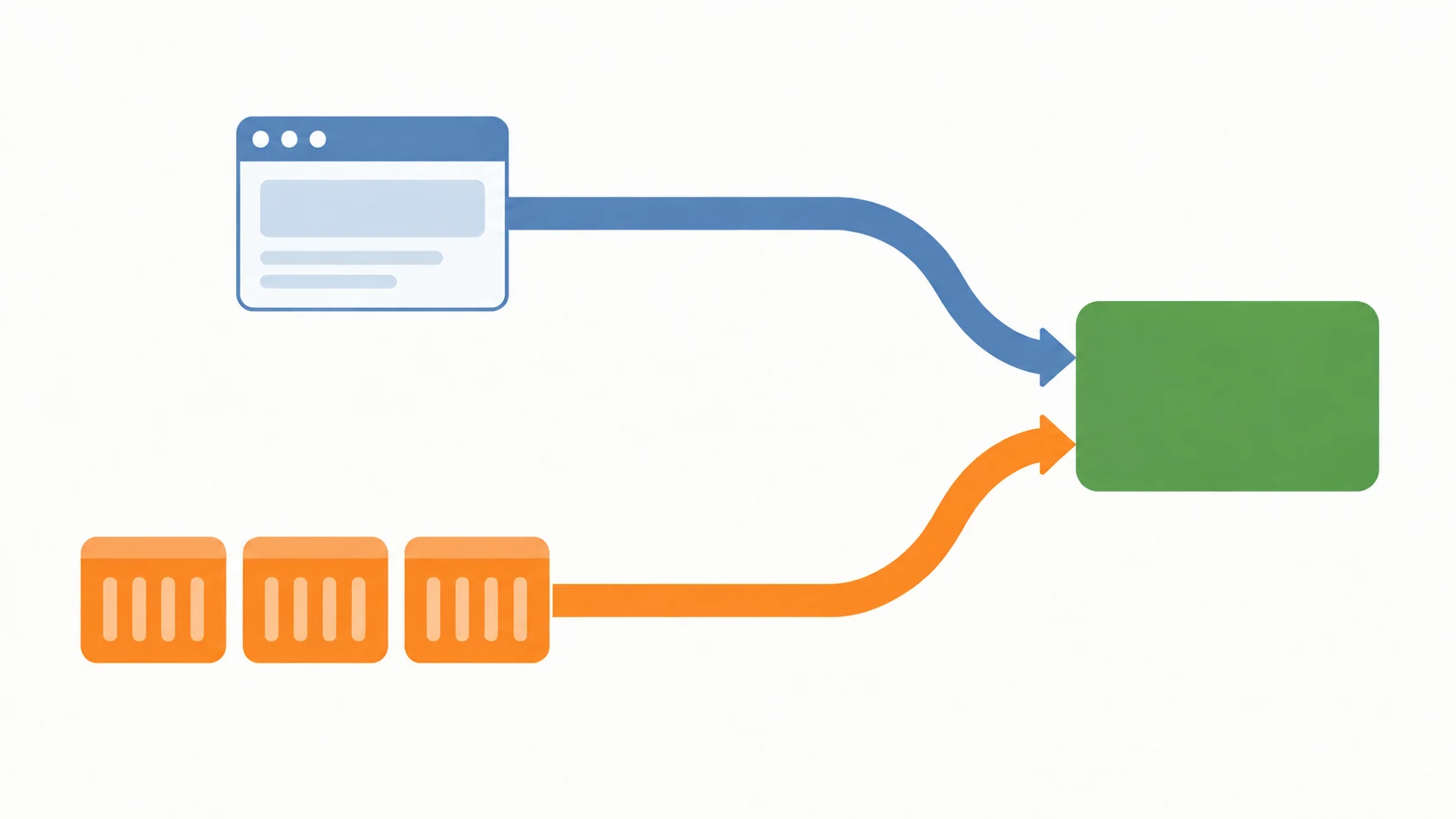
Docker Compose — the tool that starts a set of containers from one configuration file — solves this with extra_hosts, which writes entries into the container's own hosts file at startup. The subtlety is the address: 127.0.0.1 inside a container means the container itself, not the host. The correct target is the gateway address of the Docker network, which is where the host is reachable from inside.
services:
  backend:
    # Presigned URLs are signed against the public origin https://tnromy.com.
    # Inside the container that name resolves to loopback, so point it at the
    # Docker network gateway, where the host's nginx is listening.
    extra_hosts:
      - "tnromy.com:10.93.0.1"
The gateway is not a constant and should be read from the network rather than guessed. Compose usually creates a network per project, so the value differs between machines and between projects on the same machine.
# Read the gateway rather than assuming it
# 10.93.0.1On another project I keep it in a variable with a sane default, which documents the dependency and survives being cloned onto a machine where Docker picked a different subnet. The comment there records the symptom rather than the fix, because the symptom is what I will be searching for next time.
    extra_hosts:
      # Without this the container resolves the public Cloudflare address
      # and receives a 403 challenge instead of reaching the local stack.
      - "sso.example-client.go.id:${GATEWAY_IP:-10.0.42.1}"
There is a corollary on the nginx side that is easy to miss, because everything looks correct while it is wrong. Requests from the browser arrive on loopback; requests from a container arrive on the Docker gateway. Those are different local addresses, and a server block bound only to 127.0.0.1 will not match the second one. nginx still answers — it falls through to the default server, which on a machine hosting several projects is some other project entirely — and the request is proxied somewhere meaningless until it times out. Binding the listener to all interfaces avoids the whole class of problem.
server {
    # No address: binds every interface, so both loopback and the Docker
    # gateway reach this block. Binding only 127.0.0.1 would answer the
    # browser and quietly send container traffic to the default server.
    listen 443 ssl;
    server_name tnromy.com;

    ssl_certificate     /etc/letsencrypt/live/tnromy.com/fullchain.pem;
    ssl_certificate_key /etc/letsencrypt/live/tnromy.com/privkey.pem;
}
C. Installing the production certificate at the production path
This answers the third obstacle: proving entitlement to the name, in a way that survives a certificate that expires every ninety days.
With the name resolving locally, the machine still has to prove it is that name, and the only thing that can prove it is the certificate issued for it. So I use that certificate: fullchain.pem and privkey.pem are copied down from the production server, where Let's Encrypt renews them, and installed locally at the path they occupy in production — /etc/letsencrypt/live/<domain>/.
Using the identical path is the entire point and not merely tidiness. If the certificate lives somewhere else locally, the nginx config must differ locally, and a config that differs is a config that has not been tested. With the paths aligned, the file that works on my laptop is the file that works on the server, and moving between them tests nothing new.
I keep this in two small scripts. The backup script reads the live directory for a domain and writes both files into a folder named after it. That is what runs on the server.
# On the production server: capture the live certificate
SRC="/etc/letsencrypt/live/"
DEST="cert."
The restore script is the interesting one, because it does not copy. It creates the live directory if needed, clears whatever is there, and then symlinks the live path at the backup folder.
# On the laptop: link the live path at the backup folder
LIVE="/etc/letsencrypt/live/"
Symlinking rather than copying is a small decision that pays every ninety days. Let's Encrypt certificates are short-lived by design, and when a renewed pair arrives I replace the contents of the backup folder — which lives inside the project, beside the compose file it belongs to — and the live path keeps working with nothing to re-run and no root access required. A copy would leave me with two divergent versions and no indication which was current.
Results and Discussion
A. What the three approaches actually cost
Laid side by side, the difference is not really about HTTPS. It is about how much of the local setup has to be undone before the same system can run in production.
| Dimension | Self-signed CA | No HTTPS at all | Production certificate |
|---|---|---|---|
| Per-container trust setup | Required in every image | None | None |
| OAuth2 redirect URIs | Testable, but not the real URI | Separate localhost registration | Identical to production |
| reCAPTCHA | Fails the domain check | Fails the domain check | Works with production keys |
| Presigned URLs | Host mismatch | Host mismatch | Signature matches |
| nginx config parity | Different certificate paths | No TLS block at all | Identical |
| Undone at deploy time | CA in every image | Every origin assumption | Two hosts entries |
| Where the key may live | Local key only | None | Production key, only on a machine I control |
The last two rows carry the argument. The production certificate is the only approach whose local-only configuration is a couple of lines in a hosts file and an extra_hosts block — both of which are simply absent in production rather than replaced by something else. It is also the only approach that needs a rule about where its key may live, so I set that rule before using it.
B. What stopped breaking
The class of bug this eliminated is the one that only appears after deployment. Presigned storage URLs are the clearest example: the backend signs them against the public origin, so locally they were either signed against localhost and untested, or signed correctly and unreachable. With the domain resolving locally they are signed exactly as production signs them and fetched exactly as production fetches them, which means the signing code is exercised rather than approximated.
OAuth2 went the same way. The redirect URI registered with the provider is now the one my laptop actually uses, so an error in the flow is an error in the flow rather than an artefact of a second registered localhost URI that exists only for development. reCAPTCHA stopped needing test keys. Cookie scope and Secure flags became testable at all.
What I did not get is a production environment. The data is different, the load is different, the machine is different, and nothing here tests any of that. What it removes is a narrower and more irritating category: bugs whose entire cause is that the application had a different name locally than it does in production.
C. Where this does not fit
That rule is strict. I use this method only for certificates of systems I operate myself, and only on a single machine I control with full-disk encryption, a machine whose protection already has to match everything else it holds. I never do it for a key I do not own, and never on a shared or borrowed machine.
For a team the instinct to copy the production key to every developer's laptop is the wrong one, and the better shape is available: issue a certificate for a development subdomain and install it at the same path by the same mechanism. The path-parity benefit survives intact, because what matters is that the config does not have to know which machine it is on — not that the certificate is literally the production one. The hosts and extra_hosts halves are unaffected either way and remain worth doing on their own.
The method also assumes a reverse proxy in front of the application: a web server, nginx in my case, that receives every request from outside, handles the certificate, and forwards the request to the application behind it. That is how I run everything, so it costs me nothing, but a setup where the application terminates TLS itself would need the certificate path wired into the application config instead. The principle survives the change: put the certificate where production puts it, so the configuration does not have to branch.
Conclusion
The two halves of this are almost trivially simple in isolation. An entry in a hosts file is one line. Copying two .pem files is one command. What makes the combination worth the trouble is that together they let the local nginx config be the production nginx config, with no conditionals and no environment-specific paths — and a config with no environment-specific branches cannot behave differently between environments.
The detail I would pass on above the others is that a request from a container does not arrive the way a request from the browser does. Everything else in this method is declarative and visible; that one is a timeout with no useful error, at a moment when the hosts file, the gateway address, the certificate and the running server are all demonstrably correct. Nothing is broken — the request is simply being answered by a server block nobody is looking at.
None of that depends on the tools I used. The domain resolves locally through a hosts file because that is what my machine reads first; on another stack the same role might fall to dnsmasq, an internal resolver, or a DNS record pointed at a private address. What carries across is the sequence rather than the implementation: make the application answer to the same name in both environments, let the same thing prove that name that proves it in production, and keep the files at the paths production keeps them at, so no config has to ask which machine it is running on.
One more idea is the one I would hand to someone whose stack shares nothing with mine. Prefer local-only additions that get deleted on the way to production over ones that get replaced by something different, because a replacement is a second configuration nobody exercises until the deploy. An entry removed at deploy time cannot diverge from anything. A conditional that swaps one value for another quietly becomes the least-tested line in the system.
And when the system moves to production, nothing in this article comes with it. The hosts entries stay on the laptop, extra_hosts is deleted from the compose file, and the certificate at /etc/letsencrypt/live/ is already there, renewed by the same Let's Encrypt process that produced the copy I had been borrowing. That is the measure I would use to judge any local-environment technique: not how closely it imitates production, but how little of it has to be dismantled to get there.
Terms
- Hosts file
- A local text file mapping names to addresses, consulted before DNS, so an entry in it overrides the public answer without any network request.
- Gateway address
- The address of a Docker network's virtual router, which is how the host machine is reached from inside a container on that network.
- Server block
- An nginx configuration unit selected by the address the request arrived on and the hostname it asked for. A mismatch on either falls through to the default server.
- Presigned URL
- An object-storage URL carrying a signature computed over a specific host and path, invalid if the host it is fetched from differs from the host it was signed against.
- Path parity
- Keeping a file at the same absolute path in every environment so the configuration referring to it needs no environment-specific variation.
Technologies covered
- Linux
- Docker
- nginx
- DNS