How I Start Every New Stack Without Inheriting the Last Project's Data
On this page
- Introduction
- A. The three supporting stacks
- B. What "inheriting" means, and why it is quiet
- C. The shortcuts I rejected
- D. Five obstacles in the way
- Method
- A. Leaving the old data behind
- B. Walls between databases
- C. Creating things before Docker does
- D. A loop that knows when nobody is there
- E. Reading the application, not the template
- Results and Discussion
- A. What each command produces
- B. What the three have in common
- Conclusion
- Terms
Introduction
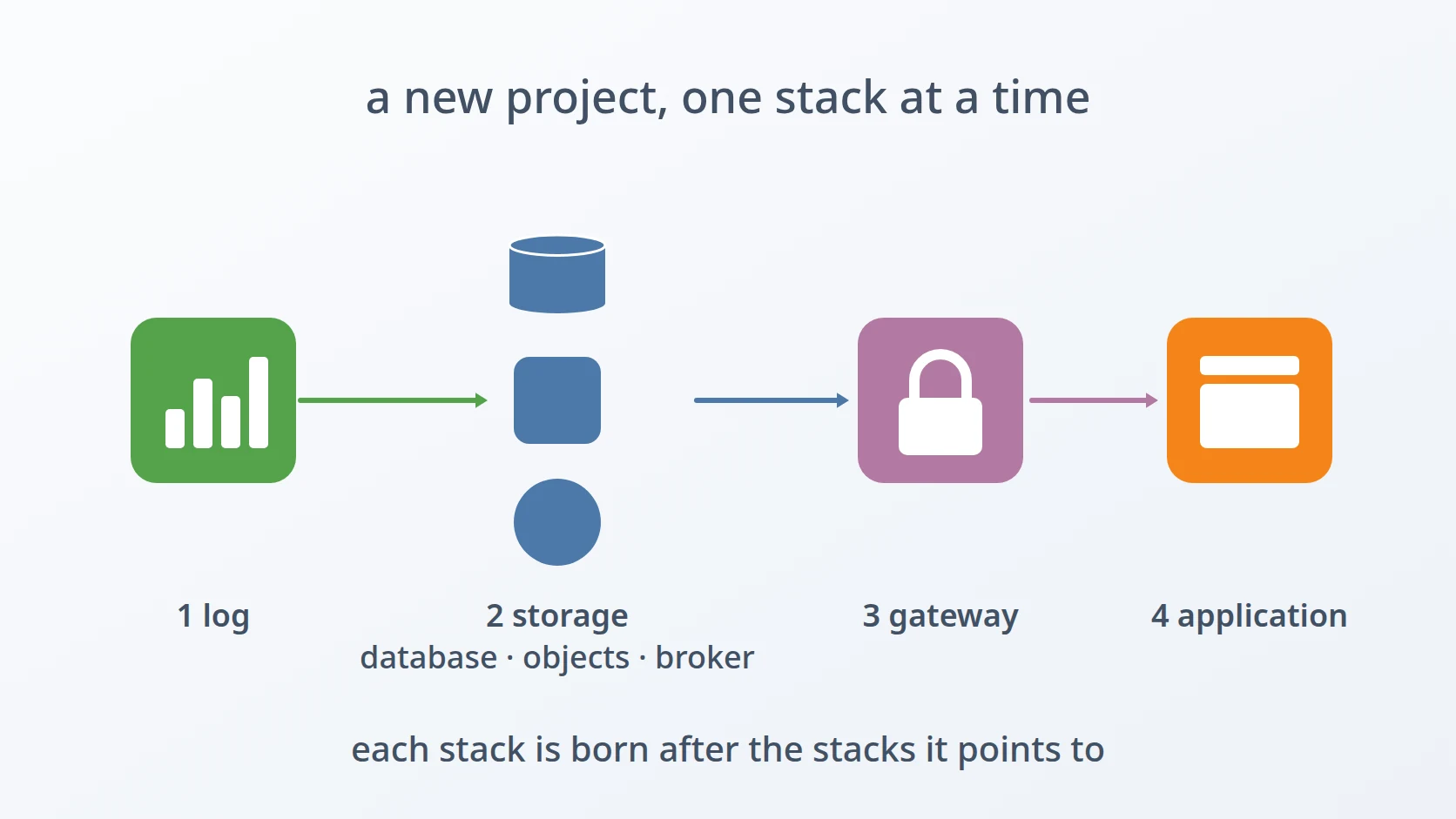
Besides a gateway, a broker, and a log stack, most of my projects need three smaller things: a database with a cache, somewhere to keep files, and the application itself. I wanted each of those to come from one command as well, and I wanted something stricter than "it starts": a new stack must not carry anything from the stack it was made from — no old data, no old credentials, no old names, and no files owned by the wrong user.
A. The three supporting stacks
The first stack is storage in the narrow sense: PostgreSQL, Redis, or both, for applications that need a relational database or a fast cache. One PostgreSQL server often hosts more than one database, because a project may have several services that each own their data, and each of those databases has its own user.
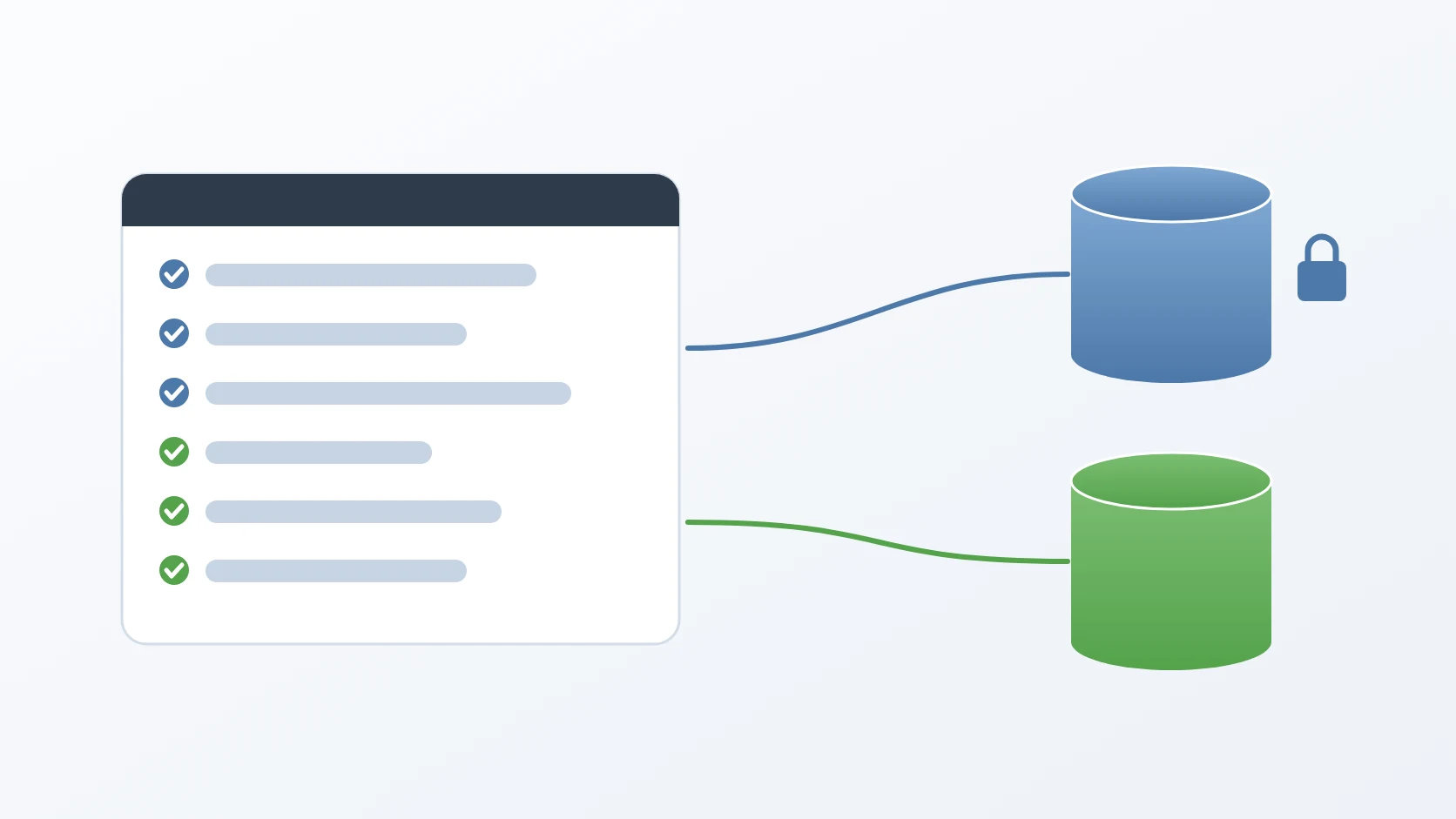
The second is object storage. MinIO is an S3-compatible server that stores files in buckets, and in front of it runs OSW, the object storage wrapper I wrote so that applications never talk to MinIO directly or hold its credentials. The stack needs a private bucket for files only the application may read, and a public bucket whose files anyone may download but nobody outside may upload to.
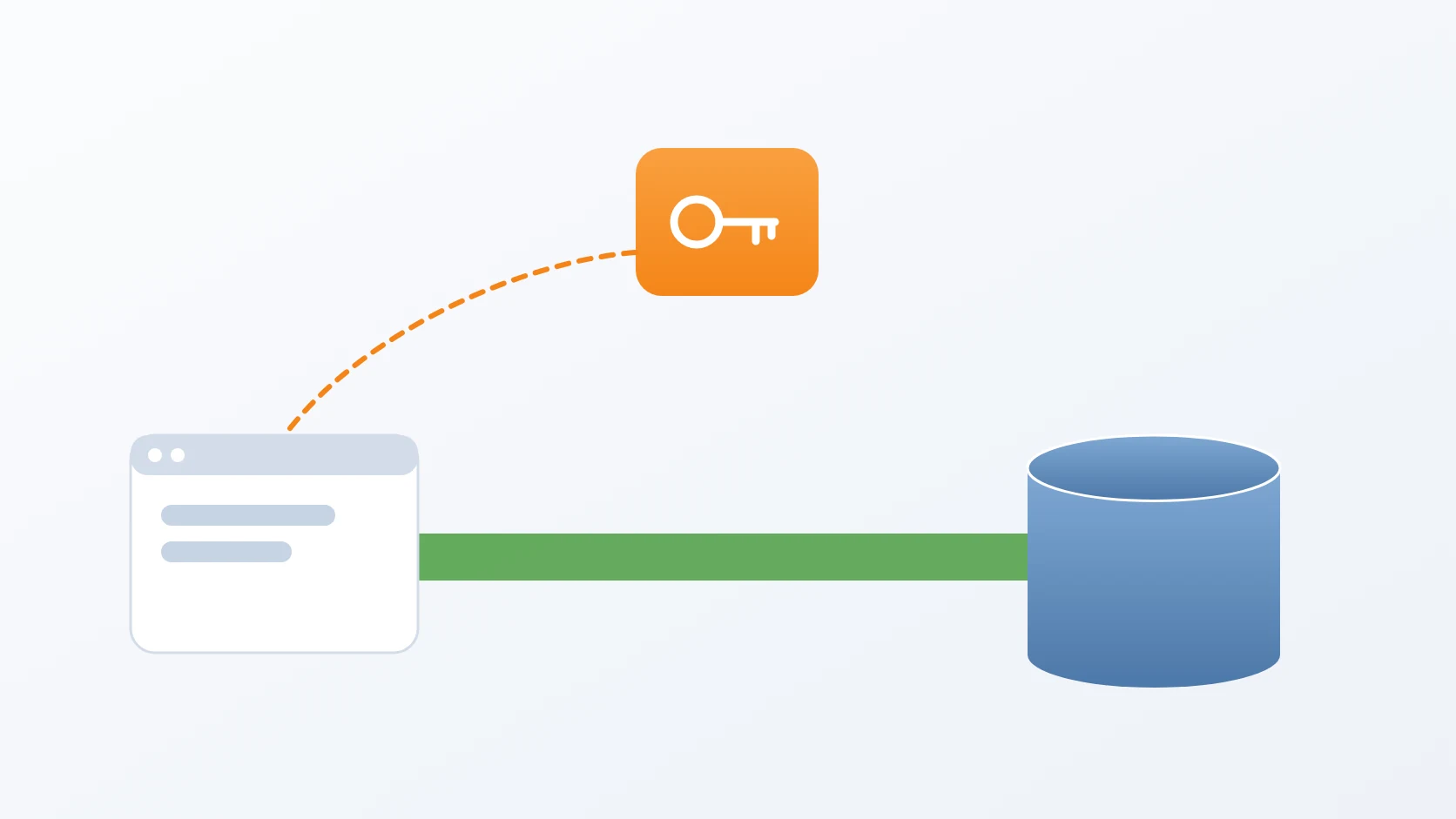
The third is the application itself, packaged as a container image: a Laravel application, a Rust service, or a Python service. Its stack needs the right port, its configuration file in the place the application expects it, and, if the application uses a database, a database that is healthy before the application starts.
B. What "inheriting" means, and why it is quiet
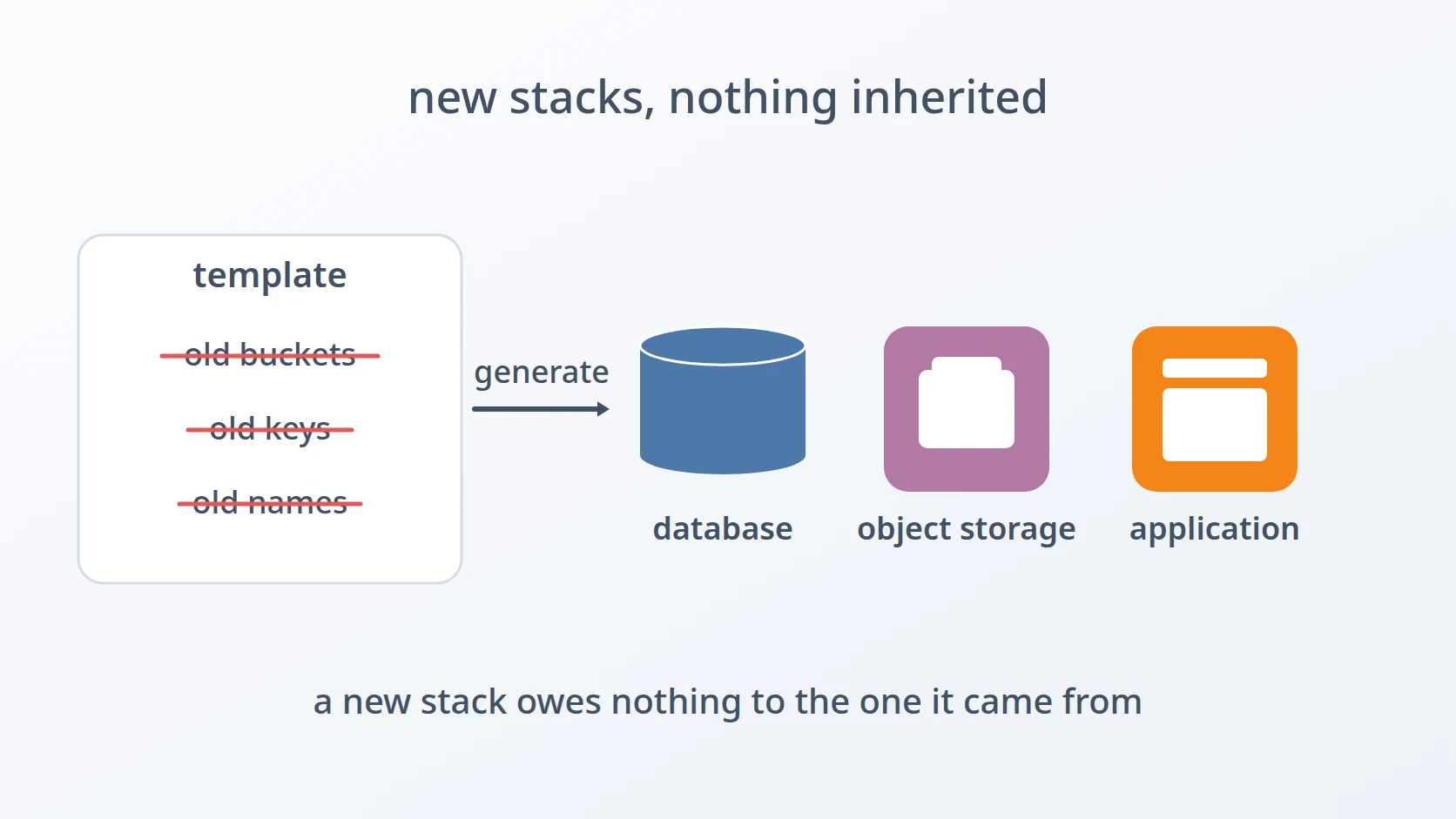
Every generator starts from a template, and every template started life as a real, working stack. That is what makes templates useful and what makes them dangerous. A template copied from a working stack carries that stack's container names, its credentials, and sometimes its data, and a stack built from it inherits all of them unless each one is removed on purpose.
Inheritance rarely fails loudly. A storage server that still holds the previous project's buckets and access keys starts perfectly; it simply also accepts the old keys. A database server where every user can connect to every database works perfectly; it simply has no walls. A directory created by the wrong user is fine until the service inside the container tries to write to it. Each of these passes a casual test and fails in a way that is discovered late, by someone who did not create it. That is also why a new stack has to be checked for what should be absent, not only for what should be present: an old bucket, an old user, a database open to everyone. Such checks do not appear by themselves in an ordinary test, which asks whether something works, not whether something is left over.
The same is true of the application stack, in a different form. Its port and its configuration path are facts about the application, written in its own Dockerfile and its own source folder. A template that guesses them carries the previous application's facts into the new one, and the container then listens on one port while the stack publishes another.
C. The shortcuts I rejected
The fastest way to a new stack is to copy the folder of the last one and edit it. I rejected that for every one of these stacks, for the reason above: what the copy carries is exactly what is hardest to notice. The second shortcut is a single database server shared by all services with no isolation between their databases, which is convenient until one service's credentials can read another service's tables.
The third shortcut, for applications, is writing each stack's compose file and configuration by hand. It works, but the facts it needs — the port the container listens on, the path where the application reads its configuration, the configuration file itself — already exist in the application's own folder. Typing them again is how the stack and the application drift apart.
So each of the three generators follows the same rule: remove from the template whatever belongs to someone else, create whatever must belong to the person running it, and read whatever is a fact about the application from the application itself.
D. Five obstacles in the way
Easy to state, awkward to build. Five things stood between a template and a stack that owes nothing to the one before it.
The template carries the previous stack's data. The object storage template contains a data directory, and that directory holds old buckets and the old access keys. Copying the template as it is, and changing the credentials in the configuration afterwards, is the rejected alternative: MinIO keeps what is already in its data directory.
Databases on one server can see each other by default. In PostgreSQL, every database grants the right to connect to a built-in role that every user belongs to. Creating one user per database is the rejected alternative on its own, because each of those users can still connect to every other database, including the main one.
Docker creates missing things as root. A bind-mounted directory that does not exist yet is created by Docker, as root, and the database inside the container cannot write to it. The storage template had a subtler version of the same problem: the init script it mounts as a file had existed in the template as an empty folder owned by root.
Automatic mode can hang forever. Every generator can run without questions, with one variable that answers yes to every confirmation. The storage generator asks in a loop whether to add another database, and in automatic mode that question is always answered yes, while the prompt that follows reads from an input that has already ended.
The application stack must not guess what the application already knows. The port, the configuration file, and where that file is mounted differ by application and by language. Asking for them by hand, or carrying them over from the template, is the rejected alternative.
The order follows how far each kind of inheritance reaches. The first is inherited data, the second inherited access, the third inherited ownership, the fourth a behaviour of the generator itself, and the fifth inherited assumptions about the application.
Method
A. Leaving the old data behind
Here is the answer to the first obstacle: the object storage generator removes the template's data from the new stack's folder and creates an empty data directory for the stack before anything starts. MinIO then initialises from nothing, with the credentials given to the generator. The template's environment file and the wrapper's JSON configuration also held the previous stack's credentials and endpoint, so both are written fresh from the answers, with JSON values escaped. The buckets are not copied either: they are created on the running server with the MinIO client, which also sets the public bucket to allow anonymous downloads only.
&& \
&& \
The same generators also rename every container. The templates still contain the container names of the project they came from, and each generator replaces them with names built from the new project, so that two stacks on the same host never collide and never look like each other in a list of running containers. The application generator renames the template's storage services too — the database and cache become services named after the application — and gives each application its own version and port variables, so two applications in one project never fight over the same service name.
B. Walls between databases
Here is the answer to the second obstacle: every additional database gets its own owner, and the right to connect is taken away from the built-in role that every user belongs to, then given back to the owner alone. The main database is locked the same way, so the users of the additional databases cannot connect to it either. The superuser bypasses these rules, so administration still works.
CONNECT ON DATABASE main_db FROM PUBLIC;
CONNECT ON DATABASE main_db TO main_user;
WITH PASSWORD '…';
OWNER crm_user;
CONNECT ON DATABASE crm FROM PUBLIC;
CONNECT ON DATABASE crm TO crm_user;Because database and user names are written into SQL without quoting, the generator accepts only names that are safe that way: a letter or underscore first, then letters, digits, or underscores. It also refuses a name that repeats the main database or main user, or a database added twice. Passwords are written as SQL strings, so their single quotes are doubled.
C. Creating things before Docker does
Here is the answer to the third obstacle: every directory a container will mount is created by the generator, as the user running it, before the containers start, and only for the services that were chosen. Docker finds them already there and leaves their ownership alone. The init script is handled in the same spirit: any root-owned empty folder left where the script belongs is removed and replaced with a real file, because a file mount whose source is a directory is invalid. The application generator always writes that file, even when the stack has no PostgreSQL, so the mount it declares is always valid.
The script then becomes the place where the database walls above are written, so the same file that fixed the ownership problem also carries the isolation of the databases into the first start of the server.
D. A loop that knows when nobody is there
Here is the answer to the fourth obstacle: in automatic mode, the loop that asks for more databases is never entered. Additional databases are given through one variable instead, as a comma-separated list of name, user, and password, validated by the same rules as the interactive answers.
&&
while ; do
||
A hang like this is easy to misread because nothing crashes: the confirmation says yes, the read returns an empty answer, the validation rejects the empty entry with a short complaint, and the loop asks again — forever, filling the log of an automated run with the same message instead of stopping. The guard is one line, placed before the loop rather than inside it.
E. Reading the application, not the template
Here is the answer to the fifth obstacle: the application generator asks for the folder that holds the application's Dockerfile and reads the facts from there. The internal port comes from the Dockerfile's EXPOSE line, and is only asked for when the line is missing. For a Rust service, the configuration is mounted at a path named after the package, so the generator reads the package name from Cargo.toml.
EXPOSE_PORT=""
CARGO_NAME=""The configuration file is copied from the same folder: a JSON configuration for Rust, mounted read-only at that path, and an environment file for Laravel and Python, passed to the container as its environment. If the stack includes PostgreSQL, the application waits for it to be healthy; if not, that dependency is simply not written.
Results and Discussion
A. What each command produces
The storage generator writes a stack with PostgreSQL, Redis, or both, with any number of isolated databases created on the server's first start. The object storage generator writes MinIO and OSW with fresh credentials, and when asked, starts them and creates the private and public buckets. The application generator writes a stack for one application, built from its own Dockerfile, with its own configuration, and optionally its own database and cache. Each folder is named after the project and the service, and none of them carries the previous stack's data, keys, or open access.
B. What the three have in common
All three follow the same conventions as my other generators. Every question can be answered by an environment variable, one variable skips every confirmation, the address the ports are bound to is read from Docker's own description of the network, and data lives under one prefixed directory laid out like the stack folders. That is what makes it possible to set up a whole project from a handful of commands, in any order the dependencies allow.
Conclusion
The three smaller generators share one discipline: whatever belongs to the stack a template came from is removed, whatever must belong to the person running the generator is created by them before Docker can create it as root, and whatever is a fact about the application is read from the application. Five obstacles stood in the way — old data, open databases, root-owned paths, a loop with nobody to answer it, and assumptions about the application — and all five are now handled once, in the generator, instead of rediscovered in every new project.
Terms
- Template
- A folder of files used as the starting point for new stacks, with project-specific values to be replaced.
- Bind mount
- A directory or file on the host made available inside a container at a given path.
- Bucket
- A named container for files in S3-compatible object storage.
- Anonymous download
- A bucket policy that lets anyone read its files without credentials, while writing still requires them.
- Identifier
- A name for a database object, such as a database or a user, written into SQL.
- PUBLIC role
- A built-in PostgreSQL role that every user belongs to, and that by default may connect to every database.
- EOF
- End of file: the point at which an input has nothing more to give, after which every read returns empty.
- EXPOSE
- The Dockerfile instruction that records which port the application inside the image listens on.
- env_file
- A compose setting that passes the variables in a file to a container as its environment.
Technologies covered
- Bash
- PostgreSQL
- Redis
- Docker Compose
- MinIO