Civil Service HR Web App
On this page
- At a glance
- What it does
- A. Gives every employee a self-service portal
- B. Starts from what needs attention
- C. Shows every kind of history on one page
- D. Turns changes into proposals
- E. Runs salary-step, promotion and retirement services
- F. Keeps the family, the profile and the identity
- G. Runs the organisation for administrators
- H. Manages reference data and accounts
- I. Signs people in
- Interface
- Standards
- Inside
- Design decisions
- Related
- Terms
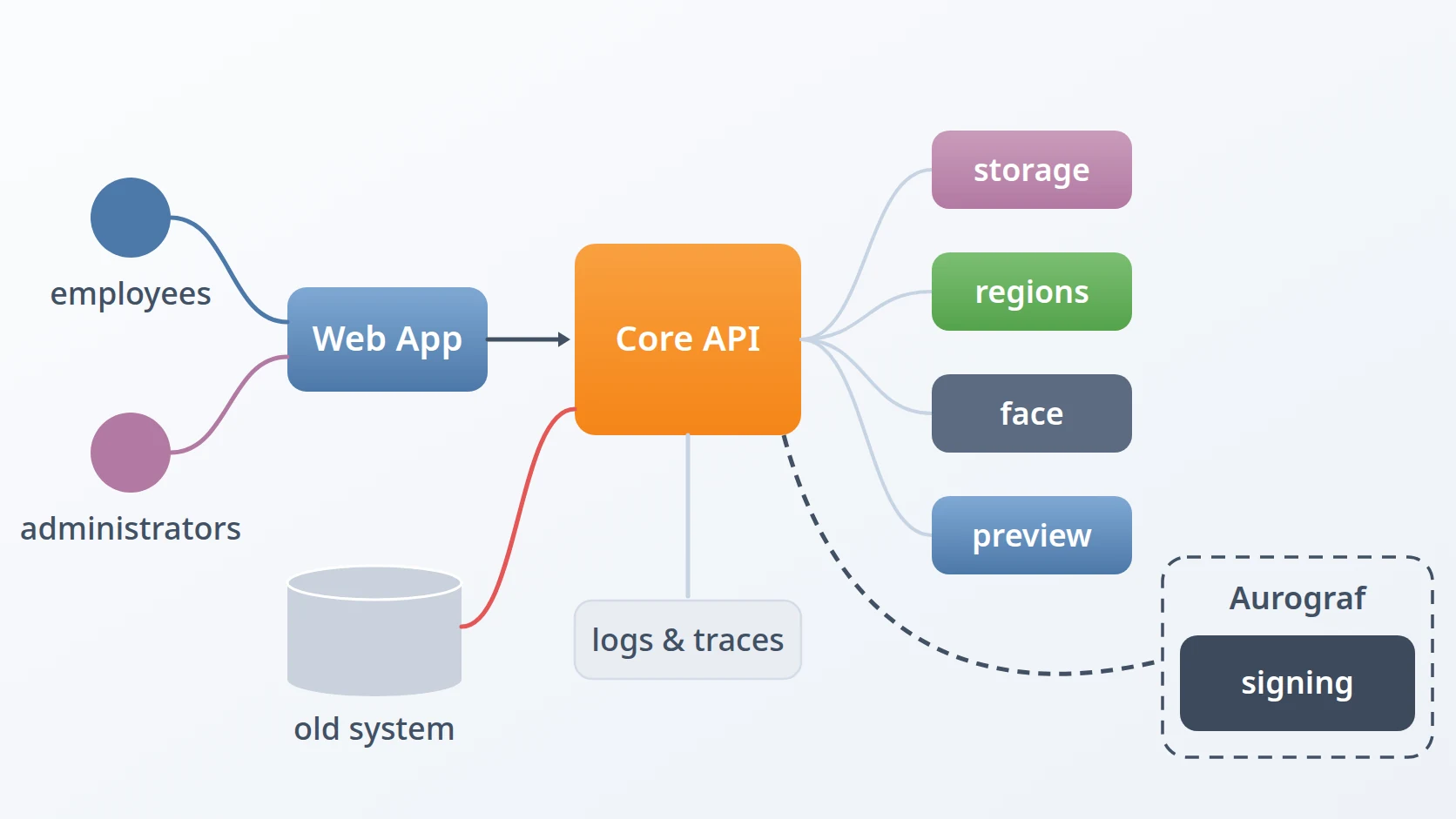
Civil Service HR Web App is the browser application of a personnel system for civil servants: one place where employees look after their own records and where administrators run the organisation behind them. Employees see their profile, family, career and competence history, propose corrections, and follow their salary-step, promotion and retirement services; administrators manage the versioned organisation chart, the reference data and the accounts. It is a single-page application in Vue and TypeScript that talks to one backend, the system's core API.
Most of its decisions are about keeping a very wide application small: dozens of record types, two very different audiences and two screen sizes are served by a handful of definitions — one for navigation, one for forms, one for columns, one catalogue for reference data — rather than by a page written for each.
At a glance
| Language & framework | TypeScript, with Vue 3, Pinia, vue-router, vue-i18n, Tailwind CSS and Vite |
|---|---|
| Architecture | Feature-Based Frontend Architecture |
| Version | 2.1.0 |
| Status | In development |
| Form | A single-page application, one application for employees and administrators |
| Source code | Private |
What it does
A. Gives every employee a self-service portal
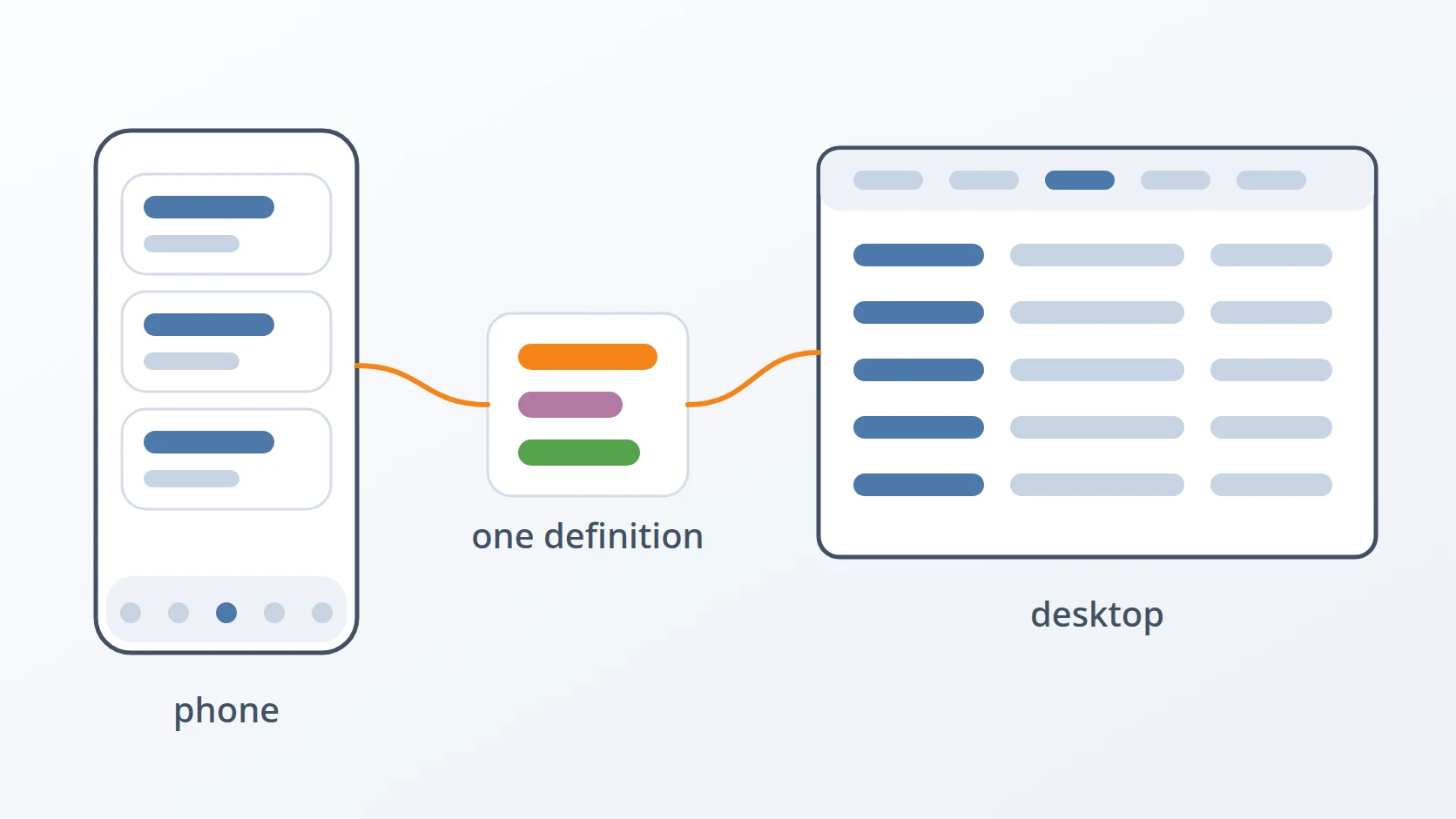
An employee's side of the application has five destinations — home, profile, career, competence and services. On a phone they sit in a bottom bar; on a desktop they become a top menu whose items open a dropdown of their pages. Opening a group shows its pages as cards, and inside a page a row of chips moves between its siblings without going back.
B. Starts from what needs attention
The home page summarises the employee, reminds them of upcoming salary steps, promotions and retirement, follows the proposals and services they have in progress, and shows how complete their data is. Each missing item has a button that opens the exact form needed to complete it.
C. Shows every kind of history on one page
Rank, position, salary steps, education, training, certification, performance and the rest are all shown by one generic page. Histories that are naturally chronological appear as a timeline; the others as a table on a desktop and as cards on a phone.
D. Turns changes into proposals
An employee changes their own data by proposing it. Twenty-four kinds of history can be added, corrected or removed through one form engine, with special fields where the domain needs them: the amount of a salary step is calculated from the salary table, and a position is chosen from the position map as it stood on the date in question. The employee's own proposals page compares before and after with labels, carries the attachments and the log, and lets them cancel a proposal or fix and resubmit one that was returned.
E. Runs salary-step, promotion and retirement services
A service opens as a draft that lists the documents its rules require. The employee uploads a file for each requirement, submits, and can cancel while it is still pending.
F. Keeps the family, the profile and the identity
Spouses, children and parents, marriages, relationships and dependants are managed as family records. The profile holds personal data, addresses, contacts and employment documents by type, and identity verification embeds a live face challenge in the page.
G. Runs the organisation for administrators
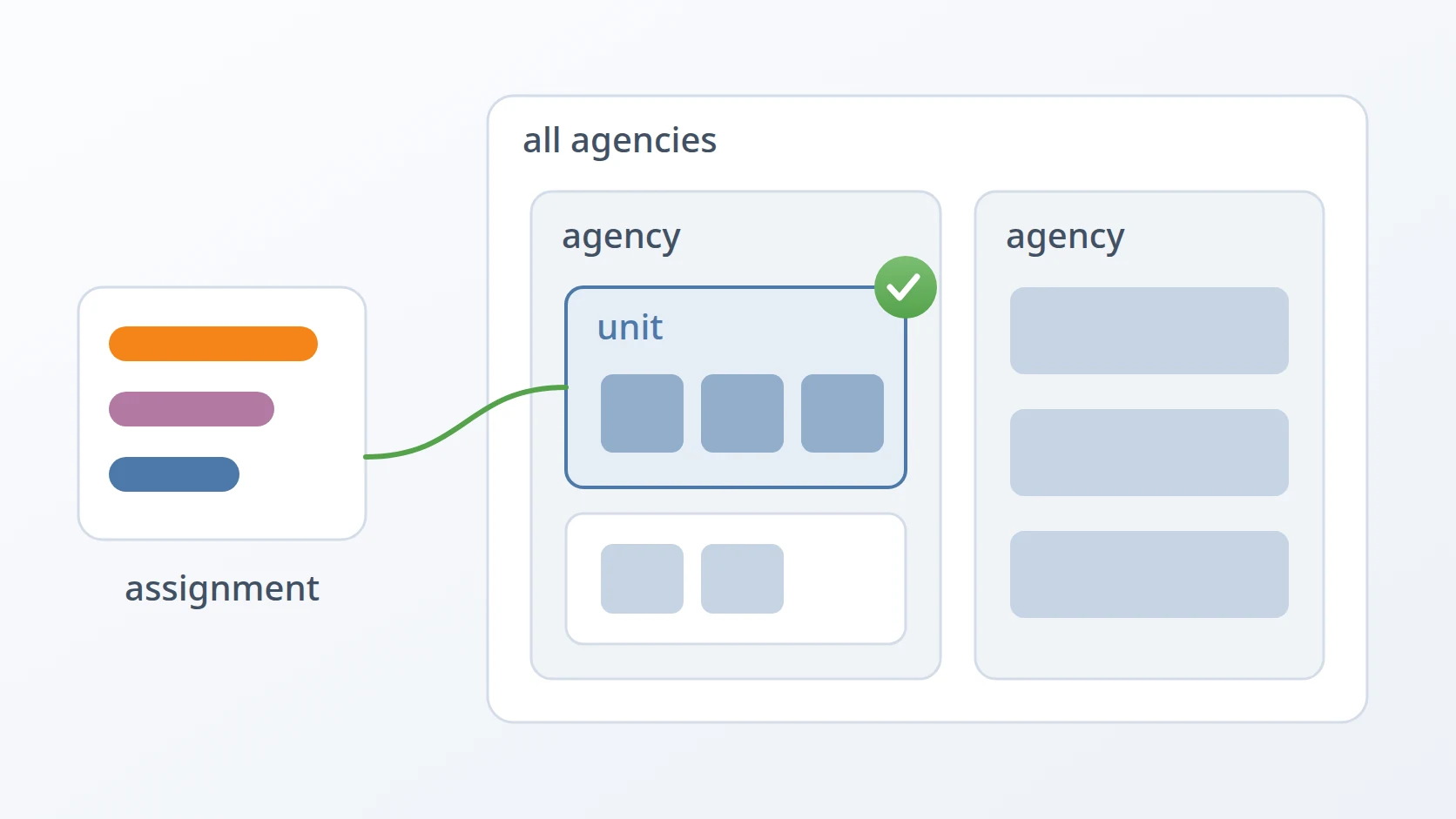
Administrators see each agency's structure as an organisation chart: boxes joined by lines, branches that fold, long lists of leaf units stacked so the chart stays readable, and a print view. A timeline lists the agency's versions, a date field shows the structure on any day, and a draft is compared with the version it came from before it takes effect. Structures can be imported, positions and their holders are managed on the chart, and regulations and agencies have their own pages.
H. Manages reference data and accounts
Every reference table has a page built from a catalogue the API provides, with dedicated views where a table needs one, such as the salary matrix. Administrators also work through the identity-verification queue and manage user accounts and account managers from a dashboard.
I. Signs people in
People sign in with a password or through an external single sign-on, with two-factor authentication, activate a new account from an invitation, and reset a forgotten password.
Interface
| Area | What a person can do there |
|---|---|
| Home | see their summary, reminders, items in progress and missing data |
| Profile | personal data and identity, addresses and contacts, family, employment documents |
| Career and competence | every kind of history, and proposals to change it |
| Services | their proposals, and salary-step, promotion and retirement services |
| Organisation | versioned charts, the position map, regulations and agencies — for administrators |
| Reference data | every reference table, built from the API's catalogue — for administrators |
| Accounts | identity verification, user accounts, account managers, dashboard — for administrators |
| Sign-in | log in, external sign-on, two-factor, invitations, password reset |
Standards
| Standard | What it guarantees here |
|---|---|
| OAuth 2.0 and OpenID Connect with PKCE (RFC 7636) | sign-in through an external provider without a client secret in the browser |
| JSON Web Tokens | short-lived access tokens held in memory and renewed silently |
| TOTP (RFC 6238) | two-factor authentication with any authenticator app |
| WAI-ARIA, with Material and Human Interface navigation guidance | three to five destinations, the current page announced, touch targets of at least 44 pixels |
| ISO 8583 and ISO 4217 | money fields hold an integer in the currency's minor unit |
| Strict TypeScript | every build type-checks the whole application before it is produced |
| Chrome DevTools Protocol | end-to-end checks run in a real browser against the real API |
Inside
The application follows Feature-Based Frontend Architecture: each feature — sign-in, home, the employee's pages, organisation, reference data, administration — has its own views, components and composables, and features never import each other. Components never call the network themselves; every request goes through one service layer with one HTTP client, and session and interface state live in a few shared stores. The visual design comes from a separate design-system package, so the look can change without touching a feature.
Design decisions
One navigation definition, four ways to show it. The groups and pages of the employee's side are defined once — route, label, icon and the count to show — and that single definition feeds the desktop menu, the phone's bottom bar, the group pages and the chips. Adding a page is one entry, and the four views can never disagree about what exists.
One form engine for every kind of proposal. Each kind of history is described by one definition that the engine uses to add, correct and remove. A new kind of record is a new definition, not a new form, and every proposal behaves the same way, from validation messages to attachments.
One column definition, a table or a set of cards. A list declares its columns once, with which one is the title and which are secondary. On a desktop the definition becomes a table; on a phone it becomes a stack of cards. Nobody maintains two layouts that drift apart.
Reference pages come from the API's catalogue. The API publishes which reference tables exist, how they are grouped and how they can be filtered. The application builds a page for each from that catalogue, so a new reference table appears without a new release of the interface; only a table with an unusual shape gets its own view.
The interface reads permissions, never role names. After sign-in the application receives the person's permissions, each with its scope, and decides which menus and buttons to show from them. Hiding a button is a convenience; the server checks every request again.
The interface draws the chart. The API returns the organisation as nested data, and a recursive component renders each unit and then itself again for each child, with the connecting lines drawn in CSS. The picture is the interface's job, not the database's.
Drafts are compared by lineage, not by name. When a new structure is reviewed, each unit and position is matched to its predecessor through the link the system recorded, so a renamed or moved unit appears as renamed or moved, not as one unit removed and another added.
Money is an integer from the first keystroke. A money field shows rupiah with thousands separators and a decimal comma while the person types, but the value it holds is always an integer count of hundredths. Nothing in the application ever does arithmetic on a formatted string or a float.
The session lives in memory, with one refresh at a time. The access token is held in memory only. When several requests discover at once that it has expired, the first starts a single refresh and the others wait in a queue, then each is retried with the new token; if the refresh fails, the session ends cleanly.
Tested in a real browser. Alongside a build that refuses to produce anything that does not type-check, and a script that checks every translation key, end-to-end scripts drive a real browser through the Chrome DevTools Protocol against the real API: proposals, employee pages, organisation charts and their edits, reference data, accounts and edge cases.
Related
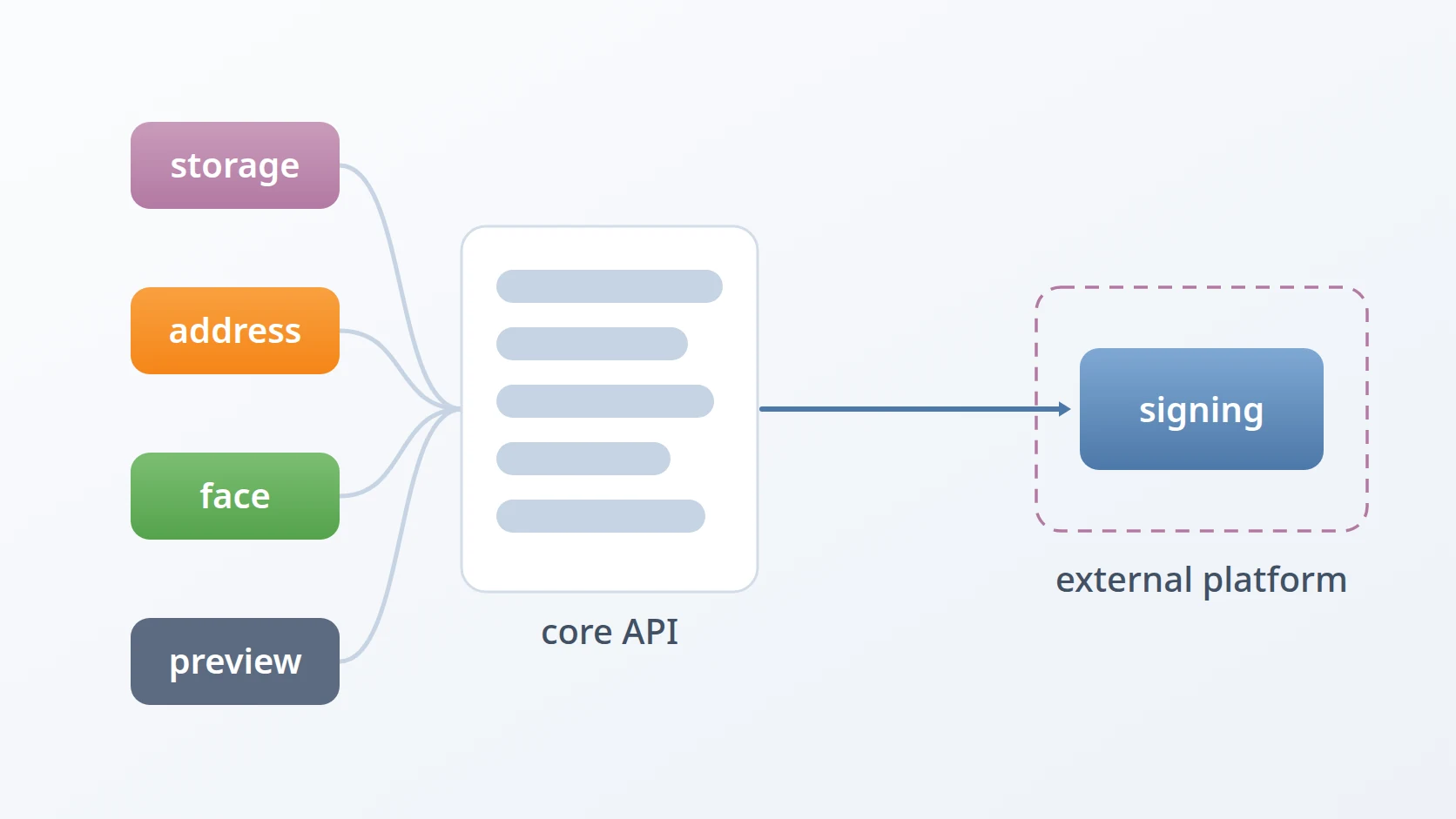
The core API this application talks to, and the only backend it knows.
The face challenge embedded in identity verification.
Why money fields hold an integer in the currency's minor unit.
How the versioned organisation chart that this application draws is stored and read.
How permissions and scopes are granted before this application reads them.
Terms
- Single-page application
- A web application loaded once, which then changes its screens in the browser instead of loading a new page for each.
- Proposal
- A change an employee requests to their own record, applied only after a reviewer approves it.
- Reference data
- The lists other records choose from, such as ranks, religions or kinds of leave.
- Lineage
- The recorded link from a unit or position to its predecessor in an earlier version of the structure.
Technologies covered
- TypeScript
- Pinia
- Tailwind CSS
- Vite
- Vue
- ISO 8583
- JWT
- OAuth 2.0
- OpenID Connect
- PKCE