How I Copy a Folder I Can Actually Trust
On this page
- Introduction
- A. What a folder actually carries
- B. Where the distinction stops being academic
- C. Synchronising is not the same as copying
- D. What this is and is not
- E. Seven obstacles in the way
- Method
- A. Preserving what the filesystem knows
- B. The privilege that ownership requires
- C. The flag that does the damage
- D. Refusing the argument that is too easy to type
- E. Declining to decide silently
- F. The character that changes the meaning
- G. Reaching a machine that is not this one
- Results and Discussion
- A. What "resumable" actually promises
- B. Why most of the script is refusals
- C. Where this stops being the right tool
- Conclusion
- Terms
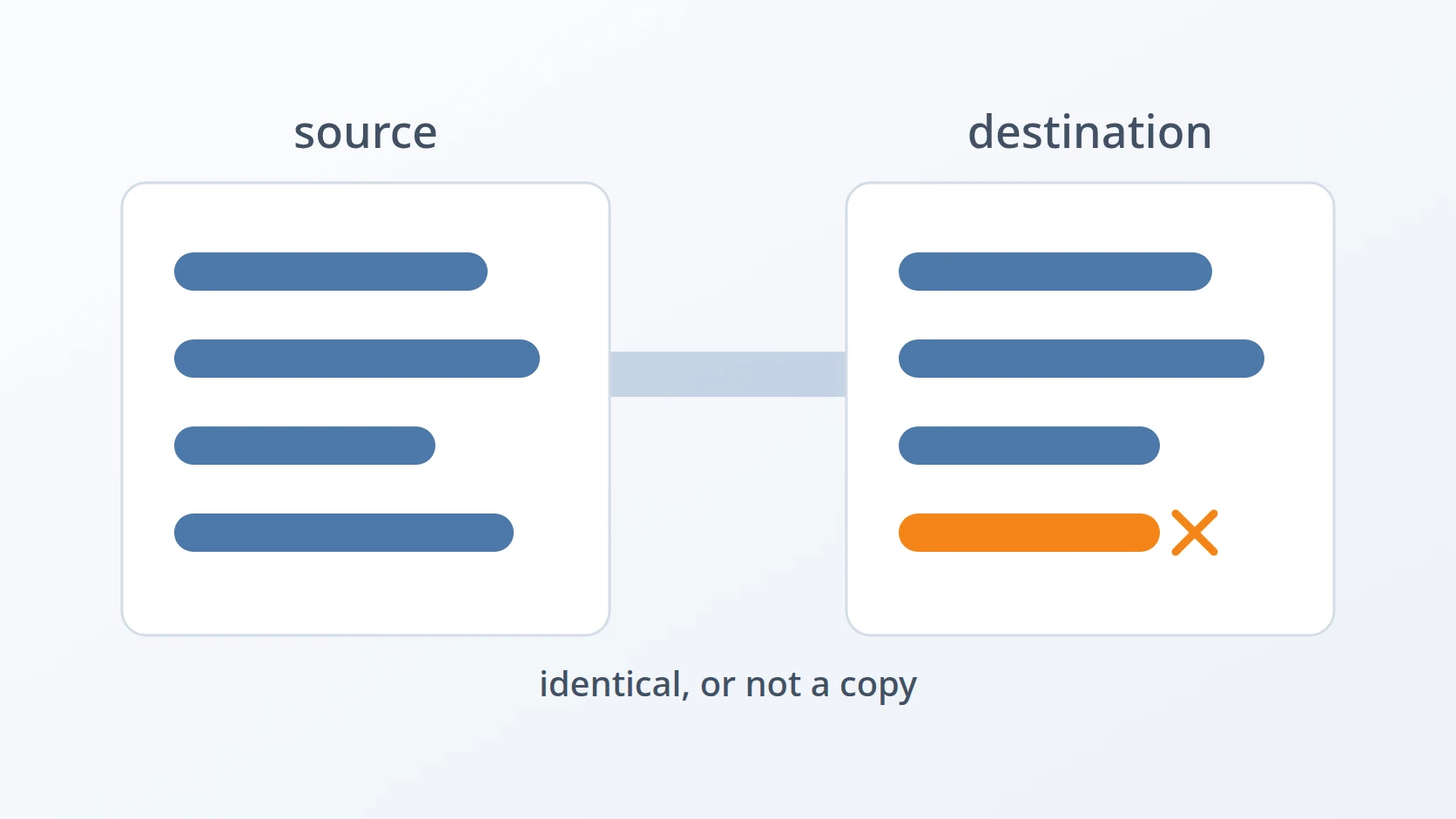
Copying a folder is the first thing anyone learns to do on a computer, and it is the last thing most of us examine. The command is short, it finishes without complaint, and the destination afterwards looks exactly like the source. That appearance is the problem. A copy that looks right and is not right fails later, somewhere else, in a way that gives no hint about where it came from.
Introduction
A. What a folder actually carries
A folder is not only the bytes inside its files. Every file on a Unix filesystem also carries a set of facts about itself that live outside its contents: which user owns it, which group it belongs to, which of those parties may read or write or execute it, and when it was last modified. A web server refusing to start because its configuration directory is owned by the wrong user is not reacting to the contents of that directory. It is reacting to one of these facts.
These facts are usually invisible. They do not appear when a file is opened in an editor, and they are not mentioned when its contents are compared against another copy. A file can be byte-for-byte identical to its original and still be useless in the place it was copied to, because the thing that made the original work was never the bytes.
The word I will use for a copy that carries all of this across is faithful. A faithful copy of a folder reproduces not just what the files say but everything the filesystem knows about them. An unfaithful copy reproduces the contents and quietly discards the rest.
B. Where the distinction stops being academic
For a folder of documents, the distinction does not matter much. Ownership of a text file is rarely load-bearing, and if the permissions shift by a few bits nothing notices.
It matters when the folder is infrastructure. A deployment directory contains files that a service reads as a specific user. A data directory contains files that a database process opens on startup and refuses to touch if their permissions are wider than it expects. A directory of certificates contains a private key that is readable by exactly one account on purpose, and a copy that widens that permission has not moved the key — it has published it.
In each of these cases the failure appears at a distance from its cause. Nothing goes wrong during the copy. The copy reports success. What goes wrong is that a service will not start, or starts and cannot write, or starts and can write to something it should never have been able to touch. The diagnosis then begins in the service's log file, which is the wrong place, because the mistake was made hours earlier by a command that appeared to work.
C. Synchronising is not the same as copying
There is a second distinction hiding underneath the first, and it is the one that makes this genuinely difficult rather than merely fiddly.
Copying adds. Run a copy twice and the destination contains everything from the source, plus whatever was already there. Nothing is ever removed, so nothing can ever be lost — which is exactly why copying alone cannot produce a folder that matches another one. A file deleted from the source three weeks ago is still sitting in the destination, and no amount of copying will remove it.
Synchronising replaces. It makes the destination equal to the source, which necessarily means deleting from the destination anything the source no longer has. This is the only operation that produces a real match, and it is also an operation that destroys data by design. The difference between these two is the difference between a tool that can be run carelessly and a tool that cannot.
Everything below follows from wanting the second behaviour while refusing to accept the accidents that come with it.
D. What this is and is not
What I built is a wrapper. The work is done by rsync, a program that copies files between folders or machines, sending only what differs. It has existed since 1996, and I did not improve upon it in any way. Nothing in this article is a discovery about rsync; all of it is in the manual page.
The article is about a narrower question: given a tool with a hundred options, several of which are capable of destroying the wrong directory, which handful do I want to happen every single time — and what should the tool refuse to do even when I ask it to? The answer to that is a script of fifty-eight lines, and most of those lines are refusals.
E. Seven obstacles in the way
So the goal is easy to state: make a destination folder genuinely identical to a source folder, including everything the filesystem knows about the files and not merely their contents, and be able to do it to a directory on this machine or one on a server somewhere else. Identical, repeatedly, without ever removing something I did not intend to remove.
Easy to state, awkward to build. Seven obstacles stand between that goal and a command I am willing to run on a production directory, and most of them are not about copying at all.
The first is that the obvious command produces a copy that is not a copy. cp -r is what everyone reaches for, and it silently drops most of what makes the original work. Ownership resets to whoever ran the command. Permissions are filtered through the shell's umask. Modification times become now, which destroys the only cheap signal available for telling whether two files are the same. The result passes a visual inspection and fails a functional one, and it fails later, in the service's log, far away from the command that caused it.
The second is that preserving ownership requires a privilege I do not always have. Ownership is not an attribute a process may simply assign. Handing a file to another user is a privileged act, because otherwise anyone could plant a file owned by root. So the flag that preserves ownership works only when the command runs as root — and when it does not, it does not fail. It quietly gives every copied file to whoever ran it, and the copy looks complete while being exactly as wrong as cp -r would have been.
The third is that matching a source means agreeing to delete. Producing a destination that equals a source requires removing files the source no longer has, and there is no version of this operation that is safe by construction. The entire risk of the tool lives in one flag. What can be controlled is not whether that flag is dangerous but whether the circumstances in which it runs have been checked first.
The fourth is that the most dangerous argument is also the easiest one to type. A single dot means the current directory, and it is the shortest possible way to name a destination. It is also, combined with deletion, an instruction to empty the folder I am standing in and replace it with something else. The tempting defence is to be careful. Care is not a mechanism, and a tool that depends on it has not defended anything.
The fifth is that a non-empty destination is sometimes correct and sometimes a catastrophe, and the tool cannot tell which. Synchronising into a directory that already has contents is the normal case when updating a deployment. It is also what happens when a path is mistyped and the destination turns out to be a folder full of unrelated work. Both look identical from inside the script. The tool cannot decide, but it can decline to decide silently.
The sixth is that one character at the end of a path changes what the command means. A trailing slash on the source selects the folder's contents; its absence selects the folder itself, which lands nested inside the destination. This is rsync's documented behaviour and it is easy to misremember. Paired with deletion, misremembering it means the destination is emptied and refilled with a single subdirectory.
The seventh is that "it can resume" is a claim with two meanings, and only one of them is true here. A transfer of many files that dies partway through does not start over, because the files already transferred are recognised as unchanged and skipped. A single large file that dies partway through does start over, because what was written is discarded. Both behaviours come from the same tool, and confusing them leads to planning a transfer around a guarantee that does not hold.
Each has a section below. The order matters: the first two decide whether the copy is faithful at all, the next three decide whether the command is safe to run, and the last two are about knowing precisely what was promised — because a tool that is trusted for something it does not actually do is more dangerous than one that is not trusted at all.
Method
A. Preserving what the filesystem knows
Here is the answer to the first obstacle: stop using a program that copies contents, and use one that copies files. The distinction is the whole point, and it is expressed in a single flag.
The interesting part is -a, which is not one option but seven: recurse into directories, recreate symlinks as symlinks, preserve permissions, preserve modification times, preserve group, preserve owner, and recreate device and special files. Every one of these is a fact about a file that cp -r discards.
Two of them earn their place beyond the obvious. Preserving modification times matters not for tidiness but because rsync uses size and modification time together to decide whether a file needs transferring at all — discard the times and every subsequent run copies everything again. Recreating symlinks as symlinks rather than following them matters because a symlink that gets followed turns into a copy of its target, and a directory full of symlinks to a shared library becomes a directory full of duplicate libraries.
The remaining flags are unremarkable and deliberate: -v and --progress because a long transfer with no output is indistinguishable from a hung one, -h so sizes are readable, and --info=stats2 for a summary at the end that says how much was actually transferred as opposed to how much was examined.
B. The privilege that ownership requires
This is the answer to the second obstacle, and the answer is partly an admission: the flag is there, and whether it does anything depends on who runs the command.
Preserving ownership means calling chown, and chown to another user is restricted to root on every Unix system. The reasoning is sound — a process that could give away files could plant one owned by root and wait for it to be executed. But the consequence for a copying tool is awkward: run as an ordinary user, the -o inside -a does nothing at all, and does nothing quietly.
# as an ordinary user: contents and permissions survive, ownership does not
# as root: the copy carries its owners across as well
There is no clever way around this, and I did not attempt one. What matters is knowing which of the two situations applies. For a folder of source code it is irrelevant, since everything belongs to me anyway. For a data directory owned by a service account, running without sudo produces a copy that will not work in its destination, and the mistake will not be visible until something tries to use it.
C. The flag that does the damage
This is the answer to the third obstacle, and there is no defence in the flag itself. --delete removes from the destination every file the source does not have. That is what makes the destination equal rather than merely updated, and it is the reason the rest of the script exists.
# without --delete: the destination accumulates every version ever deployed
#   old-template.html   removed from source three releases ago, still here
#   legacy-bundle.js    removed from source last year, still here

# with --delete: the destination is what the source is, and nothing else
I considered leaving it out and did not, because a synchronisation that only ever adds is not a synchronisation. Updating a deployment without it means files removed in the new version stay behind indefinitely — old templates, old assets, old compiled artefacts — and a directory that accumulates the union of every version ever deployed is not a copy of anything.
So the flag stays, and the rest of the design accepts a specific consequence: this tool can destroy data, and therefore the moments before it runs are worth more than the moments after. Everything in the next three sections happens before rsync is invoked at all.
D. Refusing the argument that is too easy to type
This is the answer to the fourth obstacle. One destination is rejected outright, and it is the one that takes the fewest keystrokes to write.
if [; then
The reasoning is about how mistakes actually happen. Nobody decides to erase their working directory. What happens is that a command is assembled from memory, the destination is the thing being typed last, and a dot is what fingers produce when the mind has already moved on to whether the transfer will finish before a meeting. The dot is correct syntax and a plausible destination, so nothing anywhere in the system objects.
The message matters as much as the refusal. An error that says invalid argument teaches nothing and will be worked around by trying a different form of the same mistake. An error that explains what would have happened is the only version that changes behaviour, because the person reading it at that moment does not yet realise what they asked for.
E. Declining to decide silently
This is the answer to the fifth obstacle. A destination that already contains files is checked, and the decision is handed back to a human.
if [; then
if ; then
fi
Two details in there are deliberate. The prompt is [y/N] with a capital N, so the default is no — a distracted press of Enter cancels the operation rather than authorising it. And the check is for a non-empty destination rather than for anything cleverer, because the script genuinely cannot tell a deployment directory from a folder of someone's unrelated work. It does not try. It states what it is about to do and stops.
I put the same kind of confirmation in front of every irreversible operation I automate, and the reasoning is always the same: for operations that cannot be undone, the cost of one extra keystroke is nothing against the cost of the one time it matters. The rejected alternative was a --force flag to skip the prompt, which reliably becomes the flag everybody always passes and therefore removes the check entirely.
F. The character that changes the meaning
This is the answer to the sixth obstacle, and it is fixed in the script rather than left to whoever types the command.
# the trailing slashes are not decoration
# without them, the source folder lands nested inside the destination:
# rsync -avh --delete /srv/app /backup/app -> /backup/app/app/Rsync reads a trailing slash on the source as the contents of this directory and its absence as this directory itself. Both are legitimate and the distinction is documented, but it is exactly the kind of detail that is remembered correctly right up until the moment it is not.
Combined with deletion, misremembering it is expensive. Synchronising /srv/app into /backup/app without the slash empties the destination and replaces its entire contents with a single subdirectory called app. The transfer succeeds. The result is a correct copy of the wrong thing.
Appending the slashes inside the script removes the choice. It also removes a small amount of flexibility, and that trade is the point of writing a wrapper at all: the wrapper exists to make one behaviour happen every time rather than to expose everything the underlying tool can do.
G. Reaching a machine that is not this one
The same job across a network is the same command with a transport attached, and this is where the work splits in two.
The -e option tells rsync which program to use for the connection, which is how the identity file and non-default port get passed through. Rsync itself is unchanged: the same seven preservation behaviours, the same deletion semantics, the same trailing slashes.
What is not symmetrical is the preparation each direction needs. Sending local to remote means the destination directory has to exist on the far side, so a connection is made first purely to create it:
Pulling remote to local has no such step — a local directory is created with an ordinary mkdir -p — but it inherits a different property. The ownership discussion from the second obstacle returns in a harder form, because the users on the two machines are not the same users. A file owned by deploy on the server arrives on a laptop that may have no such account, and numeric ownership that means one thing on one machine means something else on the other.
This asymmetry is why the two directions are written as separate branches rather than as one path with the arguments swapped. They are not the same operation in two directions. They are two operations that happen to share a transport.
Results and Discussion
A. What "resumable" actually promises
This is the seventh obstacle, and it belongs in the results rather than the method because it is not something the script does. It is something I had to learn about what the script does not do.
A transfer that dies partway through and is simply run again does not begin from nothing. Rsync compares each file's size and modification time against the destination and skips the ones that match, so a copy of twelve thousand files that failed at file nine thousand re-examines the first nine thousand and transfers none of them. Examining is fast; transferring is not. In practice the second run reaches the failure point in a fraction of the original time.
| Situation | On a second run |
|---|---|
| Many files, transfer died between files | Completed files are skipped; work resumes near where it stopped |
| One large file, transfer died mid-file | The partial data is discarded; that file starts from zero |
| Source file changed since the first attempt | Detected by size or modification time; transferred again |
The second row is the one worth internalising. Without an option to keep partially transferred files, what was written before the interruption is not kept. For a folder of many moderate files this is invisible. For a folder whose bulk is a single large archive, an interruption at ninety percent costs the entire ninety percent.
I have not added the option that changes this, and the reason is that keeping partial files has its own failure mode: a partial file left in the destination looks like a complete one to anything that is not rsync. That is a different kind of wrongness than a slow retry, and for the directories I use this on, the slow retry is the one I would rather have.
B. Why most of the script is refusals
Fifty-eight lines, of which the part that does the work is one. Everything else is argument checking, a rejected destination, a confirmation prompt, and messages explaining what is about to happen.
That ratio was not planned and I think it is the honest shape of the thing. The copying was solved in 1996 and I contributed nothing to it. What was left to build was the judgement around it: which of rsync's many possible behaviours I want to be automatic, and which of my own possible mistakes I want to be impossible. A wrapper that merely shortened the command would have saved typing and added risk, because a short command is one that gets run without thinking.
# an alias can carry the flags
# it cannot inspect the destination, ask a question, or declineThe refusals also explain why this is a script rather than an alias. An alias can hold the flags, but it cannot inspect the destination, cannot ask a question, and cannot decline. Those are the parts that make the tool safe to use quickly, which is the only way it ever gets used.
C. Where this stops being the right tool
It is a wrapper with opinions, and the opinions do not fit everywhere.
Deletion is not optional here, so this is the wrong tool for merging two folders or for adding files without touching what is already present — plain rsync without the flag does that, and it should be run directly. The confirmation prompt means it cannot be used unattended, which rules out cron entirely; a scheduled synchronisation needs a different script without an interactive step. And it copies a directory tree as it exists at one moment, which is not the same as backing up, since a faithful copy of a file corrupted an hour ago is a faithful copy of a corrupted file.
Conclusion
The tool I use most often is the one where I wrote the least original code. One line does the work, and it is a line anyone could have written after ten minutes with the manual page. What took thought was everything around it: deciding that faithfulness includes ownership even though ownership only survives with privilege, deciding that matching requires deletion and therefore requires guards, and deciding that the destination which is quickest to type is the one that should be refused outright.
The pattern I would carry to the next tool is that the value of a wrapper is in what it makes impossible, not in what it makes short. Shortening a dangerous command makes it easier to run dangerously. The reason I trust this one with a production directory is not that it is convenient — it is that I know exactly which three things it will refuse to do, and I know that its idea of a faithful copy matches mine.
Terms
- Faithful copy
- A copy that reproduces not only file contents but the filesystem's record of them — owner, group, permissions, modification time, and the distinction between a symlink and its target.
- Synchronise
- To make a destination equal to a source, which includes removing from the destination anything the source no longer contains. Distinct from copying, which only ever adds.
- Ownership
- The user and group recorded against a file. Changing a file's owner to another user is a privileged operation, so preserving ownership across a copy requires running as root.
- Permissions
- The bits recording which of owner, group, and others may read, write, or execute a file. Services frequently refuse to start when these are wider than expected.
- Trailing slash
- In rsync, a slash at the end of the source path means "the contents of this directory"; its absence means "this directory itself", which lands nested inside the destination.
- Resume
- Continuing an interrupted transfer. Here it applies between files — already-transferred files are skipped — but not within a single file, whose partial data is discarded.
Technologies covered
- Bash
- rsync
- SSH
- Linux



