How I Reshape My Own Documents Without Leaving My Own Machine
On this page
- Introduction
- A. What the default path actually costs
- B. Three shapes, one situation
- C. What "on my own machine" is worth
- D. What these tools are
- E. Six obstacles in the way
- Method
- A. Keeping the document where it already is
- B. Making it a command rather than a script
- C. Giving PDF an image it will accept
- D. Shrinking by area, not by width
- E. One in, many out
- F. A quality profile instead of a target size
- Results and Discussion
- A. What each tool actually costs to build
- B. The version that only added one flag
- C. Where this stops being the right approach
- Conclusion
- Terms
Every few months something asks me for a document in a shape I do not currently have it in. Four photographs that need to become one PDF. A PDF that needs to be under two megabytes. A generated document whose layout I need to inspect page by page before anyone else sees it. None of these are hard problems. All of them are, by default, solved by uploading the document to a website owned by someone I have never met.
Introduction
A. What the default path actually costs
Search for any of these conversions and the first page of results is free web tools. They work. You choose a file, it uploads, a few seconds later something comes back. The friction is so low that the question of whether uploading was a good idea never quite forms.
The visible costs are the ones people complain about: a watermark stamped across the output, a size ceiling on the free tier, a daily limit that resets at midnight, an upsell for the version without those things. These are annoying and they are not the real cost.
The real cost is that a copy of the document is now on a machine I do not control, under terms I did not read, retained for a period I was never told. For a screenshot of a bug report this is irrelevant. For an identity card, a diploma, a contract, or an employment record, it is the entire question — and those are precisely the documents that administrative processes ask to be reshaped, because those are the documents administrative processes are about.
B. Three shapes, one situation
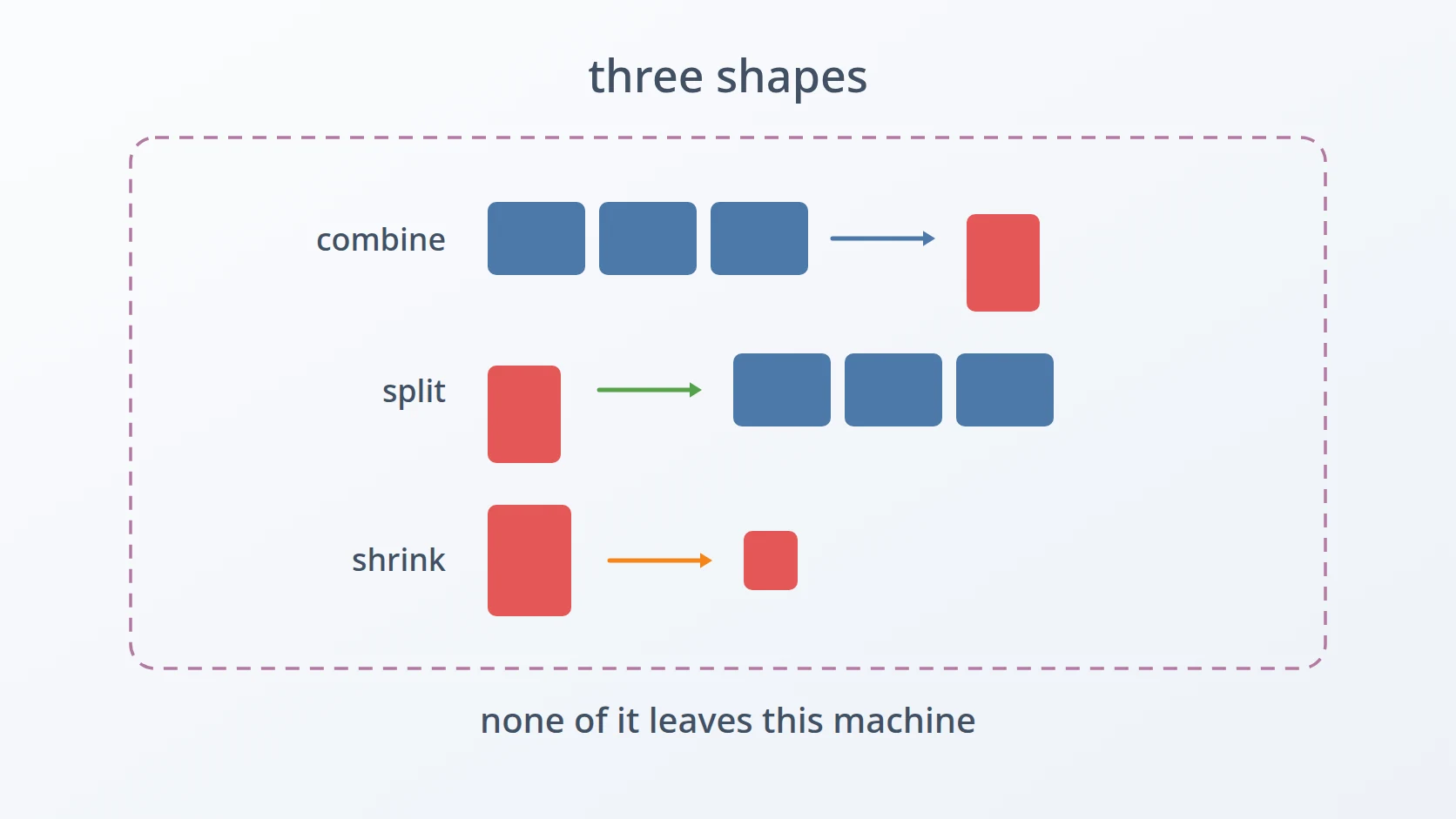
The work splits into three operations that look unrelated and are not.
Images into one PDF. Photographs or screenshots that a form wants as a single attachment. This is the most common request and the one that most obviously invites a web tool.
A PDF into images. The reverse, and the one with the least obvious motivation. I use it to check the layout of documents produced by a generator, one page at a time, and to pull slides out of a deck as individual pictures. It is inspection, not submission.
A PDF made smaller. Not a change of format at all, but a change of size, because an upload field decided that two megabytes is the limit and the document is three.
What ties them together is not the file format. It is that all three are things I want to do to documents that should not leave the machine they are on.
C. What "on my own machine" is worth
Doing this locally buys three things, and only one of them is privacy.
The first is that there is no limit. No daily quota, no size ceiling, no watermark on the fiftieth conversion of the day. A tool that runs locally does not have a business model that depends on making the free version slightly painful.
The second is that it composes. A local command can be called from a script, chained after a document generator, or run over a folder in a loop. A website cannot be called from anything; it can only be visited.
The third is that the document stays where it is. That is the one that made me write these rather than bookmark a site, but it would not have been enough on its own — privacy alone is usually not enough to overcome convenience, and the honest reason all three exist is that the local version turned out to be more convenient too.
D. What these tools are
Three small programs. Two are Python built around libraries that already solved the hard part — Pillow for images, pdf2image for rendering PDF pages. One is five lines of shell around Ghostscript, the long-standing open-source interpreter that reads and rewrites PDF and PostScript files.
None of them contain an original algorithm. The conversion itself is a solved problem in every direction, and I solved none of it. What this article is about is the layer above that: which defaults to bake in, which decisions to make on the user's behalf, and where a five-line script is the right answer instead of a program.
E. Six obstacles in the way
So the goal is easy to state: be able to reshape my own documents — combine them, split them, shrink them — entirely on the machine they already live on, with no usage limits and nothing handed to a third party. Convenient enough that I actually reach for it instead of the website.
Easy to state, awkward to build. Six obstacles stand between that goal and three commands I use without thinking, and the first one is the reason the other five were ever worth the effort.
The first is that the convenient path requires handing over the document before it will help. Web converters need the file uploaded before they do anything, which means the decision to use one is made before there is any output to judge it by. The rejected alternatives are instructive: paid desktop software solves the privacy question and costs money for something that should be a command, and "just pick a reputable site" is not a defence, because reputable is not a property I can verify from the outside.
The second is that a Python script is not a command. The two image tools depend on libraries that are not installed by default. That makes them scripts that need an interpreter, a virtualenv, and the discipline to keep that virtualenv intact across system upgrades. A tool that requires maintenance before use is a tool I will avoid at the exact moment I am in a hurry, which is every time I need it.
The third is that PDF refuses images that are perfectly valid everywhere else. A screenshot almost always carries an alpha channel, and PDF has no concept of one. Handed such an image directly, the save fails — on the most common input there is, produced by the most common way of producing it.
The fourth is that shrinking an image is not the arithmetic it appears to be. Asking for "fifty percent" and halving the width produces an image with a quarter of the area, which is not what anybody means. Size limits are stated in megabytes, megabytes track area, and area is the square of the linear dimension. Getting this wrong produces output that is far smaller than requested and looks like it worked.
The fifth is that the reverse direction produces many files instead of one, which turns naming into a real question. Splitting a PDF creates a folder, and running the same command twice is the normal case — once to look, once after fixing something. The obvious behaviour is to write into the same folder, which silently destroys the first result at the exact moment it was about to be compared against the second.
The sixth is that shrinking a PDF is a different kind of operation with a different kind of control. Images accept a percentage. PDFs do not: the tool that does this well accepts a quality profile, not a target size, and there is no way to say "make this fit under two megabytes". The size becomes an outcome rather than an instruction.
Each has a section below. The first two are about whether these tools get used at all; the next three are about each direction doing its job correctly; the last is about choosing a boundary rather than engineering around it.
Method
A. Keeping the document where it already is
Here is the answer to the first obstacle, and it is less a technique than a decision: the conversion runs as a local command, so the question of what a remote service retains never arises.
What makes this practical is that the hard parts are already solved and installable. Pillow handles image decoding and PDF output; pdf2image renders PDF pages through Poppler; Ghostscript rewrites PDFs. None of these needed to be written, and none of them phone anywhere.
# the whole point, expressed as three commands
The second benefit shows up immediately in that shape. These are commands, so they can sit inside a script that generates a document and then immediately renders it to images for inspection. That loop is not available at all when the conversion step is a website.
B. Making it a command rather than a script
This is the answer to the second obstacle. Both Python tools are packaged into single executables with PyInstaller, and the reason is maintenance rather than distribution.
= A bundle carries its own interpreter and its own copy of every library it imports. The cost is size: roughly fifteen megabytes to deliver three hundred lines of my own code, a ratio that would be absurd if the alternative were not worse. The alternative is a virtualenv somewhere in my home directory that has to survive every Python upgrade the system decides to perform, and that I will discover is broken only when I am already late for something.
I want to be precise about why this is the right trade here and not in general. This is a tool used a handful of times a month, by one person, on one machine, where the failure mode of a broken environment is disproportionately annoying relative to how little the tool does. Fifteen megabytes on a disk with hundreds of gigabytes free is not a real cost. If this were a library other code imported, or something shipped to a fleet of machines, the calculation would be entirely different.
C. Giving PDF an image it will accept
This is the answer to the third obstacle, and it is two lines placed before anything else touches the image.
=
# PDF has no alpha channel; screenshots almost always do
= Screenshots arrive as RGBA, PNGs with transparency arrive as RGBA or LA, and the occasional scan arrives as a single-channel greyscale. PDF's imaging model has no transparency in the form these carry it, so the save fails rather than silently flattening.
Converting unconditionally when the mode is anything other than RGB is the blunt version of this, and blunt is correct. The discarded alpha channel is a transparency I did not want in a document intended for printing or submission anyway, and greyscale promoted to RGB costs a little file size and nothing else. The alternative — handling each mode with its own branch — would be more code for a distinction that does not matter once the destination is a page.
D. Shrinking by area, not by width
This is the answer to the fourth obstacle, and it is the one line in these tools I am most pleased with.
= ** 0.5 # sqrt: the PERCENTAGE is area
=
=
= The square root is the whole idea. A request for fifty percent means half the pixels, and pixels scale with area. Multiplying both dimensions by sqrt(0.5), roughly 0.707, halves the area. Multiplying both by 0.5 instead would quarter it — an image four times smaller than asked for, which still looks plausible on screen and is discovered only when the text in it turns out to be unreadable.
This matters because the number the user has in mind comes from a size limit, and size limits are about bytes, and bytes track area far more closely than they track width. Getting the exponent wrong does not produce an error. It produces a document that is technically under the limit and practically useless.
LANCZOS is the resampling filter, chosen because downscaling with a cheaper filter on text-heavy images — which scanned documents are — produces exactly the kind of soft, aliased result that makes a reviewer squint.
There is a second, quieter decision next to it. When no compression is requested at all, images wider than 1200 pixels are still resized down to that width:
# even with no --compress: a ceiling, because a 12 MP phone photo
# of an A4 sheet is not more readable than a 1200px one, only bigger
= 1200
= /
= This is a default that changes the input without being asked, which is normally a thing to be suspicious of. It stays because the dominant input is a phone photograph of a sheet of paper, where the extra pixels carry no extra legibility and do carry several extra megabytes toward a limit the document is about to be measured against. Making it the default rather than a flag was a judgement that the common case should not need an argument.
E. One in, many out
This is the answer to the fifth obstacle, and it is entirely about what happens the second time the command runs.
return
= 2
# periksa_2, periksa_3, ...
= f
return
+= 1Splitting a PDF is an inspection step, and inspection is iterative: render the pages, find something wrong, fix the generator, render again. The two sets of pages need to exist at the same time, because the entire purpose of the second run is to be compared against the first.
Writing into the existing folder would destroy the comparison at the moment it became possible. Refusing to run would be safe and annoying. Adding a numeric suffix keeps both, costs nothing, and produces folders whose names say plainly which came first.
Note the asymmetry with the forward direction: combining many files into one has no such problem, because the output is a single path the user named explicitly. Producing many files from one is where naming becomes a design question at all.
F. A quality profile instead of a target size
This is the answer to the sixth obstacle. It is five lines of shell, and the interesting part is what is absent from them.
There is no percentage here, and no target size, because Ghostscript does not accept one. -dPDFSETTINGS takes a profile — /screen, /ebook, /printer, /prepress — each a bundle of decisions about image downsampling and font embedding. The size that comes out is a consequence of those decisions meeting this particular document, not something that can be requested.
That is a boundary I chose not to engineer around. Building a loop that tries profiles until the output fits under a threshold would be possible and would mostly work, and it would also mean re-encoding the document repeatedly to satisfy a number, with quality as the silent variable. The honest version is to pick the most aggressive profile, look at the result, and use a different profile if it is not good enough.
The flags around it are all about being callable: -dNOPAUSE and -dBATCH so it does not stop for input or wait at the end, -dQUIET so it does not narrate. Ghostscript's defaults assume a human is watching; a command called from a script needs the opposite.
Results and Discussion
A. What each tool actually costs to build
The three of them are not remotely the same size, and the sizes are informative.
| Tool | Form | Where the effort went |
|---|---|---|
img2pdf | ~300 lines Python, bundled | Input handling, colour mode, two scaling paths |
pdf2img | ~150 lines Python, bundled | Output folder naming, page numbering |
pdf-compress | 5 lines of shell | Choosing one profile and six flags |
The last row is the one worth dwelling on. pdf-compress does something genuinely difficult — rewriting a PDF with downsampled images and subsetted fonts — and contains no logic whatsoever, because Ghostscript contains all of it. What was left to decide was which profile and which flags, and that decision is worth saving precisely because it is otherwise impossible to remember.
The comparison also shows what the Python tools are actually spending their lines on. Almost none of it is conversion. It is input handling, colour modes, scaling decisions, and naming — the boundary between a library and a person, which is the part no library provides.
B. The version that only added one flag
There is an earlier copy of img2pdf next to the current one, and the difference between them is thirty lines that implement --compress and nothing else.
The flag exists because a form rejected a submission for being too large. Until that happened, the fixed 1200-pixel ceiling had been sufficient for every document I had thrown at it, and there was no reason to think about the problem further. One rejection produced a specific requirement — get under a stated number — and the fixed ceiling had no way to respond to that, since it is a constant rather than a control.
That is the shape most of my additions to these tools take. Not a plan, not a feature list, but a specific failure that the existing behaviour could not answer, producing exactly enough code to answer it. The tool grew by one flag because one flag was what the situation demanded.
C. Where this stops being the right approach
Local tools with baked-in defaults are a good fit for one person's documents and a poor fit for several other things.
The 1200-pixel ceiling assumes a document meant to be read, not artwork or a photograph where the detail is the point — for those, this is the wrong tool, and its default quietly damages the input. Ghostscript's /screen profile targets screen reading, so a PDF destined for print needs a different profile than the one wired in. And none of these tools do OCR: a PDF made from photographs is a PDF of pictures, unsearchable and unselectable, which is fine for submission and useless for archiving.
Conclusion
Three tools, and the thing they have in common is not their file format. It is that they let a document be reshaped without being handed to anyone, which turned out to matter less as a principle than as a practical property: no limits, no watermarks, and the ability to call them from a script.
What I would keep from building them is that the interesting decisions were never the conversions. Pillow and Ghostscript did that work. What was left was a set of small judgements about what to do on the user's behalf — flatten any colour mode, cap the width, take the square root, add a numeric suffix — and each one is defensible only in the narrow context of one person's documents on one machine. That narrowness is not a weakness of these tools. It is the reason they are short enough to have been worth writing.
Terms
- Alpha channel
- Per-pixel transparency information carried alongside colour. Screenshots almost always have one; PDF's imaging model does not accept it, so it must be removed before an image becomes a page.
- Colour mode
- How a pixel's value is structured — RGB for colour, RGBA for colour plus transparency, L for greyscale. Conversion between modes is lossy in one direction and merely wasteful in the other.
- Resampling filter
- The algorithm that decides pixel values when an image changes size. LANCZOS is comparatively expensive and preserves edges in text better than cheaper alternatives.
- PDFSETTINGS profile
- A named bundle of Ghostscript decisions about image downsampling and font embedding. Accepts a purpose, such as screen or print, rather than a target file size.
- Bundled executable
- A script packaged together with its interpreter and libraries into one file, so it runs without a prepared environment. Trades disk space for the absence of setup.
- OCR
- Optical character recognition — deriving selectable text from an image of text. Absent from these tools, which is why a PDF built from photographs cannot be searched.
Technologies covered
- Python
- Pillow
- Ghostscript
- PyInstaller



