How I Prepare Web Assets Without Someone Else's Watermark on Them
On this page
- Introduction
- A. What a watermark actually does to an asset
- B. What "good enough to display" means
- C. Four tools, three formats, one job
- D. Where the difficulty actually sits
- E. Eight obstacles in the way
- Method
- A. Keeping the mark off the output
- B. Choosing the numbers ffmpeg will not choose
- C. Never writing over the input
- D. Computing which 256 colours
- E. Making both passes see the same frames
- F. Letting the source set the ceiling
- G. Scaling without distorting
- H. Four tools that did not converge
- Results and Discussion
- A. What the settings are actually worth
- B. What the flags around the conversion are for
- C. Where this stops being the right approach
- Conclusion
- Terms
An asset on a home page is not a file. It is the first thing a visitor sees, and it is judged before anything is read. Which is why a small translucent logo in the corner of it — placed there by whichever website did the conversion — is not a cosmetic issue. It is somebody else's brand sitting inside mine, on the part of the page that forms the first impression.
Introduction
A. What a watermark actually does to an asset
When I convert private documents, I keep them off other people's servers for one reason: confidentiality. An identity card or a contract uploaded to a free converter leaves a copy behind on a machine I do not control, and that copy is the whole cost. Watermarks barely matter in that case, because nobody is judging the typography of a scanned diploma.
This is a different situation with a different thing at stake, and the distinction is worth stating plainly. A hero image, a product shot, an animated preview on a landing page — none of these are secrets. Uploading them leaks nothing. The damage is not that a copy exists elsewhere; the damage is that what comes back is degraded, and the degradation is on the part of the product people look at first.
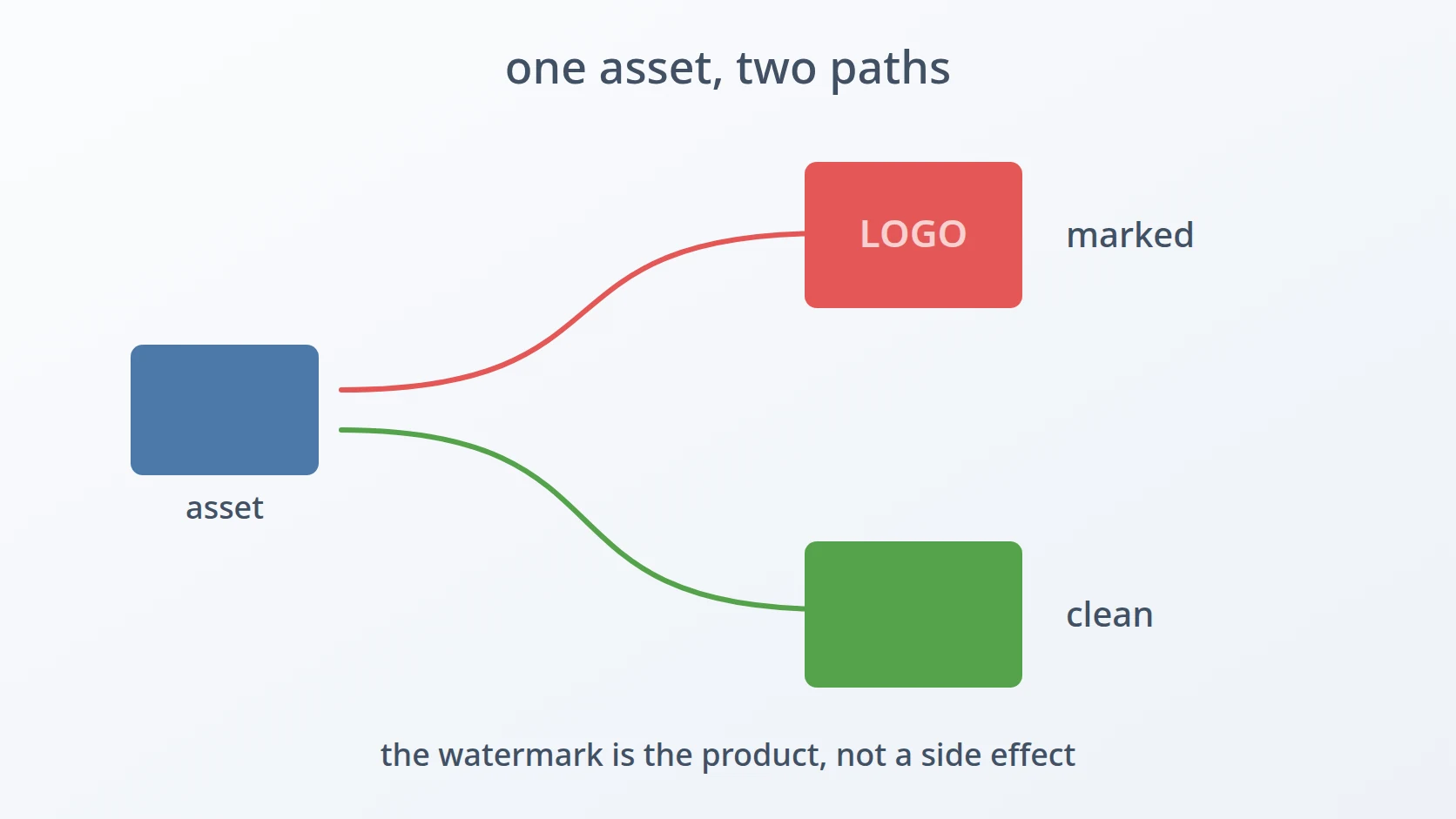
So the free converters fail here for a reason that has nothing to do with privacy. They mark the output because marking the output is how the free tier sells the paid one. The watermark is not a side effect. It is the product.
B. What "good enough to display" means
Web assets live under a constraint that document conversions do not: they must be small, because a page that takes four seconds to paint has already lost, and they must still look right after being made small. Those two pull against each other, and every decision below is somewhere on that line.
Small is not negotiable and neither is appearance, which means the interesting question is never "how do I convert this" — the conversion is one command — but "which settings keep it looking correct at a size the page can afford". That question has a different answer for a photograph than for a screenshot, and a different one again for an animation.
C. Four tools, three formats, one job
The work is spread across four small scripts, and the split is not tidy. Two of them convert a single image to WebP or JPEG. WebP is an image format designed for the web, usually much smaller than JPEG or PNG at the same visual quality. One converts an image or a whole folder to WebP with quality settings. One turns a video into an animated GIF.
The untidiness is itself informative: two of these are near-duplicates of each other, one of them supersedes another, and one solves a problem that only looks similar. I will not clean that up in the telling, because the shape of the set is the result of the order they were needed in, and that order is the honest history.
D. Where the difficulty actually sits
None of this involves writing an encoder. ffmpeg does the encoding: a free command-line program that converts video, audio and images between almost any formats, and one of the most capable pieces of software in existence. The difficulty is that ffmpeg will do exactly what it is told and its defaults are chosen to be safe across every conceivable input, which is not the same as being good for this one.
So the work is in the flags. Which quality number, which preset, which scaling filter, and — for animation — which two-pass structure. Every one of those is a decision that ffmpeg is happy to let me get wrong, and it will not complain when I do. The output will simply be worse than it needed to be, in ways that are visible only once the asset is on the page.
E. Eight obstacles in the way
So the goal is easy to state: produce images and animations that are small enough for a web page and still look right on it, without any of them carrying a mark that belongs to somebody else. Repeatably, from a terminal, on assets I may need to regenerate a dozen times before a design settles.
Easy to state, awkward to build. Eight obstacles stand between that goal and four commands I trust with the front of a page.
The first is that the output is on display, so its flaws cannot be hidden. A watermark on a submitted document is an irritation; a watermark on a hero image is a defect in the product. Free converters add one by design, cap the number of conversions per day, and sell the removal — which makes the free tier a demo, not a tool. The rejected alternatives were subscribing, which is money for something that should be a flag, and cropping the mark off afterwards, which sacrifices composition to hide damage rather than avoiding the damage.
The second is that ffmpeg's defaults are safe rather than good. Invoked with nothing but an input and an output, it picks an encoder and settings that work everywhere and excel nowhere. For a photograph destined for a page, the result is noticeably softer than it should be at a size that is larger than it needs to be — the worst of both directions at once.
The third is that the original asset cannot be regenerated. A render that took twenty minutes, a photograph taken once, a screenshot of a state that no longer exists — these are inputs, not intermediates. Any tool that converts in place is one mistyped argument away from destroying the only copy of the thing being converted.
The fourth is that GIF has 256 colours and something has to choose which 256. Every other format here stores colour per pixel. GIF stores an index into a palette, so encoding one means solving a selection problem first. Left to a single pass, the encoder picks a generic palette and the result is visibly speckled — the dithered, grainy look that says "converted badly" to anyone who has seen a good GIF.
The fifth is that the palette must be computed from exactly the frames that will use it. Solving the palette problem introduces a subtler one: the analysis pass and the encoding pass are two separate invocations, and if they disagree about frame rate or size, the palette describes a slightly different set of images than the one being encoded. The failure is quiet and the output merely looks a little wrong.
The sixth is that a requested frame rate can exceed the one the source actually has. Frame rate is an argument, and arguments can be anything. Asking for sixty frames per second from a thirty-frame source does not produce smoother motion; it produces duplicated frames, a larger file, and no additional information whatsoever.
The seventh is that scaling needs both a guard and a preserved ratio. A scale factor is a number the caller supplies, and numbers outside a sensible range produce either an unusable thumbnail or an enlargement that invents detail. Specifying both dimensions independently is worse still — the aspect ratio distorts, and a distorted product shot is a defect nobody will attribute to the conversion step.
The eighth is that near-identical tools accumulate, and the accumulation is a decision. Two of these four differ by one line. One supersedes another that still exists. Each duplication was cheaper than generalising at the moment it happened, and the question of whether that was correct only becomes answerable in retrospect.
Each has a section below. The first three decide whether these tools are worth having at all; the next four are the specific decisions that separate an asset that looks right from one that looks converted; the last is about the shape the set ended up in.
Method
A. Keeping the mark off the output
Here is the answer to the first obstacle, and it is the decision the rest of the article rests on: the conversion happens through ffmpeg on this machine, so there is no free tier and therefore nothing to mark.
That sounds like a privacy argument and it is not one. These assets are going to be published; there is nothing to protect. What local execution buys here is that the output is exactly what the encoder produced, with no additions, no daily counter, and no version of the tool that is deliberately worse in order to sell the better one.
# a converter with no business model attached to its output
The secondary benefit is repetition. Assets are not converted once — a design changes, a render is redone, a screenshot is retaken — and a daily conversion limit is most obstructive precisely during the hours when a page is being iterated on.
B. Choosing the numbers ffmpeg will not choose
This is the answer to the second obstacle, and it is the difference between the two WebP tools I have.
The earlier one passes nothing at all: an input, an output, and whatever ffmpeg decides. The later one specifies the encoder explicitly, sets quality to 80, and selects the photo preset. Both still exist on this machine, and the second exists because the first was not good enough.
# earlier: every quality decision left to ffmpeg
# later: the encoder, the quality, and the tuning are all stated
The number 80 is not from a reference. It came from converting the same handful of images at several values and looking at the results next to the originals: below it, gradients in photographs start to band visibly; above it, the file grows without a difference I can see on a page. It is the point where paying more bytes stops buying anything, for this kind of input, on this kind of display.
The photo preset matters for a related reason. It tunes the encoder's internal trade-offs for continuous-tone images rather than flat graphics, which is the correct assumption for product shots and renders — and the wrong one for a screenshot of a user interface, where the sharp edges of text would be better served by a different preset. That the default is tuned for photographs is a choice, and it is the right one only because photographs are what I mostly convert.
C. Never writing over the input
This is the answer to the third obstacle, and it is one line of path construction.
SRC_DIR=""
DST_DIR="_webp" # a new folder beside it, never the folder itself
When the input is a folder, the output is a sibling folder with _webp appended, created fresh. The originals are not touched, not moved, and not overwritten. Converting a folder twice produces the same result twice rather than progressively degrading the inputs, which is what in-place conversion would do to anything it was run over repeatedly.
The reasoning is that the inputs here are irreplaceable in a way intermediate files are not. A WebP can be regenerated from a PNG in a second. The PNG might be a render that took twenty minutes of compute, or a photograph of a physical object under lighting that has since been taken down. Treating the source as read-only costs a few hundred kilobytes of duplication and removes an entire category of mistake.
The single-file path follows the same rule differently: it writes alongside the input with the extension swapped, which cannot collide with the source because the extension necessarily differs.
D. Computing which 256 colours
This is the answer to the fourth obstacle, and it is why converting a video to GIF takes two commands instead of one.
# pass 1: look at the whole video, decide on 256 colours
# pass 2: encode using that palette
GIF cannot store arbitrary colour per pixel. It stores a palette of at most 256 entries and an index per pixel, so the encoder must decide which 256 colours represent the whole animation before it can encode a single frame. A single pass forces that decision without having seen the material, and the result is the speckled, grainy look that is instantly recognisable — I produced exactly that before adding the first pass, and it was obvious enough on a page that the two-pass version followed immediately.
Running palettegen first lets the decision be made with the whole video available. The palette is written to a temporary file, used, and deleted, which keeps a piece of intermediate state from accumulating in the folder where the assets live.
E. Making both passes see the same frames
This is the answer to the fifth obstacle, and it is a constraint that only exists because of the solution to the previous one.
Look at the filter chains in the two commands above: fps=${FPS} and the same scale filter appear in both, built from the same variables. That is not repetition for its own sake. The palette must be computed from the exact frames that will be encoded with it.
# one definition, used by both passes — they must not disagree
SCALE_FILTER="scale=iw*:-1:flags=lanczos"If the analysis pass sees the video at full size and thirty frames per second while the encoding pass sees it at half size and twelve, the palette was chosen for a set of images that is related to, but not the same as, the one being encoded. Scaling changes pixel values through interpolation; dropping frames changes which moments are represented at all. The palette ends up subtly wrong for its material.
Nothing errors. The output is a valid GIF that simply looks a little off, which is the most expensive kind of wrong — it survives review and is noticed later, by someone else, on the published page.
F. Letting the source set the ceiling
This is the answer to the sixth obstacle. The frame rate can be specified, but not above what the file actually contains.
RAW_FPS=
# r_frame_rate arrives as a fraction: 30000/1001, not 29.97
SOURCE_FPS=Two things are happening. The first is that ffprobe reports frame rate as an exact rational — 30000/1001 rather than 29.97 — because broadcast frame rates are not round numbers and rounding them early accumulates error. Getting a usable number out means dividing, which is what the awk is for.
The second is the check that follows: a user-supplied frame rate is accepted only if it is positive and no greater than the source's. Requesting more frames than exist cannot add motion; the encoder duplicates frames to fill the gap, producing a larger file that looks identical. Rejecting it with a message that states the actual maximum is more useful than silently producing that file.
This is a ceiling that comes from the material rather than from a constant I chose, which is the only kind of limit that stays correct across inputs I have not seen yet.
G. Scaling without distorting
This is the answer to the seventh obstacle, and it is three decisions inside one filter expression.
scale=iw*:-1:flags=lanczosThe width is the input width times a factor. The height is -1, which tells ffmpeg to derive it from the width and keep the aspect ratio — the alternative, specifying both, means any arithmetic slip stretches the image, and a stretched product shot reads as bad photography rather than as a conversion error.
lanczos is the resampling filter. Downscaling discards pixels and something has to decide what the survivors look like; cheaper filters produce softness and stair-stepping on edges, which is most visible on exactly the content that ends up in web animations — interface elements, text, hard boundaries between flat regions.
The factor itself is validated before use: it must parse as a number between 0.1 and 1.0. The lower bound rules out a thumbnail too small to be the thing anyone wanted, and the upper bound rules out enlargement, which does not add detail and merely makes the encoder invent pixels.
H. Four tools that did not converge
This is the answer to the eighth obstacle, and it is less a technique than an accounting of what the set actually became.
# the entire difference between two of these four scripts
OUTPUT="/.webp"
OUTPUT="/.jpeg"Two of the four differ by a single meaningful line — one writes .webp, the other writes .jpeg, and everything else is identical. A third supersedes one of them and still coexists with it. Each of those duplications was, at the moment it happened, cheaper than the alternative: copying a twenty-seven line script takes seconds, while generalising it means designing an interface for a format argument, and that interface has to be remembered every time the tool is used afterwards.
There is also a reason the JPEG one has not been folded into the WebP one despite being nearly the same code. It serves a different need. WebP is for the page; JPEG is for the upload field on a form that does not accept anything else — a document-handling need that happens to sit in a toolbox built for web assets. Same commands, same ffmpeg, different reason for existing, and that difference is why neither has absorbed the other.
Results and Discussion
A. What the settings are actually worth
The four tools apply different amounts of judgement, and the amount tracks how badly the default fails for that format.
| Tool | Decisions it makes | What the default would have cost |
|---|---|---|
| Single-file WebP or JPEG | None — format only | Softer and larger than necessary |
| Image or folder to WebP | Encoder, quality 80, photo preset | The same, on every file in a batch |
| Video to GIF | Two-pass palette, fps ceiling, scale guard, lanczos | A visibly speckled animation |
The last row is where defaults fail worst, and it is also where the tool does the most. That is not a coincidence: the GIF format forces a decision that cannot be deferred, so a converter that does not make it deliberately makes it badly. The WebP encoder, by contrast, has reasonable defaults that are merely not tuned — the gap between default and considered is real but narrow.
The first row is worth keeping in view too. Those tools make no quality decisions at all and are still useful, because most of their value is in not having to remember an invocation. A tool can be worth writing for the sake of the name alone.
B. What the flags around the conversion are for
Several flags in these commands have nothing to do with image quality and everything to do with being callable without supervision.
# -loglevel error: only real failures
-y overwrites the output without asking, which matters because the alternative is a script that hangs on a prompt in the middle of a batch. -loglevel error silences the banner and the progress output, leaving only genuine failures — a converter that narrates every file makes the one real error scroll past unnoticed. -an in the GIF commands drops audio, which GIF cannot carry anyway, but which would otherwise be decoded before being discarded.
None of these change a single pixel. They change whether the tool can be run over a folder without being babysat, which is the difference between a command and a demonstration.
C. Where this stops being the right approach
These tools encode one person's assumptions about one kind of asset, and the assumptions are visible in the defaults.
The photo preset and quality 80 are tuned for continuous-tone images; a screenshot of an interface, full of text and flat regions, would be better served by different settings and will come out softer than it should. GIF itself is the wrong format for anything long or detailed — a short loop is what it is for, and beyond a few seconds a video format is smaller and better in every respect. And none of these tools strip metadata, so a photograph converted for a page carries whatever the camera wrote into it, including location, straight onto the web server.
Conclusion
The watermark was the reason I started writing these, and it turned out to be the least interesting thing about them. Nothing here is hard to do once; the whole value is in a handful of decisions that ffmpeg is willing to let me make badly — which quality number, which preset, whether the palette is computed at all, and whether both passes are looking at the same frames.
What I would carry forward is that defaults are not neutral. Every default in a general-purpose tool is a guess about an unknown input, and my inputs are not unknown to me. The work was never the conversion. It was deciding, once, what the right answer is for the kind of asset I actually make — and then making that answer automatic, so the decision does not have to be recalled correctly at the moment a page is waiting for it.
Terms
- ffmpeg
- A free command-line program that converts and processes video, audio and images. The tools in this article hand all of their encoding to it.
- WebP
- An image format made for web pages, supporting both lossy and lossless compression, and usually smaller than JPEG or PNG at the same visual quality.
- Palette
- A table of up to 256 colours that a GIF stores once; each pixel is an index into it rather than a colour value. Choosing the entries well is a separate problem from encoding.
- Two-pass encoding
- Analysing the material first and encoding second, so the encoder's decisions are informed by the whole input rather than by what it has seen so far.
- Preset
- A named bundle of encoder tuning aimed at a class of content, such as photographic images versus flat graphics. Changes internal trade-offs rather than the quality target itself.
- Resampling filter
- The algorithm deciding pixel values when an image changes size. Lanczos preserves edges better than cheaper alternatives at a higher computational cost.
- Aspect ratio
- The proportion between width and height. Deriving one dimension from the other preserves it; specifying both independently risks distortion.
- r_frame_rate
- The frame rate as reported by ffprobe, expressed as an exact fraction such as 30000/1001 rather than a rounded decimal.
Technologies covered
- Bash
- FFmpeg



