How I Meet a Business Continuity Plan's RTO and RPO With a Few Small Scripts
On this page
- Introduction
- A. What the words mean before I use them
- B. Four obstacles in the way
- Method
- A. A different technique for every data store
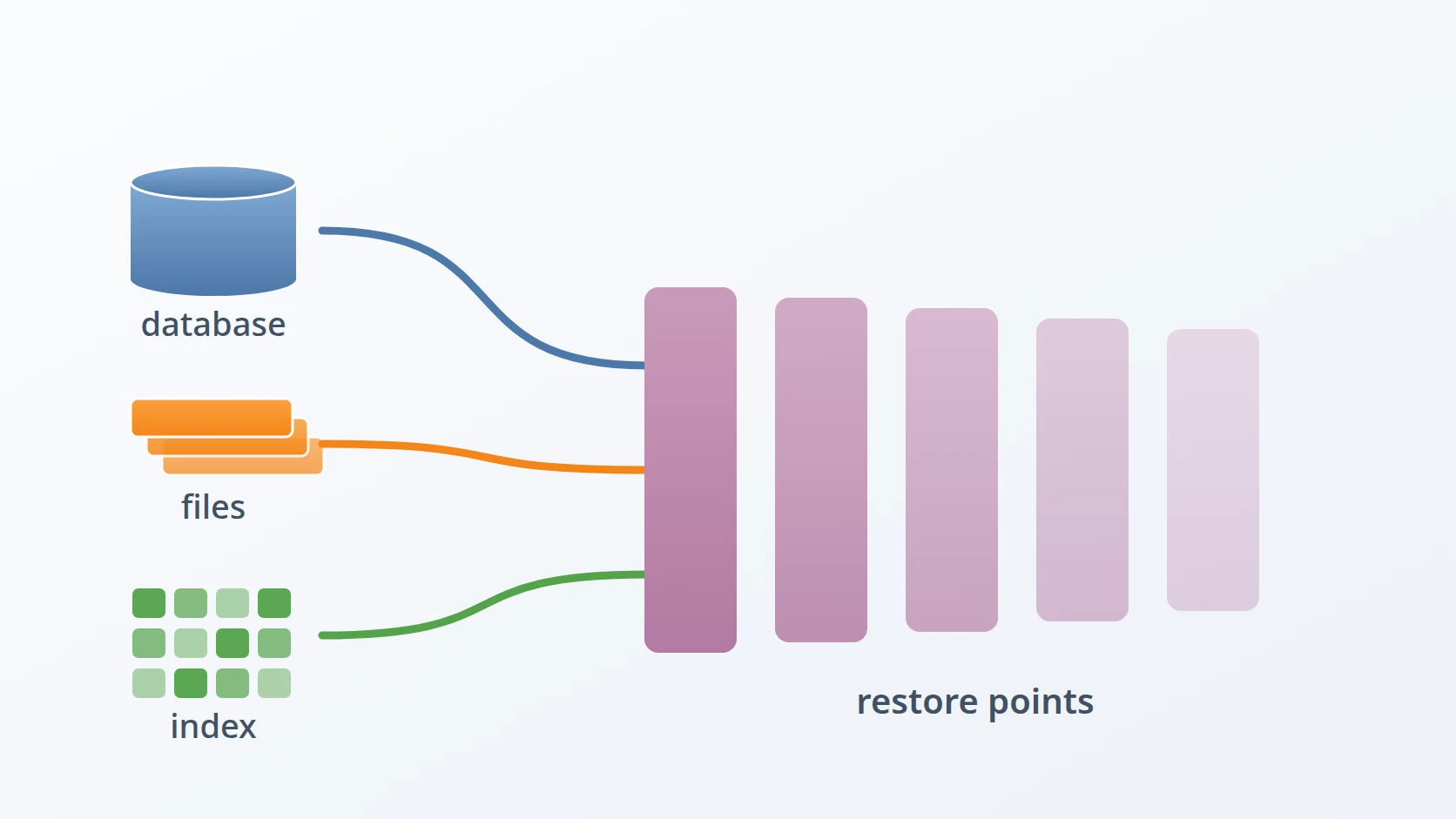
- B. Hardlinked restore points for object storage
- C. Snapshots, not file copies, for the search cluster
- D. Config and credentials are part of the data
- E. Layout, atomicity, and paths that do not depend on where you stand
- F. Retention and a schedule cron can express
- Results and Discussion
- A. Two failures that would look like successes
- B. Exit codes as a statement about value
- C. What the numbers say, and what they do not
- D. RTO and RPO, stated
- Conclusion
- Terms
The system signs documents for a regional government agency. When someone submits a document and receives it back signed, that signature has to still be valid years later, which means the record behind it has to survive whatever happens to the machine holding it. That obligation has a name in the contract — a Business Continuity Plan — and a plan only counts once it can be proven rather than asserted.
What I have now is a few hundred lines of shell, running on cron — the Linux scheduler that starts commands at set times — that back up three different data stores in three different ways and restore them in about seven seconds. I want to describe how I arrived at that shape rather than the scripts themselves, because the scripts are specific to a stack you probably do not run, and the reasoning is not. Most of what I learned came from two failures that looked like successes for days.
Introduction
A Business Continuity Plan is not a folder of backups. It is a written answer to two numbers that somebody outside engineering has already decided, whether or not they used these words: the Recovery Time Objective (RTO), how long the service may be unavailable before the failure becomes a contractual problem, and the Recovery Point Objective (RPO), how much recent work may be lost when it comes back. The RTO governs how fast a restore has to be. The RPO governs how often a backup has to run. Nearly every technical choice in this article is downstream of one of those two numbers, and a plan that names neither is a plan that has not been made — it is a habit of copying files, which is a different thing wearing the same clothes.
That framing changes what "having a backup" means. A backup nobody has restored from is a claim, not a capability. Its value is decided entirely on the day it is used, and until that day every backup is equally convincing. So the useful question was never whether backups existed. It was whether I could say, with numbers rather than confidence, how long the system would be down and how much would be gone.
One thing about that case worth separating from the rest, because it explains a choice that would otherwise look excessive. Document signing is the reason this particular system keeps its logs, traces and metrics for a long time: when a signature is questioned years later, the telemetry around it is part of the record. That is why the search cluster holding the telemetry is backed up and restorable here at all. Most applications have no such obligation and can let their telemetry expire — the two data stores that follow, the database and the object storage, have nothing to do with signing and would need backing up in any system. The plan is the subject; the signing is only what set the retention.
A. What the words mean before I use them
A few terms carry the rest of the article, so it is worth fixing their meaning early. A full backup captures the complete state of a data store at one moment: it stands on its own and can be restored without reference to anything else. An incremental captures only what changed since a previous backup, which makes it small and fast but useless in isolation — it restores only when combined with the full it descends from and every incremental in between. The two are used together for the obvious reason: a full is the only thing that can be restored alone, and it is too expensive to take every few hours, so a full anchors a chain and incrementals extend it cheaply until the next full begins a new one.
A restore point is the unit that comes out of this: one directory representing the complete state of the system at one moment, which is what you actually choose when you decide to go back. A point is not the same as a pile of copied files, because it also records what was deleted. If a file existed last Tuesday and was removed on Wednesday, Tuesday's point must still contain it and Wednesday's must not. Without that, "restore to Tuesday" quietly means "restore everything that ever existed up to Tuesday", which is a different system than the one that was running.
Retention is the rule deciding which points survive and which get deleted to reclaim disk. Every backup system needs one, because disk is finite and nothing else in the design ever removes anything. Retention is where the two numbers from the plan re-enter: keeping more points costs storage and buys the ability to go further back, which matters when a failure is not a crash but a corruption that went unnoticed for a week.
One more thing needs saying early, because it is the single most common way a first backup turns out to be worthless. It is tempting to treat a database as a folder — stop thinking, cp -r the data directory, done. A running database does not keep its files in a restorable state from moment to moment. It holds recent changes in memory, writes them to disk in an order chosen for speed rather than for a reader's convenience, and rewrites its internal files while you are copying them. A copy taken this way captures the beginning of the copy from one instant and the end of it from another, some seconds later, with no guarantee the two describe the same consistent database. The result is a directory of real files that no server will open, and — the part that makes it dangerous — nothing announces this at the time. The copy completes, the exit code is zero, and the problem is discovered during the restore, which is the one moment you cannot afford to discover it. This is why every technique in this article asks the data store itself to produce the backup: the software is the only party that knows when its own files are coherent.
With the vocabulary settled, the first question was whether to write anything at all. Commercial backup products exist, they are mature, and buying one would have been defensible. I did not, for three reasons that I think generalise beyond my situation.
They are expensive, and the licence is recurring for a system whose backup logic changes roughly never once it is correct.
They are closed. When a restore fails at three in the morning, the difference between reading the code and filing a support ticket is the difference between fixing it and waiting.
They are general by design, and generality is exactly the wrong property here. A product that must handle every database handles mine adequately; a script that handles only mine handles it exactly.
That last point is the real argument. Every application is different in ways that matter to its backup: which data store holds the thing you cannot lose, which credential makes the restored system able to function, what has to be running before the data is worth anything. A general tool cannot know those, so it captures everything and hopes. I would rather capture a smaller set deliberately and be able to explain every line of why.
The second question was what a backup is actually of. The instinct is to image the machine, and the instinct is wrong. My PostgreSQL installation is not valuable; it is a container image and four lines of config, reproducible in a minute from a registry. What is valuable is the rows inside it. The same is true of the object storage server and the search cluster — the software is rebuildable, the data is not.
Back up the data, not the application. The application is a build artefact. The data is the only thing in the system that cannot be regenerated from something else.
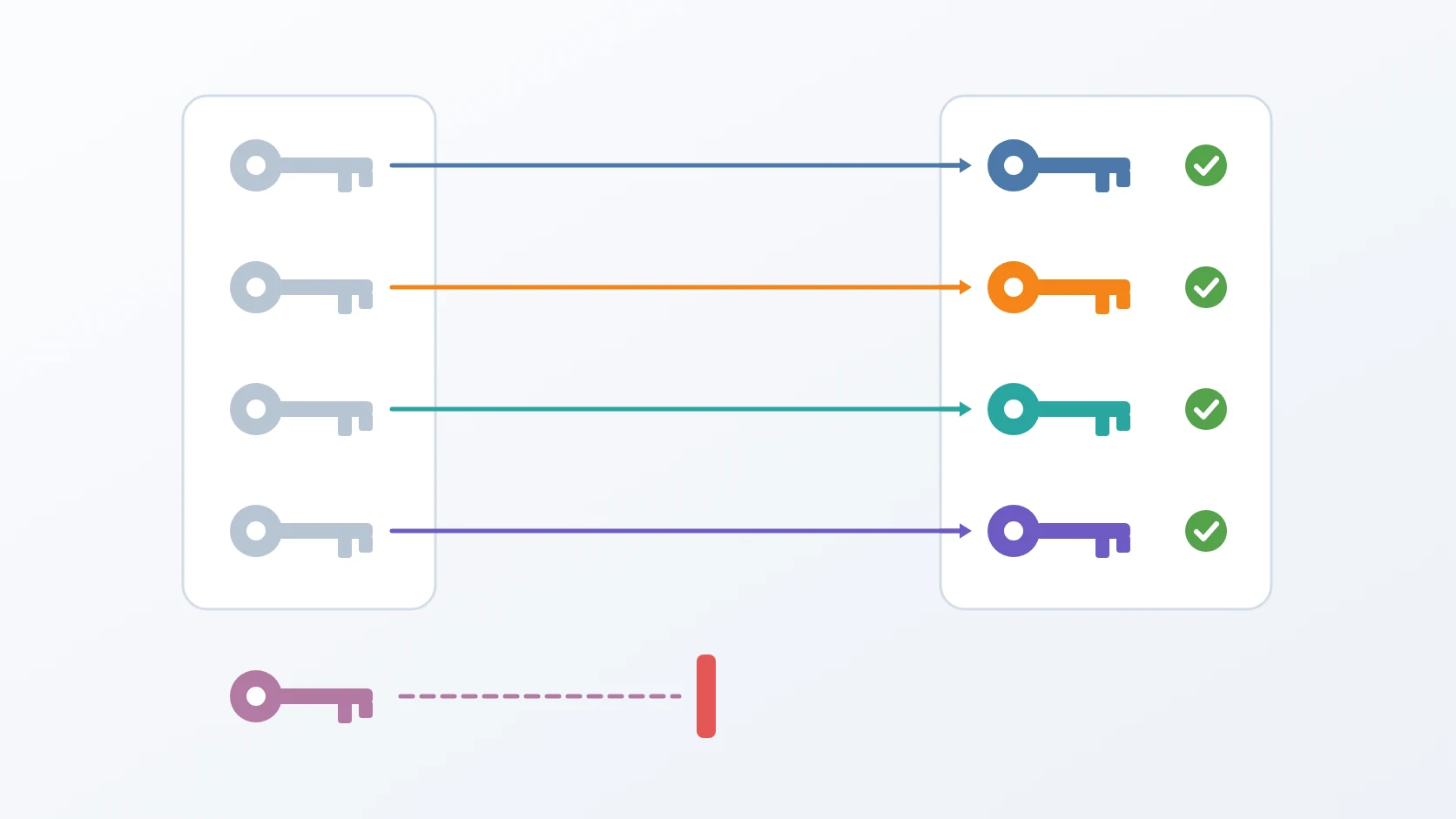
Once stated, that principle does most of the design work. It tells you that the compose files do not belong in the backup, because they live in version control. It tells you that the container images might, because an air-gapped restore cannot reach a registry. And it tells you the uncomfortable thing that took me longest to accept: that config and credentials are data, and a data backup without them restores something that is not the system you backed up.
B. Four obstacles in the way
So the goal is not a folder of copies. It is a plan that satisfies two numbers somebody outside engineering already fixed — how long the service may be down, and how much recent work may be lost — and that can be demonstrated rather than asserted. That is what a Business Continuity Plan is for, and it is the standard this had to meet.
Easy to state, awkward to build. Four obstacles stand between that goal and a system that actually satisfies it, and each one rules out the approach that first suggests itself.
The first is that every data store needs a different technique, and none of them tolerate being copied. A full backup captures complete state and stands alone; an incremental captures only what changed since the last one, which is what makes a six-hour schedule affordable instead of ruinous. The obvious way to get either is to copy the data directory, and for a running store it produces a backup that restores into corruption — the files are captured at different instants and disagree with each other. What replaces it is not one technique but three, because each store decides the answer by how it writes to disk. A database with a write-ahead log can hand over block-level deltas if asked correctly. An immutable segmented store gets incrementals almost for free, since segments never change once written. A store with no internal history has no deltas to offer at all, so the incremental has to be constructed outside it.
The second is that restoring is not backing up in reverse. This is the part I underestimated. Each store has its own conditions for accepting data back, and none of them are implied by having produced the backup correctly. A reconstructed database directory is not a database the server will start; it needs markers that say what it is and where to find the rest. Object storage returns objects but not the rules governing who may read them. A search cluster gets its documents back and still has to be told who is allowed to query them. A backup verified only by the fact that it was written is a backup verified for the wrong thing.
The third is that a backup system fails silently by default. Everything above can be correct and still produce nothing, because the ordinary failure here is not a crash — it is a step that quietly does not run while the job around it reports success. A job that wraps every step in || true and exits zero regardless lets cron report success for months while individual steps fail. Reporting simple success or failure is not enough either, because the parts are not equally valuable: treating a missing telemetry snapshot the same as missing documents trains whoever is on call to ignore the alarm.
The fourth is that none of it counts unless it runs without me. A plan that depends on someone remembering has already failed the standard it is measured against. The schedule has to run unattended, and the scheduler available on every server is also a blunt instrument: it cannot express the shape this needs, and one of its interval forms behaves in a way that quietly leaves a gap.
Each has a section below, and the order is the order they had to be solved in. Getting the data out correctly comes first, because nothing later matters if that is wrong. Getting it back in is separate work. Knowing whether either happened is what makes the first two trustworthy. And running unattended is what turns the whole thing from a procedure into a plan.
Method
The design has four parts: a technique per data store, a layout on disk that makes restore points atomic, a retention policy keyed to fulls rather than to dates, and a schedule that cron can actually express. I will take them in that order, because each one constrains the next.
A. A different technique for every data store
This answers the first obstacle: three stores, three ways of writing to disk, and therefore three correct techniques rather than one.
This is the part I would most like a reader to take away. There is no universal backup technique. Each data store has one correct method determined by how it writes to disk, and using the wrong one produces a backup that appears to work and fails at restore — which is the only failure mode that matters, because it is the one you discover when you need the data.
| Data store | Technique | Why this one | What breaks otherwise |
|---|---|---|---|
| PostgreSQL | pg_basebackup, physical, block-level | Native incrementals via the WAL summarizer; no downtime | pg_dump is logical and rewrites the whole dataset every run |
| Object storage | mc mirror into staging, then rsync --link-dest | Unchanged objects become hardlinks, not copies | A fresh staging directory re-downloads everything and defeats linking |
| Elasticsearch | Snapshot API to a filesystem repository | Lucene segments are immutable, so later snapshots store only new ones | Copying a live data directory yields a corrupt index |
| Config and credentials | Plain copy, permissions stripped | Small, and the data is undecryptable without it | Restored ciphertext with no key to open it |
PostgreSQL 18 can take physical, block-level incremental backups natively, and the feature is off until you turn it on. The server has to run the WAL summarizer, which records which blocks changed in which LSN ranges, and without it an incremental backup simply refuses to start. It is one flag, and the comment beside it is worth more than the flag.
services:
postgres:
# summarize_wal defaults to off. pg_basebackup --incremental
# cannot run without it: no WAL summaries, no block deltas.
command: The backup itself is one command in two shapes. A full writes a tar-format base backup; an incremental adds --incremental pointed at the manifest of the backup it builds on. The flags carry more meaning than their length suggests.
# Full
# Incremental: --incremental names the manifest of the prior backup
-Ft produces base.tar and pg_wal.tar beside a backup_manifest. -X stream is the consistency mechanism and the reason no downtime is required: a second connection streams the WAL generated during the backup into the tarball, so the result is self-contained and internally consistent even though the database never stopped serving. I tested this by writing two million rows while an incremental ran. The restore was consistent.
Restoring combines the chain with pg_combinebackup, and then needs one detail that is easy to miss: Postgres will not start from a base backup without a recovery.signal file and a restore_command. There is a subtler detail I am fond of, because it removes a whole category of future work. The restore reads PG_VERSION from inside the backup and runs pg_combinebackup from that version's container image, since the tool version must match the data version. A backup taken under PostgreSQL 17 stays restorable after the live stack moves to 18, and there is no version matrix for me to maintain anywhere — the artefact describes itself.
# The version comes from the backup, not from the host: PG17 tools refuse
# PG18 data and the reverse. The artefact describes itself.
pgver=
# Without BOTH of these Postgres refuses to start from a base backup.
B. Hardlinked restore points for object storage
Object storage has no equivalent of a WAL, so the incremental has to be built rather than requested. I use the pattern rsnapshot and Timeshift use: two stages, where the second one freezes the first. The first stage uses mc mirror, the command of MinIO's client that copies a bucket into a local folder. The second uses rsync, a file-copying tool, with --link-dest: every file unchanged since the previous restore point becomes a hardlink to that earlier copy instead of a new one.
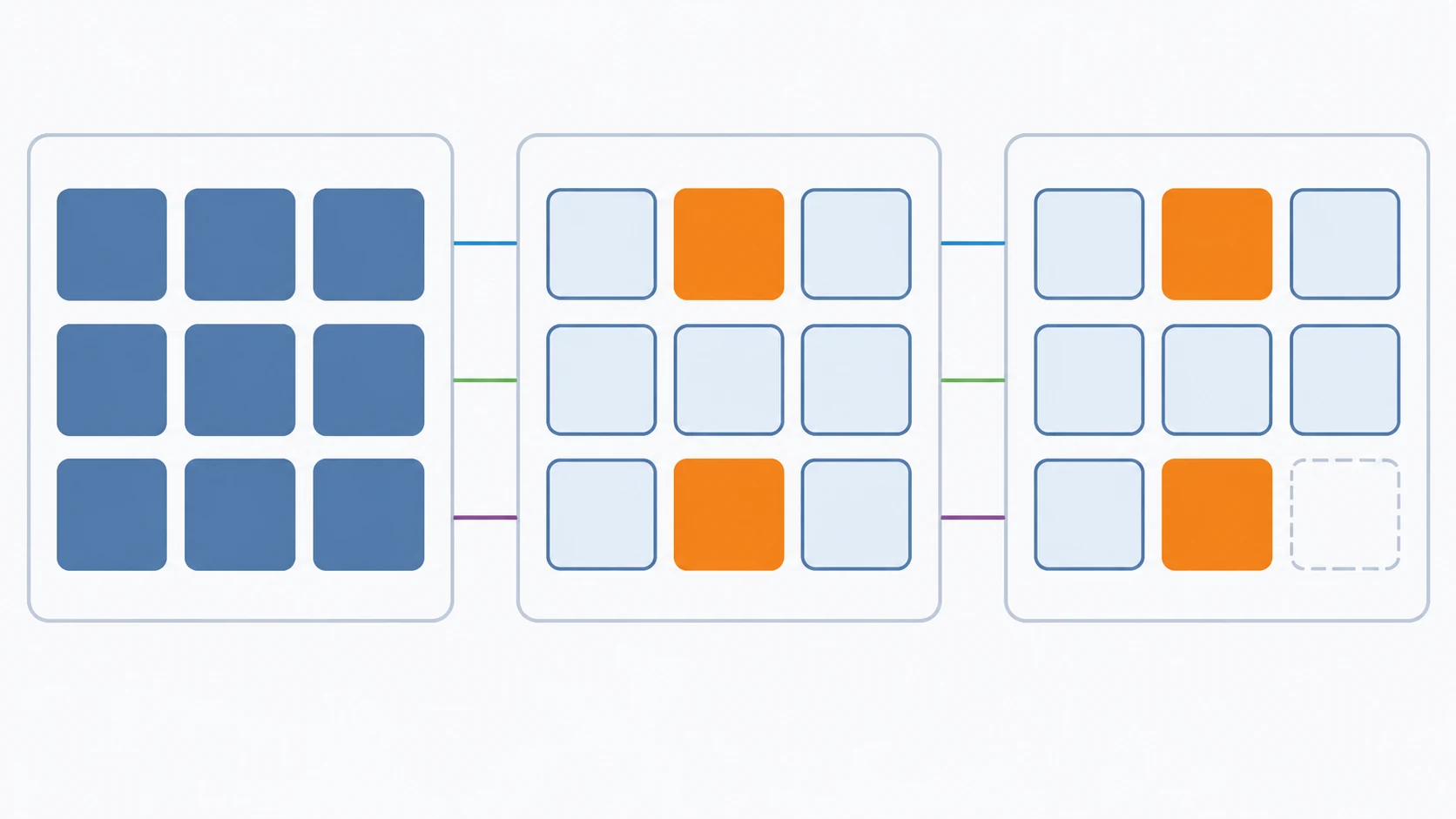
# 1. Pull current state into ONE persistent staging directory
# 2. Freeze it; unchanged files become hardlinks to the previous point
--delete is what makes these restore points rather than an accumulating pile. A file deleted from the bucket today disappears from today's point but still exists in last week's, because the inode — the filesystem's record of a file's data, which every hardlink to that file shares — survives as long as any link to it remains. That is point-in-time semantics for free, and it is the reason the restore path has to mirror back with --remove: without it you restore the union of every state that ever existed rather than the one you chose.
The trap is the word persistent, and I fell into it. If each run mirrors into a fresh empty directory, mc mirror re-downloads every object, each file gets a new inode and mtime, and rsync decides nothing matches — so --link-dest silently copies instead of linking. Everything still works. It just costs three times as much disk. Measured on the same bucket: three restore points took 303 MB with a fresh staging directory and about 102 MB with a persistent one.
Two further constraints bite quietly. --link-dest requires an absolute path; a relative one is ignored without an error and degrades to a full copy. And the link target must be on the same filesystem, because hardlinks cannot cross one. Both failures present as "the backup works but is unexpectedly large", which is a failure nobody investigates urgently.
Hardlinks also change what disk usage means. Once they are in play, du on a single restore point no longer reports the space that point costs — most of its bytes are shared. Reclaimed space has to be measured before and after across the whole tree. The same property makes moving the backup tree dangerous: rsync -aH or cp -al preserve the links, while a plain cp -r silently expands every link into a full copy and can turn a hundred gigabytes into several hundred.
One thing a file-level copy cannot capture at all is the bucket policy. mc mirror moves objects, not the policy that makes a bucket public, so that policy is kept as a versioned JSON file and re-applied at restore. A restore that returns every byte and leaves every public asset unreachable is not a restore.
C. Snapshots, not file copies, for the search cluster
Copying the data directory of a running Elasticsearch is unsafe in a way that does not announce itself. Lucene writes continuously, segments merge, and a copy taken mid-merge can be structurally invalid. The snapshot API exists precisely because the cluster is the only party that knows when its files are coherent — and it is naturally incremental, since segments are immutable and a later snapshot references the ones already stored.
A filesystem repository is registered once. Where it is mounted from matters more than it looks.
The repository is mounted into the container from the backup root, deliberately not from the environment's state folder. If it lived with the environment's data, then tearing down that environment would destroy the backups whose entire purpose is to survive exactly that event. It is an obvious point that is easy to get wrong, because mounting it beside the data is the more convenient option.
Because segments are shared across snapshots, copying the repository into every restore point would defeat the incremental property entirely. So each restore point stores only the snapshot name — a small text file — and the repository is shared across all of them. That is the direct consequence of the incremental design: the restore point is a pointer, not a copy.
Elasticsearch will also disable a repository if its contents no longer match what the cluster remembers, reporting that it has been disabled to prevent data corruption. The lock does not clear itself; the registration has to be deleted and recreated. The script self-heals exactly once and then gives up. That limit is deliberate — a retry loop around a corruption guard is a way of destroying data enthusiastically.
D. Config and credentials are part of the data
This is still the first obstacle, extended past the stores themselves: restoring data without the keys that make it readable restores something that is not the system.
Each module's .env and config/ tree is copied into the restore point and then stripped of group and other permissions.
This looks like housekeeping and is not. The application encrypts sensitive database columns with an application key held in config. Restore the database without that key and you have recovered ciphertext that nobody — including you — will ever decrypt again. The database backup, taken alone, is worth nothing. That single example changed how I think about the boundary of a backup: the boundary is not the data store, it is whatever is required to make the data usable.
Some things are deliberately excluded. Compose files and nginx configs are not backed up, because they live in version control and are rendered from templates. Their recovery story is "clone the repository", which is a better story than any copy I could take. Knowing what you are choosing not to back up, and why, is as much a part of the design as the rest.
E. Layout, atomicity, and paths that do not depend on where you stand
Everything lands under a per-project backup root, with restore points named so that lexical sort equals chronological sort, and a relative latest symlink.
Restore points are published atomically. All work happens in a hidden .tmp- directory and is moved into place only once everything has succeeded. Since a move within a filesystem is a rename, a backup that dies halfway — power loss, OOM kill, a bad deploy — can never appear as a valid restore point. It leaves debris with a name that sorts out of the way, which is the correct outcome.
The paths themselves are derived from the project name rather than from the current directory. This replaced an earlier version that embedded the absolute repository path, which had two failure modes I only understood after hitting both: renaming or moving the repository silently severed it from its own data, and the same environment had different paths on my laptop and on the server. Deriving from a name makes the paths identical everywhere, and it means /data and /backup can each be mounted on a separate disk without editing a single compose file.
That separation is the first of three properties the layout is designed to allow. Backups belong in their own directory and ideally on their own disk, because that is what makes the rest tractable: a disk can be mirrored, a directory can be copied off the machine, and a tree can be encrypted before it leaves. A design that satisfies a Business Continuity Plan needs all three — separate media, an off-site copy, and encryption before transfer — and a layout that assumes the backups live beside the data makes each of them a rewrite rather than an addition.
F. Retention and a schedule cron can express
This answers the fourth obstacle: running unattended, on a scheduler blunt enough to need working around.
Retention is "keep N fulls", not "delete anything older than X days". The reason is the dependency chain: an incremental is meaningless without its parent full, so incrementals are retained and expired with the full they belong to, as a unit. A date-based rule can delete a full while its children survive, leaving a directory that looks like a backup and restores nothing. Production keeps two.
Rotation is also available as a standalone job rather than only as a step at the end of a backup. That distinction sounds academic until backups start failing: if rotation only runs after a successful backup, then the moment backups break is the moment space stops being reclaimed — and a full disk is an excellent way to guarantee the next backup fails too.
Deletion order matters in one place. Elasticsearch snapshots must be deleted through the API before the restore point folder is removed, because the snapshot names live inside the folder about to be deleted. I got this backwards once and orphaned nine snapshots in the shared repository, holding segments for restore points that no longer existed.
# Order is load-bearing: the name lives inside the folder
name=
The schedule is two cron lines: a full every Sunday at midnight, and an incremental every six hours except at that moment. It takes two lines because cron cannot express "every six hours except Sunday 00:00" in one expression, and pretending otherwise produces a full and an incremental racing each other weekly.
# Full: Sundays at 00:00 — day-of-week, never */7 in day-of-month
# Incremental: every 6h, skipping the slot the full occupies
The comment about */7 records a trap worth knowing. In the day-of-month field, */7 gives the 1st, 8th, 15th, 22nd and 29th — and then resets with the month. The gap from 29 September to 1 October is two days, not seven. Day-of-week is always exactly seven days, which is what "weekly" was supposed to mean.
Results and Discussion
A. Two failures that would look like successes
The most valuable thing this project taught me is that backup systems fail silently by default, so I designed against two failures that would stay invisible for days.
The first sits in the PostgreSQL incremental. For speed, the base manifest is cached inside the container. When rotation deletes an old full, a cache trusted blindly goes on pointing at a manifest for a backup that no longer exists. Every incremental afterwards would run, report success, and produce a file built on the wrong basis. Nothing would complain. The failure would surface only at restore, as an LSN mismatch.
The guard is small: compare the cached manifest's Start-LSN against the one on disk on every run, and re-copy when they differ. The principle is larger, and it is the one I would carry to any system. An incremental's correctness depends on state that lives outside the backup itself. Anything cached about that state is an assertion about the world that must be re-verified, not remembered.
The second is worse because the data is never in danger and the system looks healthy throughout. Snapshotting only the telemetry indices seems obviously correct — those are the documents — and a restore from such a snapshot brings every document back. It does not bring back the .security index holding the user and role the log exporter authenticates as, so the exporter is rejected with 401 on every export and discards the telemetry silently, while the stack looks fine.
Including .security* closes that gap, and include_global_state carries the index templates and ILM policies that make newly created indices behave correctly. The principle: backing up the documents is not enough. You must back up the authorization state that lets writers keep writing — otherwise you restore a system that is readable, intact, and unable to accept anything new.
B. Exit codes as a statement about value
This answers the third obstacle: making a silent failure impossible to mistake for success.
Wrapping every step in || true and exiting zero regardless would let cron report success for months while individual steps failed. That is the worst possible design, because it converts a monitoring system into a reassurance system.
What replaced it encodes severity rather than success, because not everything in the system is equally valuable.
| Exit code | Meaning | Is the backup valid for restore? |
|---|---|---|
0 | Every component captured | Yes |
1 | PostgreSQL or object storage failed | No — do not trust this point |
2 | Only Elasticsearch failed | Documents are safe; telemetry is not |
The reasoning is that signed documents and observability data are not equally valuable, and reporting them as the same failure trains whoever is on call to ignore the alarm. An alert that fires for both is an alert that gets muted, and a muted alert is worse than none — it occupies the place where a working one would have been.
There is one more check that exists because of how bad the alternative is. The script counts what it actually captured and fails if zero databases were backed up. A "successful" backup containing nothing is the worst outcome in the whole design: it satisfies every monitor, consumes retention slots, and pushes the last real backup closer to deletion.
C. What the numbers say, and what they do not
The measured results are modest and I want to describe them precisely. A restore of three databases takes roughly seven seconds of downtime. Hardlinking brought three object-storage restore points from 303 MB down to about 102 MB. The incremental chain runs on cron in production and has done so without intervention.
Docker images are exported alongside the data, which is the one place I deliberately back up something rebuildable. Data restore reconstructs state; the images preserve the code that knows how to interpret that state. And a genuinely air-gapped restore cannot pull from a registry — which is precisely the scenario the plan exists for, so assuming network access would defeat the purpose.
Seven seconds measures one thing: data restored onto a working machine. Rebuilding after a fire — getting a machine, a network and a certificate back — is a different part of the same plan, with timings of its own. The value of a scripted restore is that it moves the data portion from unknown to known, leaving the remaining unknowns visible rather than hidden behind an assumption.
D. RTO and RPO, stated
As a solution architect I would rather end the design with the two numbers written down than with a feeling that the backups are fine. For this system they come straight out of the schedule and the measurements above.
| Objective | What this plan delivers | Where it comes from |
|---|---|---|
| RPO (how much recent data can be lost) | At most six hours | An incremental runs every six hours on top of a weekly full, so the newest restore point is never older than one interval. |
| RTO for the data (restore onto a working machine) | About seven seconds of downtime for the three databases | Measured on a real restore, not estimated. |
| RTO for a lost machine | Not stated as a single number | Getting a machine, a network and a certificate back is a separate part of the plan with timings of its own. |
Tightening either number is a cost decision, not a technical one. A shorter RPO means running incrementals more often; a shorter RTO for a lost machine means keeping a second machine warm. Writing the numbers down is what makes that trade-off something the people paying for it can actually decide.
Conclusion
If I keep one sentence from this, it is that a backup is a claim about the future that is only ever tested once. Everything else follows: that the test must be a real restore rather than a successful exit code, that the exit code must distinguish between kinds of failure, and that a backup which captures nothing must be treated as a failure rather than a success.
The technical detail I would pass on first is the one about config. It is tempting to treat .env files and key material as administrative clutter sitting next to the real backup, and that framing is what produces an unrecoverable restore. If the application encrypts columns with a key, the key is not config — it is part of the data, and separating them produces ciphertext with no future. The boundary of a backup is not the data store. It is everything required to make the data mean something again.
None of this depends on my stack. PostgreSQL, MinIO and Elasticsearch are what I happen to run; the method is what survives replacing all three. Ask of each data store how it writes to disk, and let the answer choose the technique — a database with a write-ahead log can give you block-level deltas, an immutable-segment store is incremental for free, and a store with no internal history needs you to construct restore points yourself with something like hardlinks. The question is never "what tool backs this up", it is "what does this thing guarantee about its own files, and when".
The rest is arrangement. Publish restore points atomically so a crash cannot produce a plausible-looking one. Derive paths from a name rather than a location, so the backup tree can move to its own disk without editing anything. Retain by dependency chain rather than by date, so an incremental is never orphaned from its parent. Keep backups on separate media, copy them somewhere else, and encrypt them before they leave the machine — a Business Continuity Plan that assumes the backups are safe because they are on the same server has not planned for the event most likely to test it.
And write it yourself, if the system is small enough that you can. Not because the commercial products are bad, but because a backup is the one piece of infrastructure whose value is entirely in whether it works on the worst day of the year. A few hundred lines I can read end to end, that fail loudly and restore in seven seconds, buy me more confidence than a product that handles every case including, presumably, mine.
Terms
- Business Continuity Plan
- The documented set of measures that keeps a system's obligations satisfiable after a failure, of which backup and restore are one part rather than the whole.
- Recovery Time Objective (RTO)
- The longest a service may stay unavailable after a failure before it becomes unacceptable, which sets how fast a restore must be.
- Recovery Point Objective (RPO)
- The largest amount of recent data that may be lost in a failure, measured as time since the last restore point, which sets how often a backup must run.
- WAL summarizer
- A PostgreSQL background process that records which blocks changed within which LSN ranges, making block-level incremental backups possible. Disabled by default.
- LSN
- Log Sequence Number: a position in PostgreSQL's write-ahead log, used to establish that an incremental backup continues exactly where its parent stopped.
- Hardlink
- A second directory entry pointing at an existing inode. The file's data exists once and survives until every link to it is removed, which is what lets unchanged files be shared across restore points at no cost.
- Restore point
- A directory representing the complete state of the system at one moment, including files deleted since the previous point, as distinct from an accumulating copy.
- Atomic publish
- Assembling work under a temporary name and renaming it into place only on success, so that an interrupted operation cannot leave a partial result that looks complete.
Technologies covered
- Bash
- Linux
- Elasticsearch
- PostgreSQL
- Docker