Aurograf
On this page
- At a glance
- My role as the solution architect
- The challenge
- What it does
- A. Signs in with the city's own account
- B. Proves who a signer is before they hold a certificate
- C. Signs PDFs with signatures that stay verifiable
- D. Lets anyone verify a signed document
- E. Serves organisations and other systems
- Standards it follows
- How it is built
- How it is delivered and operated
- Key decisions
- History
- Status
- Terms
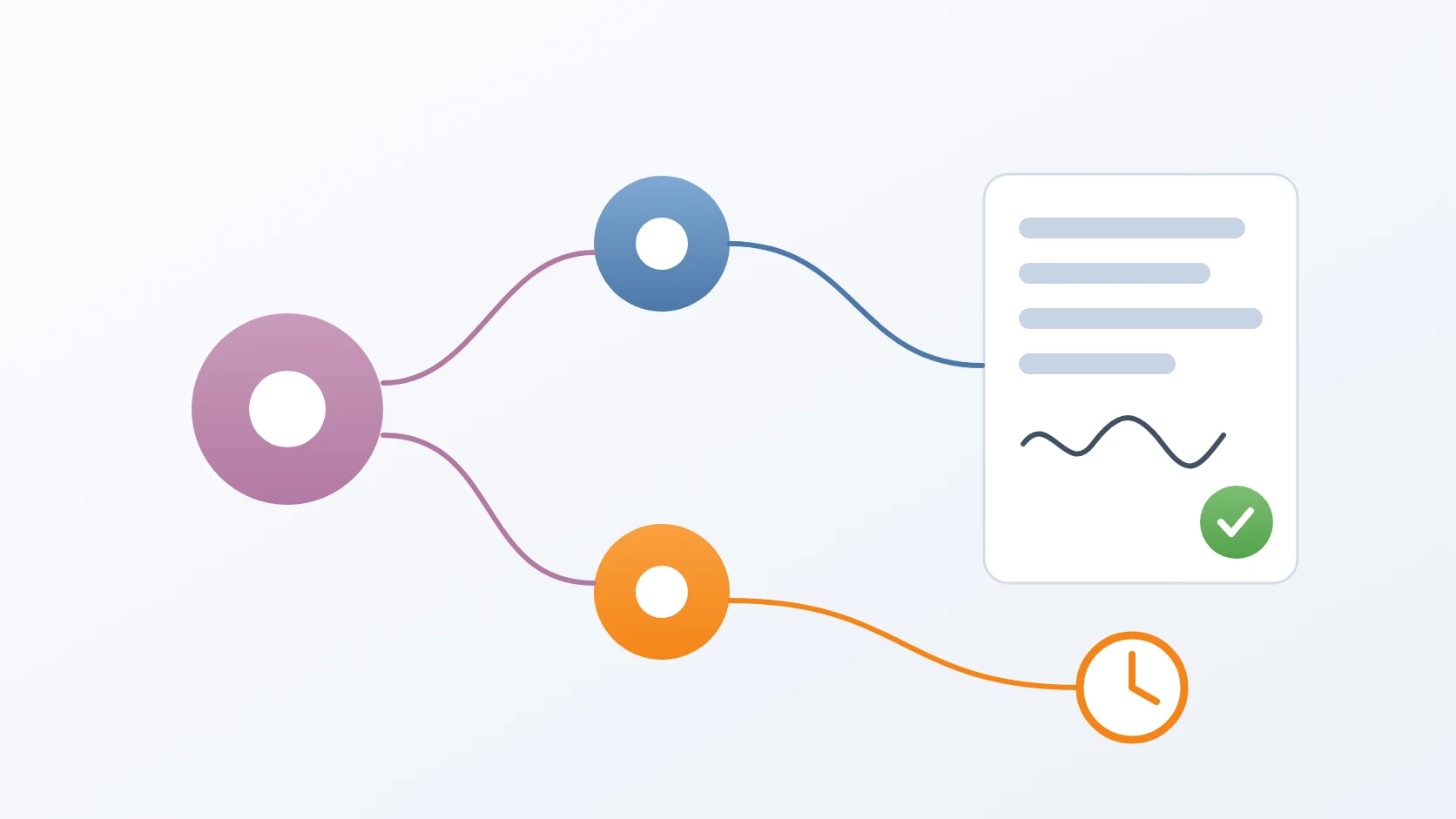
Aurograf is the digital signature platform of the City Government of South Tangerang. Civil servants sign PDF documents in the browser with certificates issued by the platform's own certificate authority, every signature carries a trusted timestamp, and anyone can verify a signed document without an account. It is live at aurograf.tangerangselatankota.go.id.
Version 2 is a complete rebuild. I designed it as the solution architect and lead the team that builds and runs it, and I write its core myself: the root certificate authority and the PDF signer at the heart of every signature.
At a glance
| Client | Diskominfo Kota Tangerang Selatan (the city's communication and informatics office) |
|---|---|
| Role | Solution architect leading the team — quality assurance, backend developers, a UI developer, DevOps and DevSecOps — and the lead backend developer, building the core modules myself: the PKI certificate authorities (root, document signing and timestamping) and the PDF signer |
| Period | Version 2 since 15 September 2025; version 1 from September 2022 to February 2023 |
| Version | 2 |
| Status | Stable, in production |
| Stack | Laravel and PHP, Vue and TypeScript, Rust, Python; PostgreSQL, Redis, S3-compatible storage; OpenTelemetry, Elasticsearch and Kibana; Docker, with Kubernetes autoscaling being trialled in staging |
| Website | aurograf.tangerangselatankota.go.id |
My role as the solution architect
On Aurograf I work first as the solution architect. In the city, the domain master for digital signatures is the Cryptography and Information Security Division, Bidang Persandian, so that is where the work begins: I learn how they work and the rules they follow, listen to what they need and to what goes wrong for them today, and translate that into an architecture.
- Choosing the technologies the platform is built on.
- Designing a modular architecture and breaking its functions into separate modules.
- Designing how it runs: the Docker Compose stacks in production today, and the Kubernetes architecture with autoscaling being trialled in staging.
- Dividing the work across the team: quality assurance, backend developers, a UI developer, DevOps and DevSecOps.
- Reviewing what quality assurance and DevSecOps find, and feeding the fixes back into the architecture and into the team's workflow.
Alongside that I am part of the team as a backend engineer, on the modules where a mistake would cost the most: the PKI certificate authorities — the root CA, the document-signing CA and the timestamp authority — and the PDF signer.
The challenge
A city government signs a great many documents, and a signature on paper cannot travel the way a PDF does. The city needed electronic signatures its own staff could use every day, from any browser, that would still prove who signed and when long after the signer's certificate had expired.
That last requirement shaped everything. A signature that can only be checked while its certificate is valid is worth little for an official record, so the platform had to embed the evidence of validity inside the document itself, with a trusted time attached, and keep the authorities that vouch for that evidence under its own control.
What it does
A. Signs in with the city's own account
Staff sign in with the city's single sign-on account, the one they already use for the city's other applications, or with Google or an e-mail address. Two-factor authentication works with any authenticator app.
B. Proves who a signer is before they hold a certificate
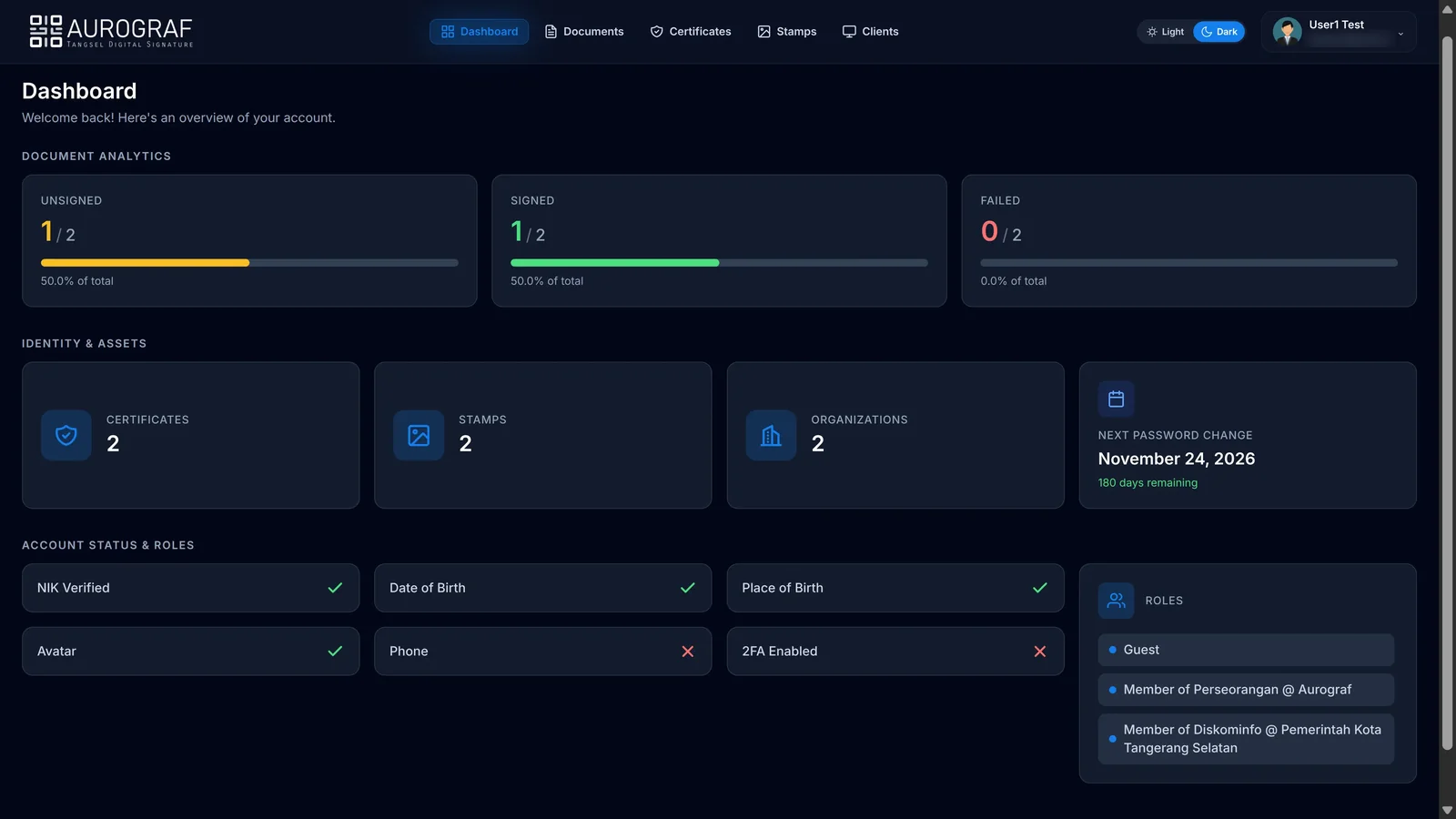
Before anyone receives a signing certificate, they complete their identity details and a live face challenge that asks them to face the camera and turn their head, which shows a real person was present rather than a photo. A human reviewer approves the request, and only then does the platform's certificate authority issue an X.509 certificate, protected by a passphrase only the signer knows.
C. Signs PDFs with signatures that stay verifiable
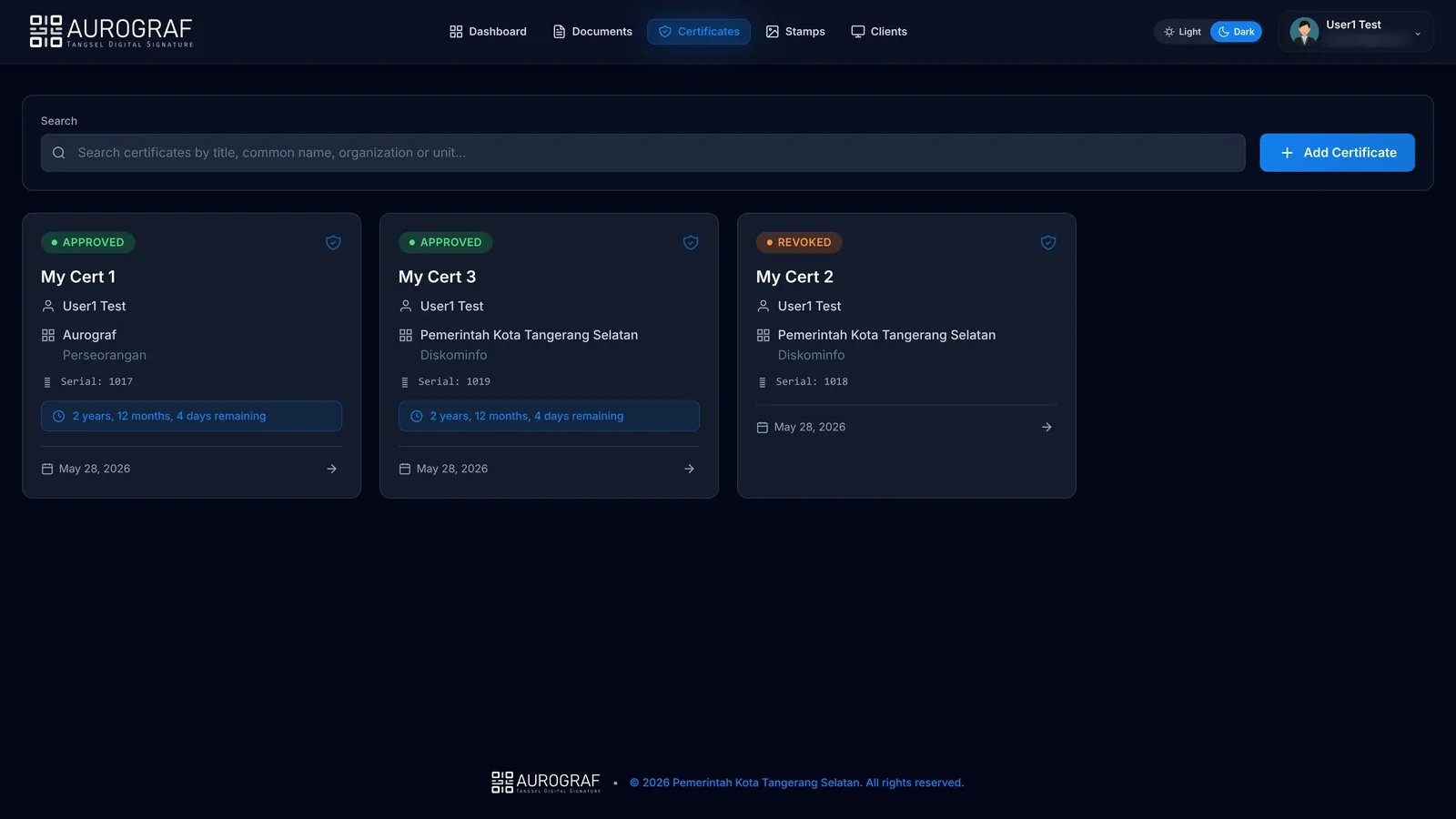
A document is uploaded, given its signers in ordered stages, and signed by each in turn. The signer places a stamp — a QR code unique to the signature, or their own drawn or uploaded signature — exactly where it belongs on the page. The result is a PAdES B-LTA signature: the certificates, the revocation evidence and an archive timestamp are embedded in the PDF, so it remains verifiable long after the certificates expire.
D. Lets anyone verify a signed document
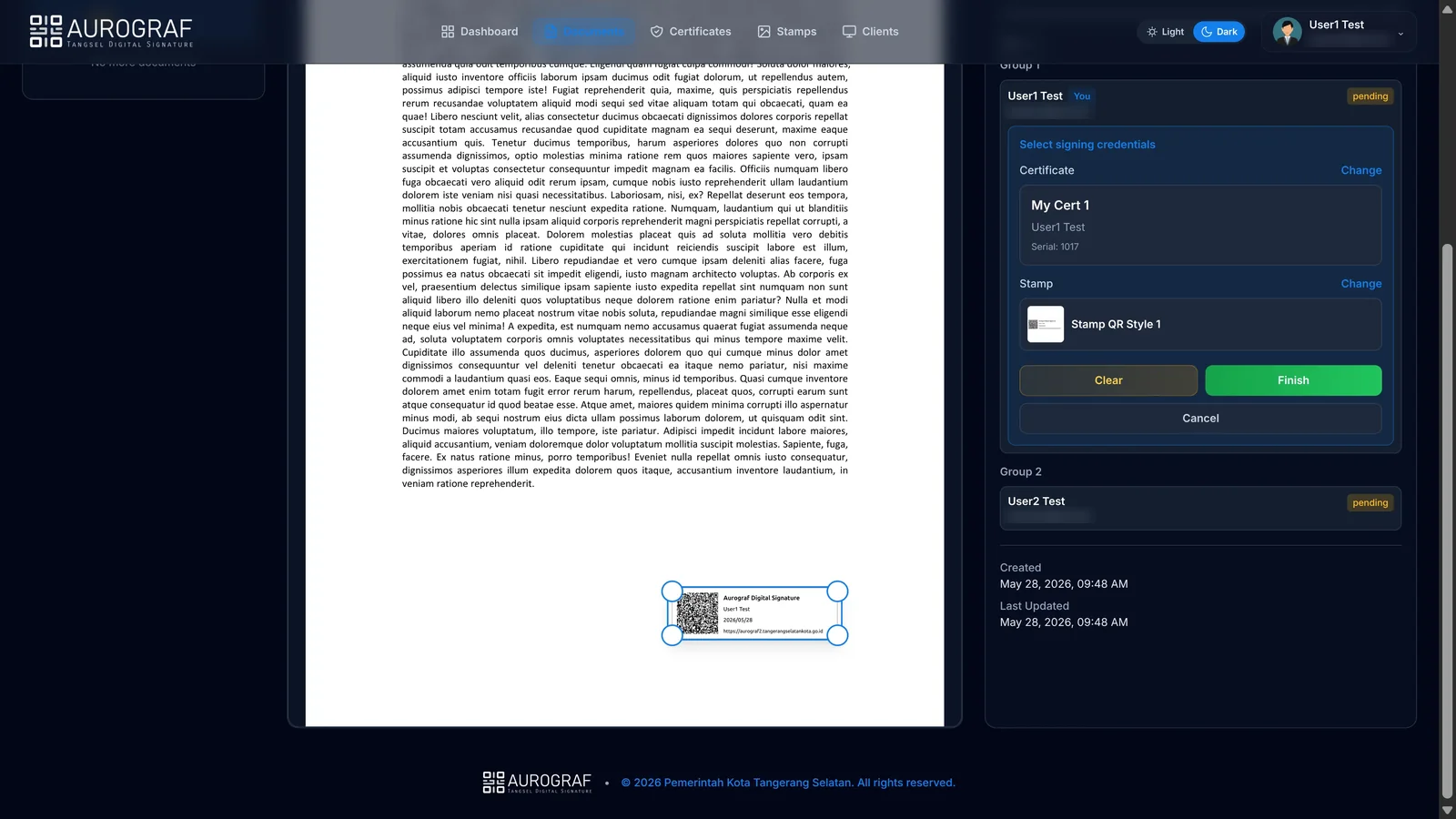
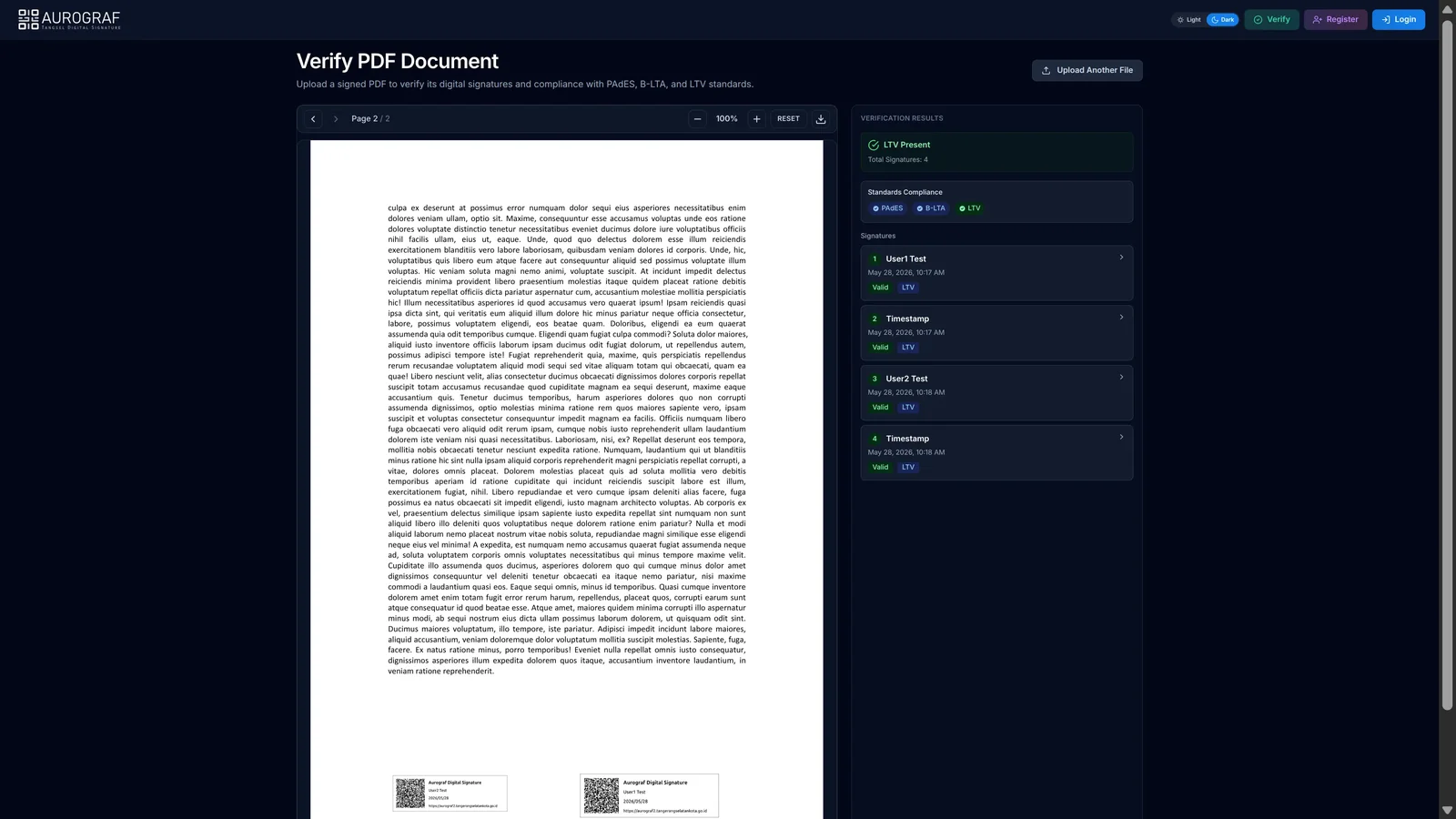
A public verification page accepts any signed PDF, without an account, and reports every signature and timestamp in it, whether each is valid, and whether the document meets the PAdES, B-LTA and long-term validation requirements.
E. Serves organisations and other systems
Organisations contain units and members, and one signer can belong to several. Other government applications can integrate signing through a client API with their own credentials, per-client permissions and allowed origins, and receive a callback when a document is signed. Access for a client system is granted by the platform's administrators.
Standards it follows
| Standard | What it guarantees here | Where it lives |
|---|---|---|
| X.509 v3 | every signer holds a certificate issued by the platform's own chain of trust | Document Signing CA, Root CA Publisher |
| PAdES B-LTA | signatures stay verifiable long after the certificates expire | PDF Signer |
| RFC 3161 | every signature carries a trusted time | Timestamp Authority |
| OCSP (RFC 6960) and CRL (RFC 5280) | anyone can check whether a certificate has been revoked | Document Signing CA, Timestamp Authority, Root CA Publisher |
| PKCS#12 | the signer's key travels as one bundle that only their passphrase can open | Document Signing CA, PDF Signer |
| OAuth 2.0 and OpenID Connect | sign-in through the city's single sign-on and Google | Core API, Web App |
| JSON Web Tokens (RFC 7519) | one token format every service can verify on its own | Core API |
| TOTP (RFC 6238) | two-factor authentication with any authenticator app | Core API, Web App |
How it is built
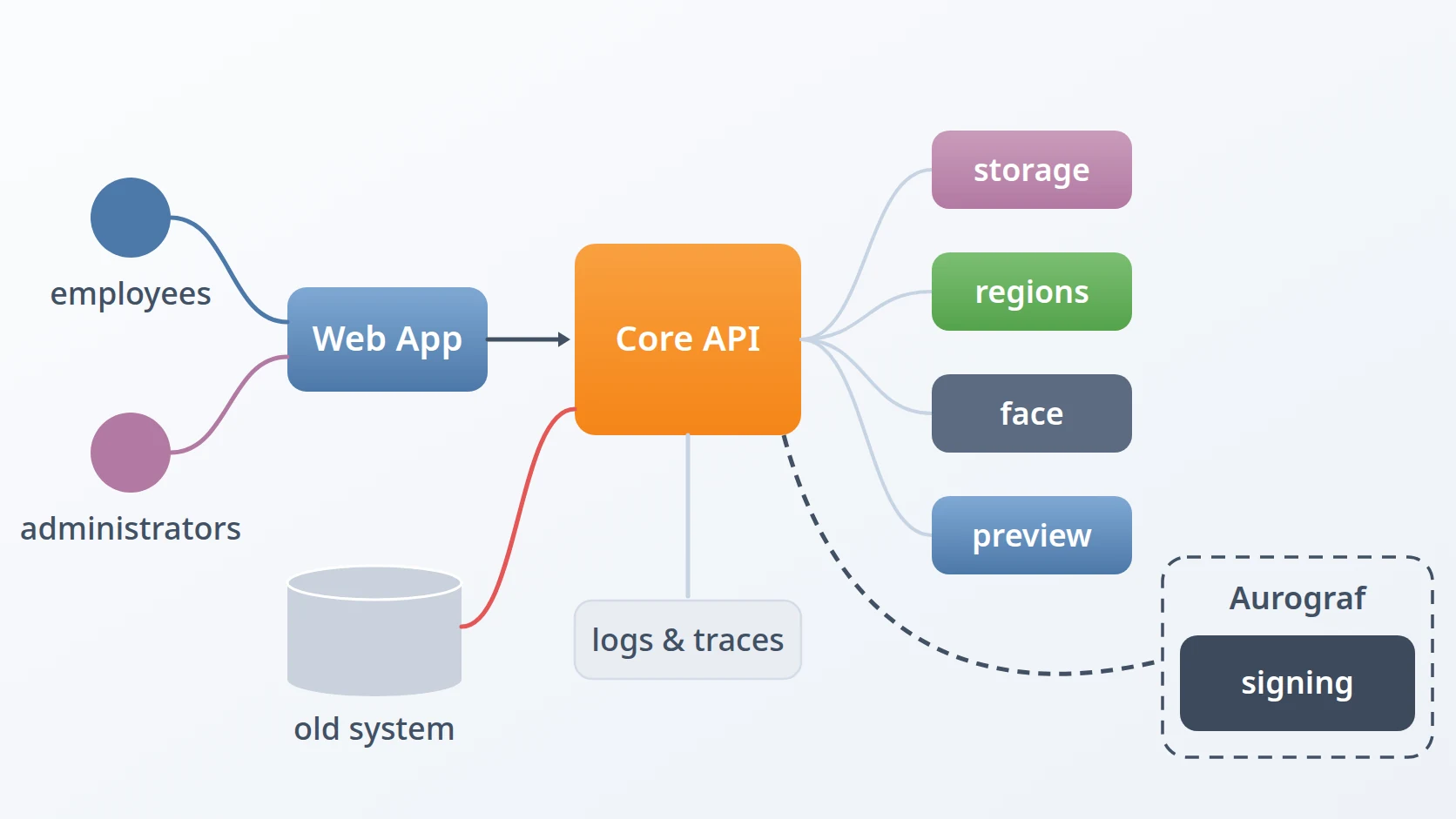
Aurograf is not one application. A core API holds the platform's rules and data and orchestrates specialised services, each with its own version and release cycle: a public key infrastructure of three authorities, a signer, a face challenge, a renderer, file storage and regional data. Several of them are reusable modules I also use in other projects.
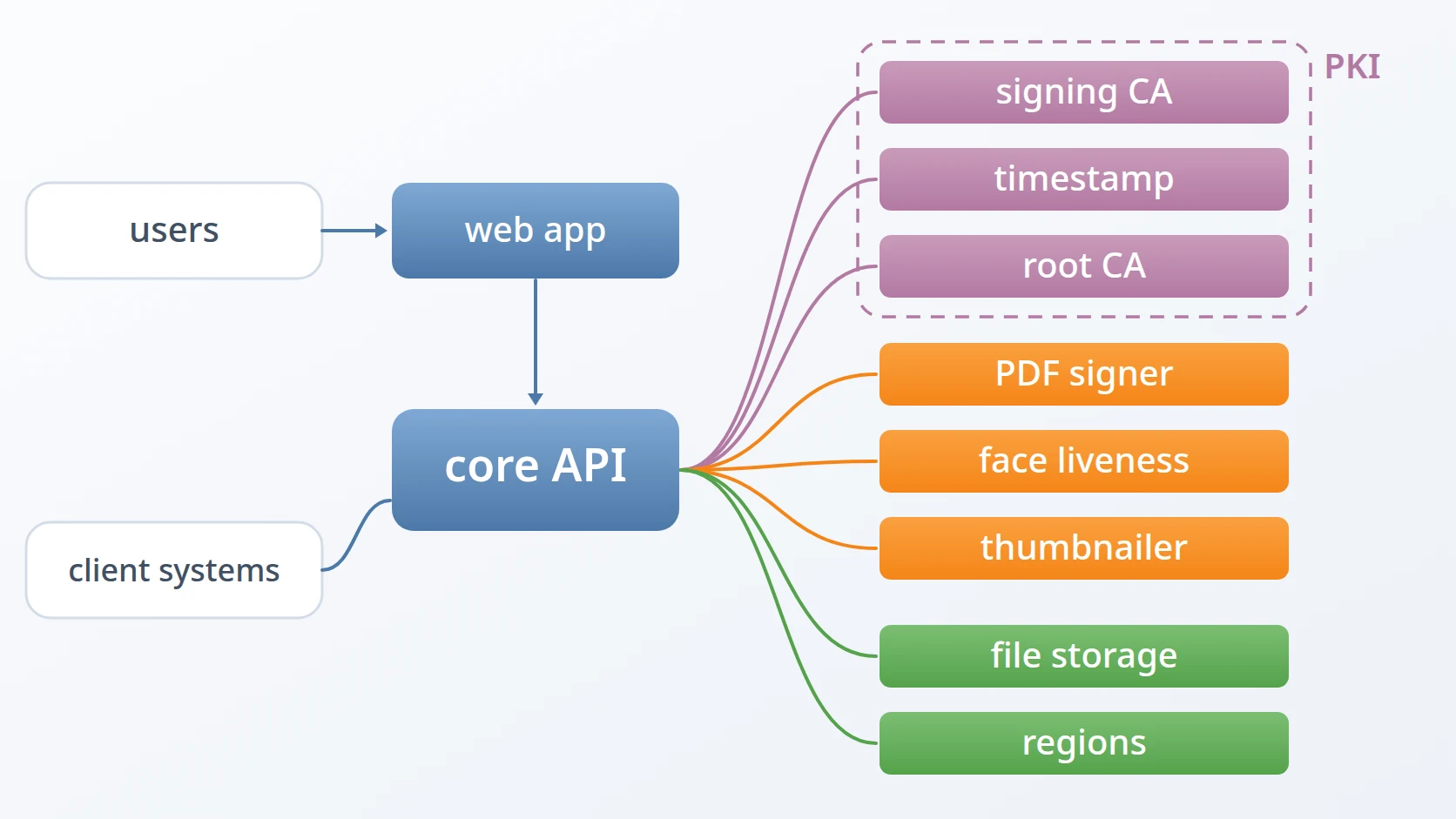
The core API: users, organisations, client systems, documents, stamps and certificates, and the orchestration of every service below.
The web application signers and administrators work in.
The issuing certificate authority that gives each signer a certificate and answers revocation checks.
The timestamp authority behind every signature's date.
The publisher of the root of trust, whose key never leaves an offline host.
The signer that produces each PAdES B-LTA signature.
The live face challenge used during identity verification.
The renderer that gives every uploaded document its thumbnail.
The storage service every document and stamp passes through.
The regional data service behind every address in the platform.
How it is delivered and operated
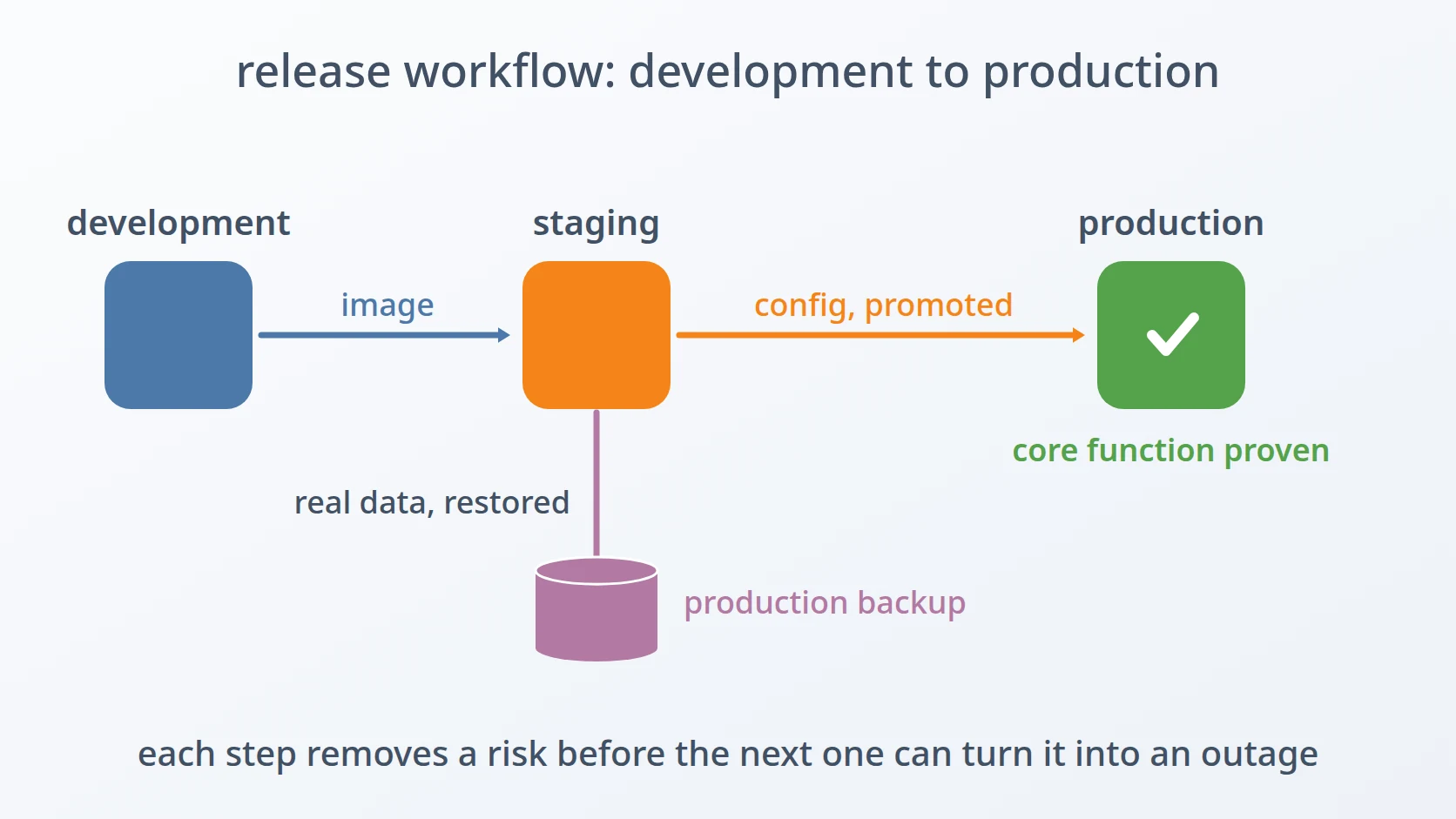
The platform runs in three fully separated environments: development on a laptop, and staging and production on the server. Each service stack was generated from my own templates rather than copied from an earlier project, and every release follows the same path from development to production, rehearsed on staging against restored production data.
Production runs on Docker Compose today. The next step has started: moving the platform to Kubernetes with autoscaling, so that services such as signing can scale out on their own when a wave of documents arrives. A Kubernetes cluster with horizontal pod autoscaling is being trialled in staging first; no production service has moved yet.
How every new stack of the platform is set up from templates.
How every release moves from development to production.
Around that path sit the tools I wrote to keep each step repeatable and safe.
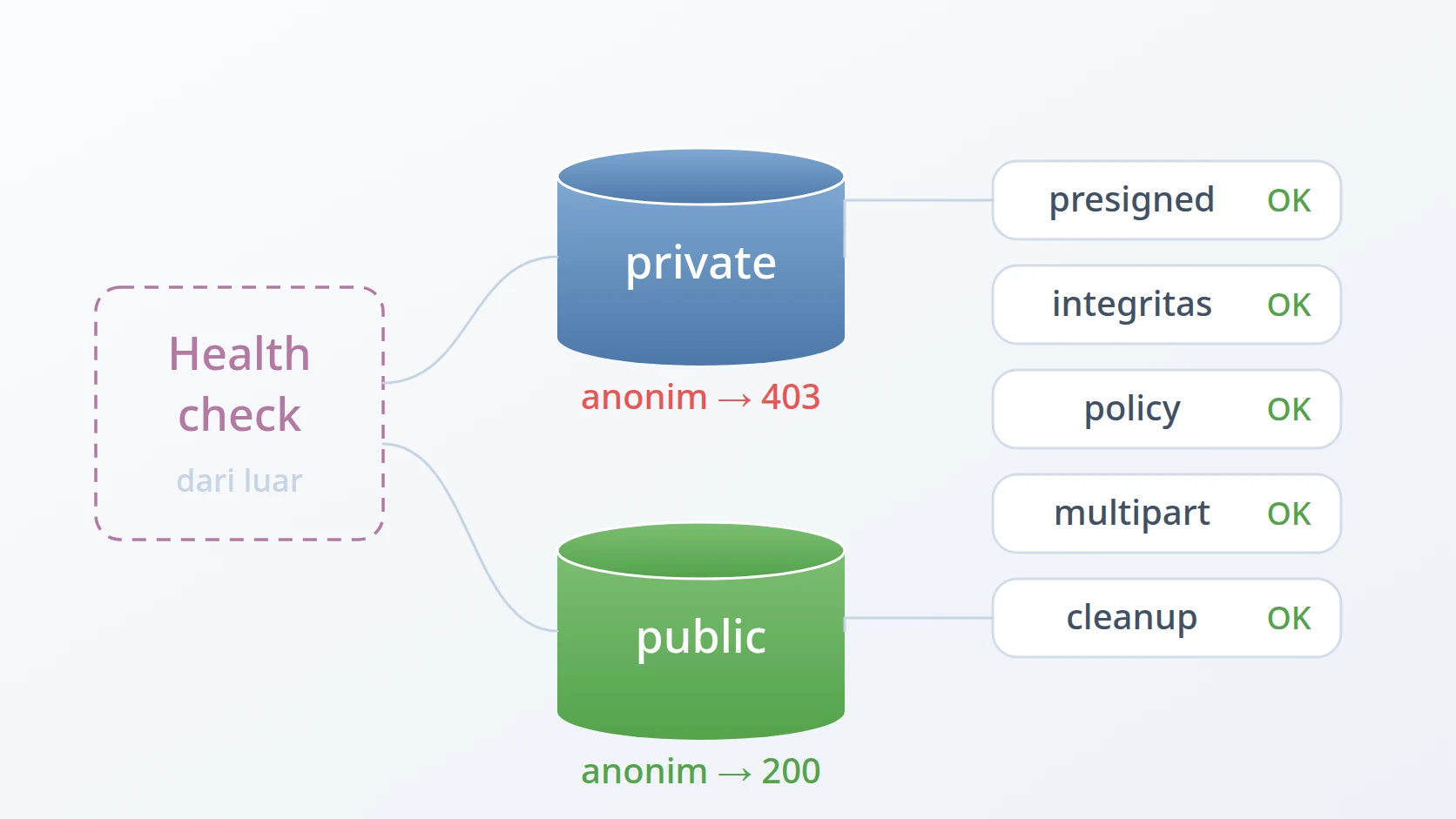
Proving storage and sign-in are ready before the application depends on them.
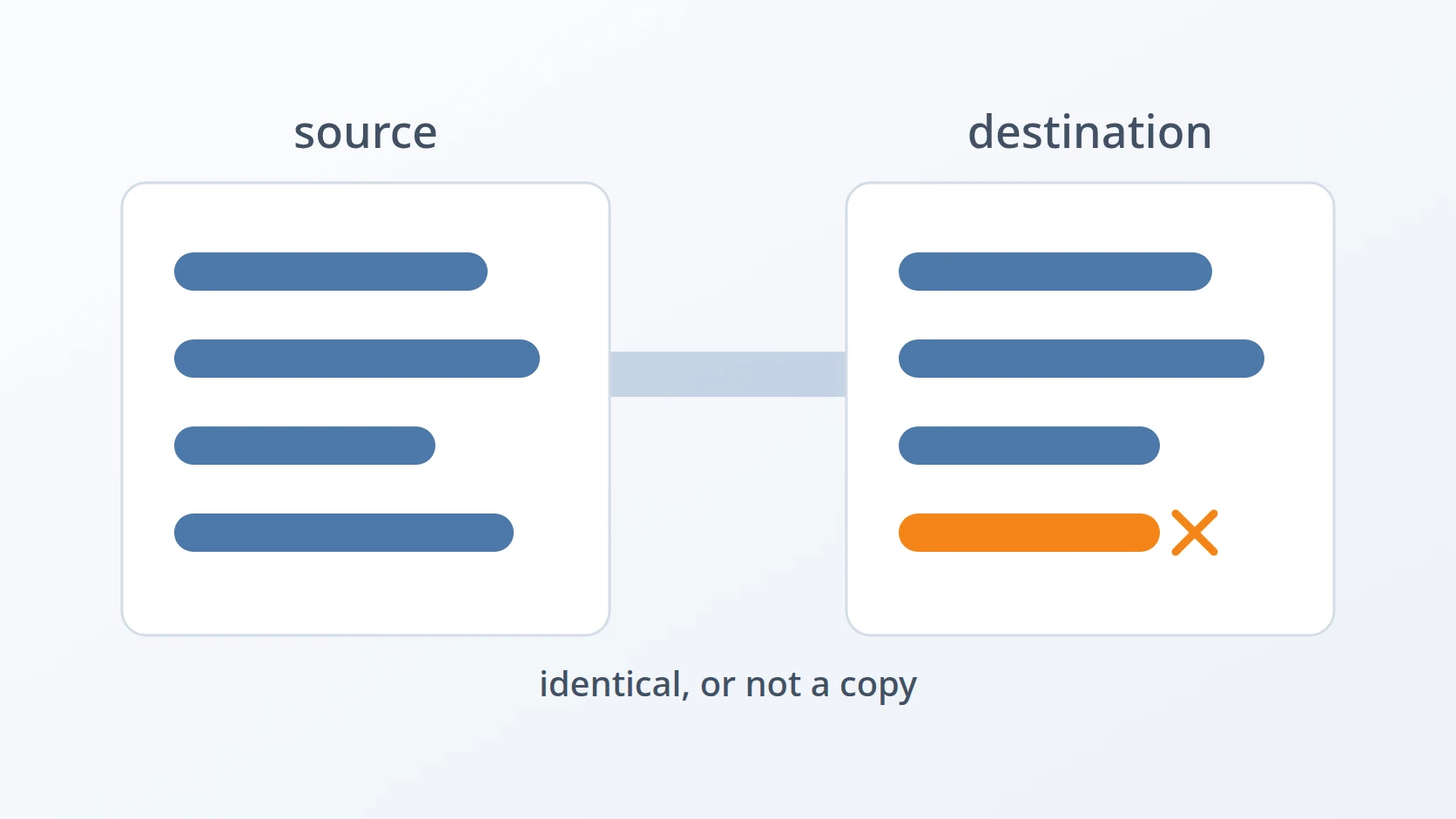
Building and versioning every image, and creating a full copy of production for each release.
Promoting a tested release into production, and keeping the environments' addresses apart.
Backing up the running platform, and rotating its credentials.
Moving the platform's data from an old layout into a new one across major versions, and keeping the operations documentation readable offline.
Key decisions
The platform owns its chain of trust. Rather than depend on an outside certificate provider for every signature, Aurograf runs its own root, issuing and timestamp authorities. The root's key stays on an offline host, and only its certificate and revocation list are published, so the most valuable key in the system is never reachable from the network.
Every responsibility is a service of its own. Signing, timestamping, issuing certificates, checking faces, rendering and storing each belong to a service built for that job, with its own release cycle. A change to how documents are signed never requires redeploying the user interface, and the authorities can be backed up, rotated and upgraded on their own schedule.
Files never pass through the core. Browsers upload straight to storage through short-lived links, and the services read and write documents the same way. The core decides who may do what; it does not carry the bytes.
Signing never makes anyone wait. Every signature runs as a background job, so a request is accepted at once and the cryptographic work happens behind it. The web server and its queue workers ship in a single container image, so both always run the same code.
A person proves they are present, and a person decides. The face challenge establishes that a live person took part; a human reviewer still approves every identity before a certificate is issued.
Every request is traceable end to end. One trace follows a signature from the user's click through the core, the signer and the authorities, collected in one place, so a question about any document can be answered from evidence.
History
The first version, built between September 2022 and February 2023, offered the same purpose in a simpler form: one monolithic application. Version 2, which my team and I have been building since 15 September 2025, rebuilt every part from scratch as separate services — its own public key infrastructure, a long-term PDF signer, a Laravel core, a Vue interface, and reusable modules shared with my other work.
Status
Aurograf is in production and actively maintained, with new releases following the same tested path from development to production.
Terms
- Certificate authority
- A service that issues and vouches for digital certificates, which identify who made a signature.
- Timestamp authority
- A service that signs the time at which a document existed, so a signature can be shown to predate any later change or expiry.
- Public key infrastructure
- The set of certificate authorities, certificates and revocation lists that together make digital signatures verifiable.
- PAdES B-LTA
- The long-term archival level of the PDF signature standard, which embeds everything needed to verify a signature years later.
- Single sign-on
- One account that lets a person sign in to many applications without a separate password for each.
Technologies covered
- Python
- Rust
- Laravel
- Vue
- Docker
- Kubernetes
- OCSP
- PAdES
- X.509